Applies a non-linear blur where pixel influence decreases exponentially with distance.
Unlike Gaussian blur, which spreads blur evenly in all directions, exponential blur concentrates its effect near edges and high-contrast transitions, producing a softer yet more localized smoothing.
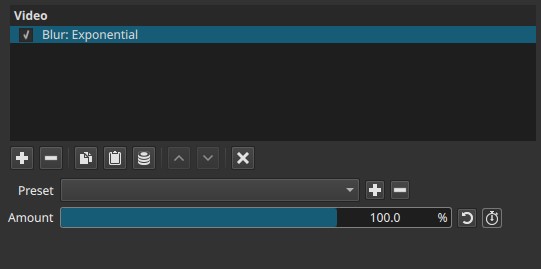
This filter is designed for perceptual softening rather than precise optical simulation.
Parameters
Amount (0.0 - 100.0%)
Controls the strength of the exponential blur.
-
0.0%
No blur is applied. -
Low values (5% - 20%)
Subtle softening. Fine detail is reduced while edges remain relatively defined. -
Medium values (20% - 60%)
Noticeable blur. Texture and small features are smoothed, but the image does not spread as widely as with Gaussian blur. -
High values (60% - 100%)
Strong blur. The image becomes soft and diffuse, with reduced haloing compared to Gaussian blur at similar strength.
Important behavior
- Blur intensity increases rapidly at low values.
- The effect is not radius-based; Amount controls perceptual strength rather than distance in pixels.
Note:
Exponential blur fades quickly with distance, so blur feels concentrated rather than spread out.
Keyframes
The Amount parameter can be keyframed.
This allows:
- Gradual focus shifts
- Soft transitions
- Animated emphasis or de-emphasis of detail
Visual characteristics
- Smooth, localized softening
- Less edge haloing than Gaussian blur
- Reduced spread into neighboring areas
- More “matte” appearance at high values
Comparison with other blur filters
Gaussian Blur
- Even, symmetrical blur
- Radius-based
- Spreads blur uniformly
- Commonly used for defocus or general smoothing
Exponential Blur
- Non-linear falloff
- Concentrates blur near edges
- Less uniform spread
- More perceptual than physical
Box blur
- Harder edges
- Less natural transitions
- Performance-oriented
Summary of differences
| Blur type | Spread behavior | Typical use |
|---|---|---|
| Gaussian | Uniform, wide | Optical defocus |
| Exponential | Rapid falloff, local | Perceptual softening |
| Box / Fast | Hard, blocky | Speed or stylization |
Recommended use cases
- Softening harsh digital edges
- Subtle beauty or matte effects
- Background diffusion without strong haloing
- Transitional blur animations
Limitations
- Not physically accurate lens simulation
- Single control only
- Can flatten contrast at high values
- Not suitable where precise blur radius is required