Applies a low-pass spatial filter to the video clip, attenuating high-frequency detail while preserving low-frequency structures.
In practical terms, it removes fine texture and noise before it removes larger shapes and edges.
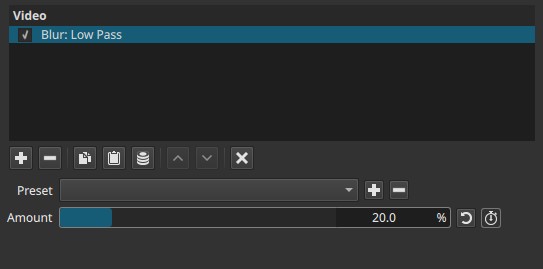
This filter is based on the same conceptual idea as a low-pass filter in signal processing: allow slow variations to pass, suppress rapid changes.
What “low pass” means
In images:
-
Low frequencies correspond to:
- Large shapes
- Smooth gradients
- Broad lighting changes
-
High frequencies correspond to:
- Fine detail
- Texture
- Noise
- Sharp edges
A low-pass filter reduces high-frequency content while keeping low-frequency information intact.
Note:
Low-pass blur removes detail first, not structure.
Parameters
Amount (0.0 - 100.0%)
Controls how strongly high-frequency detail is suppressed.
-
0.0%
No filtering; the image is unchanged. -
Low values (5% - 20%)
Fine texture and noise are reduced. Edges remain mostly intact. -
Medium values (20% - 60%)
Noticeable softening. Small details disappear, larger forms remain readable. -
High values (60% - 100%)
Strong smoothing. The image becomes flat and diffuse, with minimal fine structure.
Important behavior
- The effect increases rapidly at low values.
- Amount controls frequency suppression, not a blur radius in pixels.
Keyframes
The Amount parameter can be keyframed.
This enables:
- Progressive smoothing or reveal of detail
- Temporal separation of detail and structure
- Transitions between sharp and abstract states
Visual characteristics
- Smooth, uniform softening
- Reduced fine texture and noise
- Edges fade gradually rather than haloing
- Less “spread” than Gaussian blur at comparable strength
Comparison with other blur filters
Gaussian Blur
- Uniform spatial blur
- Radius-based
- Spreads pixels evenly in all directions
- Produces visible haloing at higher values
Low Pass Blur
- Frequency-based smoothing
- Suppresses detail before structure
- More controlled edge degradation
- Less haloing, more matte appearance
Exponential Blur
- Rapid falloff from edges
- Perceptual, localized softening
- Not frequency-oriented
Summary comparison
| Blur type | Core behavior | Typical use |
|---|---|---|
| Gaussian | Even spatial spread | Defocus, general blur |
| Low Pass | High-frequency suppression | Noise/detail reduction |
| Exponential | Localized falloff | Perceptual softening |
Recommended use cases
- Reducing fine digital noise
- Preprocessing before Posterize or Dither
- Softening textures while preserving shapes
- Creating abstract or painterly looks
- Preparing footage for heavy compression
Limitations
- Not a physical lens simulation
- Single control only
- Can flatten contrast at high values
- Not suitable when edge precision must be preserved