Custom Filter - Bleep Censor Tone Filter

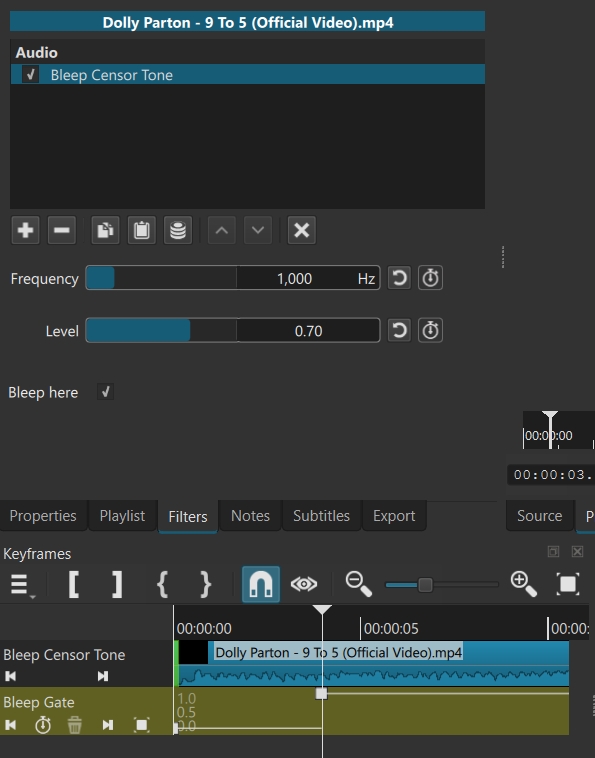
I just created a “Bleep Censor Tone” custom filter for Shotcut - with a lot of help from Claude AI!

I got the idea from this thread:

It seems to be working. First, here’s a short demo. No commentary - just me applying the filter to a clip. Apologies for anyone who might be offended by some mildly profane language:

Claude also helped me to write full instructions for it, too. Here’s the intro, from the full instructions:

This is a custom Shotcut filter that replaces audio with a censor tone (“bleep” sound). Instead of splitting a clip and swapping in a tone clip for every single bad word, you apply the Bleep Censor Tone filter once to a track and flip a checkbox on/off at each spot that needs censoring.

Requirement: Requires Shotcut 26.6 or newer — that’s the version that added support for custom filter UIs.

Devised by Shotcut user and Forum member JonRay, with help (and a long chat)… with Claude AI.

Full instructions (PDF file):

Bleep Censor Tone filter - instructions (final).zip (112.0 KB)

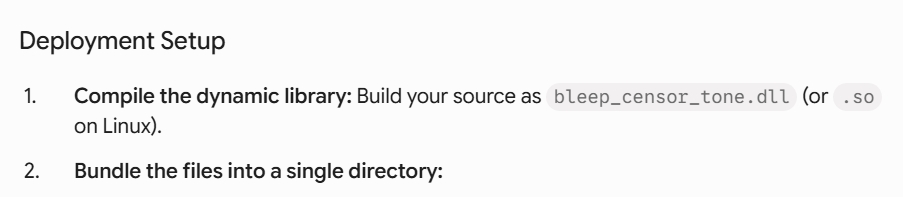
Note: I had to compile a DLL file for Windows named “beep.dll”. I had no idea how to do this; Claude did all the work.. but I had to think of all the right questions to ask, and correct him when things didn’t work…

Linux and macOS users will have to compile their own files for it to work. It is above my skill level to do this, and I have zero time available to ask Claude, but I can provide the files that Claude sent me if requested… but can’t help further than that.

I’m happy to share this ZIP with 3 files in it:

Bleep censor filter for Shotcut (JR) - all 3 files - Copy.zip (36.2 KB)

@shotcut or @brian - feel free to use or adapt these files as you like (if you are interested in them) - maybe with a view to including it in future Shotcut versions? However, I am aware that they may need a lot of work to get them up to the high standard of all other filters, so I don’t mind at all if you don’t use it.

For me this was mostly an experiment to see if making a custom filter could be done, and it’s my first attempt at creating a custom filter.

2 Likes

Ehm :slight_smile: I’m using GNU/Linux so… what must I do? :slight_smile:

1 Like

Oh no, I hoped you were on Windows… what a shame. OK, I will post a folder of files which Claude sent me from which I was able to compile a DLL file which worked in Windows.

Then, if you are an expert coder, you will know what to do, but otherwise you might have to ask AI (Claude, gemini etc). I recommend Claude for this one - Although Gemini is good with coding, in this case I found Claude to be much more much more thorough than Gemini . Gemini did try to solve it first, but we ran into a dead end.

If I can find some time I can ask a few questions myself but I’m pretty busy. And actually on vacation… :wink:

Anyway here is the folder of files which Claude sent me:

Bleep censor files from Claude 01.zip (25.2 KB)

This is counter to the spirit of scripts for Shotcut. They should be independent. BAD ARCHITECTURE! If you want to add a capability to the engine, you should do it now as an external plugin (VST2 or LV2) and distribute .qml files for it. Please ask Claude to change this to use that approach.

1 Like

No, it’s OK. I will leave any coding whatsoever I did in good faith and stop trying to contribute.

1 Like

I never used Claude, maybe I have to ask Gemini but generally I don’t like AI. Will try somehow…

1 Like

I’m sorry I misunderstood this as script instead of a filter with its UI. The issue is that this is a new LADSPA plugin, and the MLT in Shotcut does not read LADSPA plugins installed to locations other than the Shotcut install. OTOH, it does read VST2 and LV2 from the system and user-supplied paths:

It you put things into the Shotcut install dir, it has a good change of being removed on an update or reinstall. And some installs do not allow modifying the Shotcut program folder (Microsoft Store app, macOS, Linux AppImage/Snap/Flatpak).

2 Likes

Ok, I’m beginning to understand what you were saying now. I just didn’t understand why you thought I was showing bad behaviour and said it so curtly… and why you didn’t approve. OK, I have calmed down a little. I get it. I can try to change the approach and go down the VST2 or LV2. I’ll see what Claude says, and explain that what he did was poor form.

1 Like

Dan, I’m calmer now. I ran your concerns past Gemini (I’m timed-out with Claude for 5 hours…) and this is his reply, in a series of screen captures (minus the code he sent after each step). Can you just say whether this is an approved approach or not? I don’t want to tread on any toes or unknowingly do anything wrong..:grinning_face: If it’s a good approach I will pursue it further, if that’s OK with you…or take your advice if it’s not a good idea.
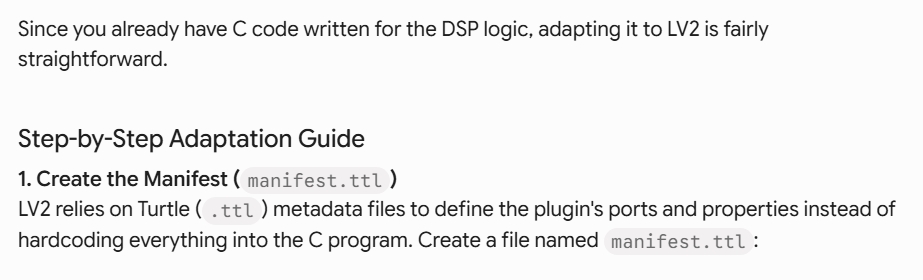


Gemini’s answer (minus the code he sent for each step, which I will download):

Also, if I do this, will it work for users on Linux and/or macOS?

Please be aware I’m not a coder.

Yes, that is correct including the install path. I need to update my docs for the LV2 path. I can help you adapt the .qml files if needed after this change.

1 Like

OK, thanks Dan. I can see more and more now why you weren’t too keen on my earlier effort.

Thank you.