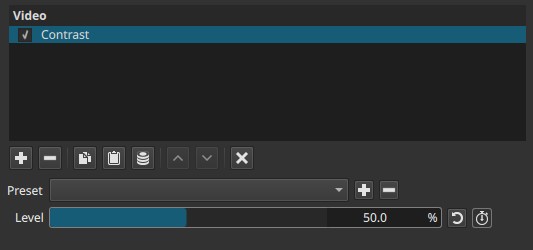
Adjusts the difference between dark and light areas in the image.
Increasing contrast pushes dark values darker and bright values brighter, while decreasing contrast compresses the tonal range toward midtones.
Contrast does not change overall brightness; it redistributes how luminance values are separated.
What contrast means
In image terms:
-
Low contrast
Dark and light areas are closer together
→ Flat, soft, or washed-out appearance -
High contrast
Dark and light areas are further apart
→ Strong separation, punch, and visual clarity
Contrast defines how clearly forms, textures, and edges are perceived.
Note:
Brightness moves everything up or down; contrast spreads values apart or squeezes them together.
Parameters
Level (0.0 - 100.0%)
Controls the strength of contrast expansion or compression.
-
0.0%
Minimal contrast. The image appears flat, with reduced distinction between dark and light areas. -
Low values (10% - 30%)
Soft contrast. Useful for foggy, low-key, or muted looks. -
Medium values (40% - 70%)
Natural contrast range for most footage. -
High values (70% - 100%)
Strong contrast. Blacks deepen, highlights brighten, and midtones become more pronounced.
Important behavior
- Increasing contrast can clip highlights and crush shadows.
- Decreasing contrast can reduce perceived sharpness.
Keyframes
The Level parameter can be keyframed.
This allows:
- Gradual build-up of visual intensity
- Transitions between flat and dramatic looks
- Contrast fades independent of brightness
Visual characteristics
- Affects luminance distribution only
- Preserves color hue, but saturation may appear stronger at high contrast
- Emphasizes edges and texture
- Impacts perceived depth and clarity
Relation to black, white, light, and dark
-
Blacks
Higher contrast pushes blacks closer to pure black. -
Whites
Higher contrast pushes highlights closer to pure white. -
Midtones
Become more separated, increasing perceived detail.
Lower contrast compresses all values toward mid-gray, reducing distinction.
Note:
Contrast controls the distance between black and white, not their position.
Comparison with related controls
Contrast vs Brightness
- Brightness shifts the entire image lighter or darker.
- Contrast changes the separation between light and dark values.
Contrast vs Levels / Gamma
- Contrast is global and symmetrical.
- Levels / Gamma allow targeted control of shadows, midtones, or highlights.
Recommended use cases
- Restoring punch to flat footage
- Enhancing depth and separation
- Matching shots from different sources
- Establishing dramatic or stylized looks
Limitations
- Easy to overdo
- Can hide detail in shadows and highlights
- Not selective; affects the entire image uniformly
- Not a replacement for proper exposure correction