Adjusts the overall luminance of the image / video by scaling pixel intensity values.
This filter makes the image uniformly darker or brighter without targeting contrast, midtones, or color balance.
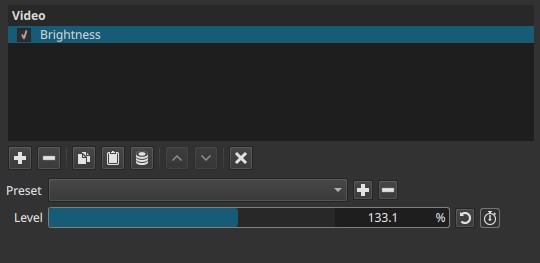
Brightness operates as a global gain on luminance rather than a tonal remapping.
Parameters
Level (0.0 - 200.0%)
Controls the brightness multiplier applied to the image.
-
100.0%
No change. -
Below 100%
Darkens the image. -
Above 100%
Brightens the image.
Observed behavior
Although applied globally, the adjustment is most noticeable in shadows and darker regions.
Highlights reach clipping more quickly and therefore show less visible change at high values.
Note:
Brightness lifts or lowers the signal as a whole; dark areas respond more visibly than bright ones.
Keyframes
The Level parameter can be keyframed.
This allows:
- Gradual exposure changes
- Fade-ins or fade-outs via luminance
- Temporal brightness modulation
Visual characteristics
- Uniform luminance scaling
- No selective midtone control
- No contrast expansion or compression
- Color hue is preserved, but saturation may appear altered due to clipping
Comparison with related controls
Brightness vs Contrast
- Brightness shifts overall luminance
- Contrast changes the difference between dark and light regions
Brightness vs Levels / Gamma
- Brightness is a simple gain
- Levels / Gamma remap tonal ranges and midtones more precisely
Note:
Use Brightness for coarse exposure correction, not fine tonal shaping.
Recommended use cases
- Quick exposure compensation
- Matching shots with small luminance differences
- Simple fades to black or white
- Pre-adjustment before contrast or gamma corrections
Limitations
- Can clip highlights or crush shadows
- No protection for midtones
- Not color-aware
- Not suitable for precise exposure correction