New BETA v26.7 now really with VST2 & LV2, 10-bit edit-friendly transcodes (Convert), a GPU selector for systems with multiple GPUs, a new Shake video filter, and some stock assets in the new Elements panel.
3 Likes
I’m experiencing a crash when trying to open the Windows ZIP file shotcut-win64-26.7.16.zip
To begin, it never loaded (opening screen hung) and a message came up from Widows Defender saying a scan had to be performed.
I wondered if it was anything to do with my common files/vst2 folder, because I had the following folder in it:

with a music VST dll inside it:
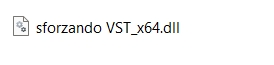
I removed this folder, leaving the common files/vst2 folder empty, and SC loaded up OK, but on first loading, I got the same Windows Defender message (subsequent loads didn’t trigger this message).
Now I can open previous SC projects, but when I use Open File and open a mp4, mp3 or jpg image, it fills the preview screen, but it can’t be dragged onto the timeline.
O/S: Windows 11
Hello,
Please reinstall and then reboot the computer and check if it is working fine again
1 Like
Hi there, yes I did that. I re-downloaded the ZIP as well.
Try using a timeline toolbar button. Does a timeline project open and display?
I remember you had a problem a long time ago with the Direct3D requirements, and I added an automatic OpenGL fallback upon startup crash. Maybe it no longer crashes on startup to fallback to OpenGL, but still has a problem with Direct3D on your system. In version 26.6 it never tries to use OpenGL. Is the 26.6 release working OK? You can set an environment variable QSG_RHI_BACKEND to opengl, and this new version honors it if you want to try that.
1 Like
Oops, I should have tried that. Good news, Opening 2 mp4s put them into the playlist, and double-clicking one then pressing + on the timeline toolbar gets it onto the timeline.
I tried dragging again and Shotcut didn’t like it at all. Long egg-timer, the screen went grey, then crashed.
Well remembered! However, I am not on that Windows 10 machine - I’m on my laptop, Windows 11.
26.6 version (installed) is working fine. I haven’t tried the Beta installed version yet. I plan to when I get a moment. Has anyone else experienced this?
I reproduced the problem with drag-n-drop! Drag-n-drop from the Playlist, Recent, Files, or external file manager all work but not the player. I will fix that.
I installed the sforzando VST instruments and added some sounds into the app, but I did not have a startup problem in Shotcut. When you see a scanning message from a virus scanner, it will take a long time. You should allow a few minutes.
Update: drag from player crash fixed, not limited to Windows OS.
1 Like
try the installable exe file
Hi @shotcut, I’m trying to get Valhalla Supermassive reverb filter working with SC v.26.7 beta. It’s not working for me. Could you advise if I’m doing anything wrong please (only if you have time - I know you are mega-busy).
Here’s what I did.
- Downloaded Valhalla Supermassive VST2 (I’m pretty sure it’s a VST 2.4) .dll file and put it in folder:
C:\Program Files\Common Files\VST2
Screenshot:

2.Downloaded 26.7 beta as a zip, unzipped it.
3.Typed CMD in the URL bar of the folder containing Shotcut.exe.
4.Typed
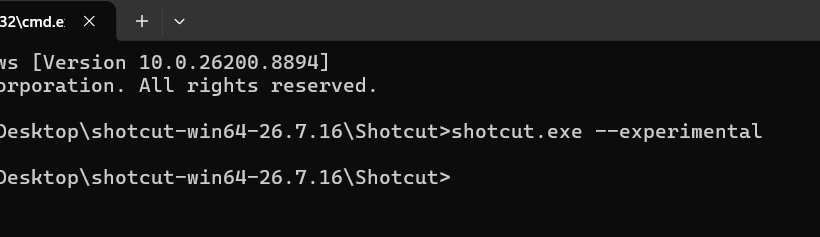
shotcut.exe --experimental
into the CMD panel.
Shotcut opened.
5 Put an audio file on the timeline.
6 Tried to find “Valhalla” in the Filters. It’s not appearing. I hoped Shotcut would find it in the VST folder on startup, and it would appear in the filters list.
That’s where I’m stuck. Do you mind a quick comment on what I might be doing wrong, please? Thanks.
PS I would like to experiment with using other VST reverbs with SC also, such as TAL-Reverb-4. Is this possible at the moment?
PS Thanks for fixing the drag/drop bug. Will the updated ZIP version be re-uploaded, or do I wait for the next release?
You do not need the experimental flag for super massive. It appears as a normal audio filler. Other VSTs, yes. You probably need to choose Settings > Leave Safe Mode.
There will not be another version before the release.
1 Like
Thanks for the confirmation, @shotcut. I’ll try to get Supermassive working via the “normal” Shotcut version.
BTW I’m looking forward to being able to add VST reverbs and possibly other effects, one day, to audio files. I use them extensively at the moment with my music work in Cubase. Thanks for working to make it possible.
PS Why didn’t the TAL reverb filter show up in the experimental flag version, since the TAL .dll file was in my VST2 folder?
It does not work in the last release. It needs to be this beta, not in Safe Mode.
Because you are in Safe Mode. That does need --experimental to generate a UI since one is not bundled with Shotcut. There is a bundled UI for Supermassive.
1 Like
Ah, Ok, thanks for the information, @shotcut. I do apologise, I hadn’t seen the documentation for it that you posted above. Thank you for your time.
I really like the new Elements feature. Is there a way to add our own custom sounds directly into Elements, instead of having to use ‘Open With’ every time?
1 Like
Use Files for your own collections wherein you can save preset locations. You can drag and drop from files to timeline, or double click to preview within Shotcut and then drag from the player.
2 Likes
I see 2 Shake filters in the filters list
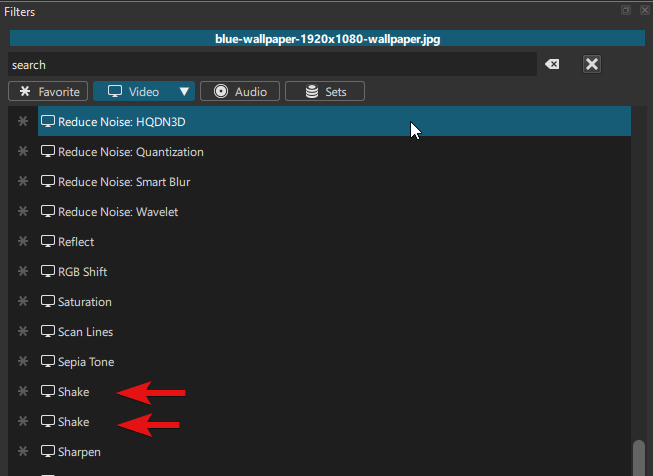
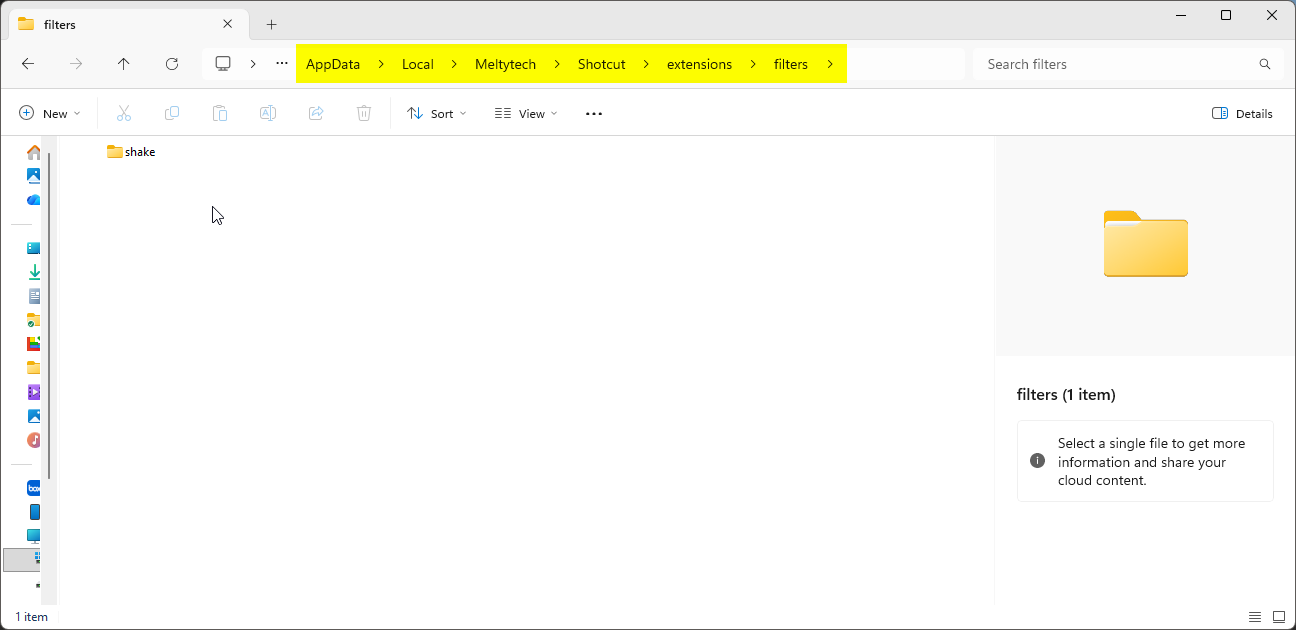
EDIT: Ok.. never mind… I found out why…
That’s because I downloaded it previously from this post and added it manually to the AppData directory.
VST2 Reverb -
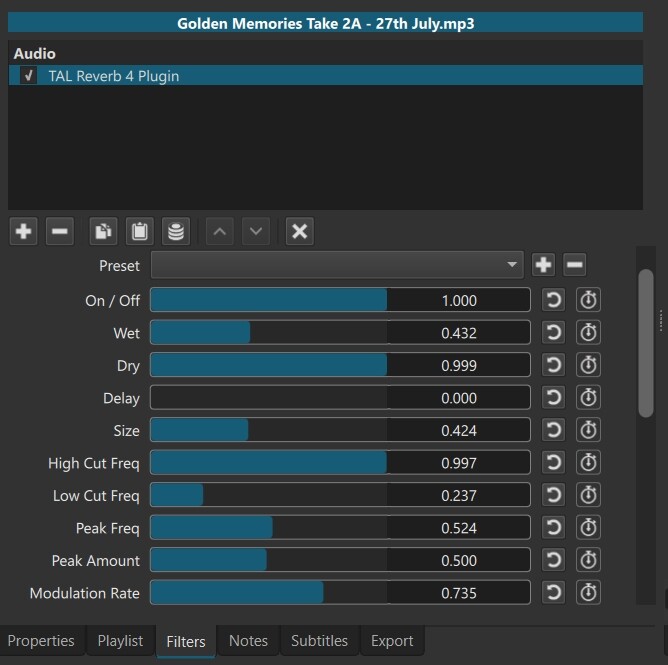
Hi @Shotcut - Dan, I am delighted to report that I got TAL-Reverb-4 VST2 reverb working in Shotcut v. 26.7.16 beta (portable).
I used the --experimental flag:
Here is a quick demo I made of me applying the TAL reverb to a flute track I’m working on. The demo shows me messing around with the settings. For me, it gives a subtle (or not-so-subtle, if desired!) reverb effect to my flute music.
Note, there is no reverb applied to the piano backing track, just the flute track, which I recorded along to the track wearing headphones to isolate the piano. I used my Samsung mobile phone to record the video (I have an AKG pro studio microphone and Yamaha mixing deck available, but these days I find I’m simply using my mobile phone instead, which gives great results)…
Thanks Dan for making it possible to have VST2 effects working in Shotcut. I appreciate it.
I wondered if you have any plans to make the TAL reverb available in Shotcut, without having to use --experimental (like you have done with Valhalla Supermassive)?
Also, note, in my folder C:Program files\Common files\VST2 I have more VST2 reverbs in it, but no others were picked up and applied in Shotcut, only the TAL.
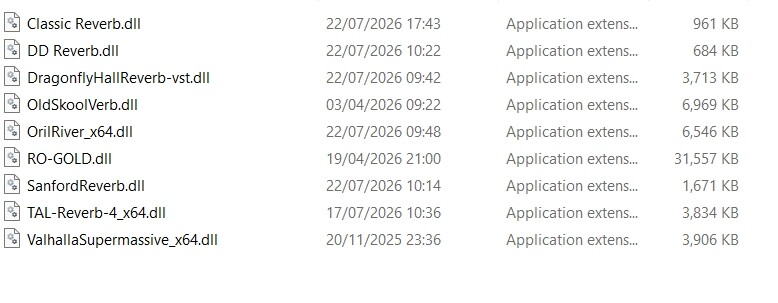
I attach a zip of these VSTs (DLL files), if you want to take a look at them somehow, for any reason.
Thank you again!
Reverb DLL files.zip (38.8 MB)