A BETA for upcoming 26.4 release is available. It has a fix for a recent waveform regression plus many small refinements.
Just noticed one thing by far, just to add on what you did added, on the vertical gride. This grid should specifically include a horizontal line 420px from the bottom to clear the caption and “Follow” buttons.
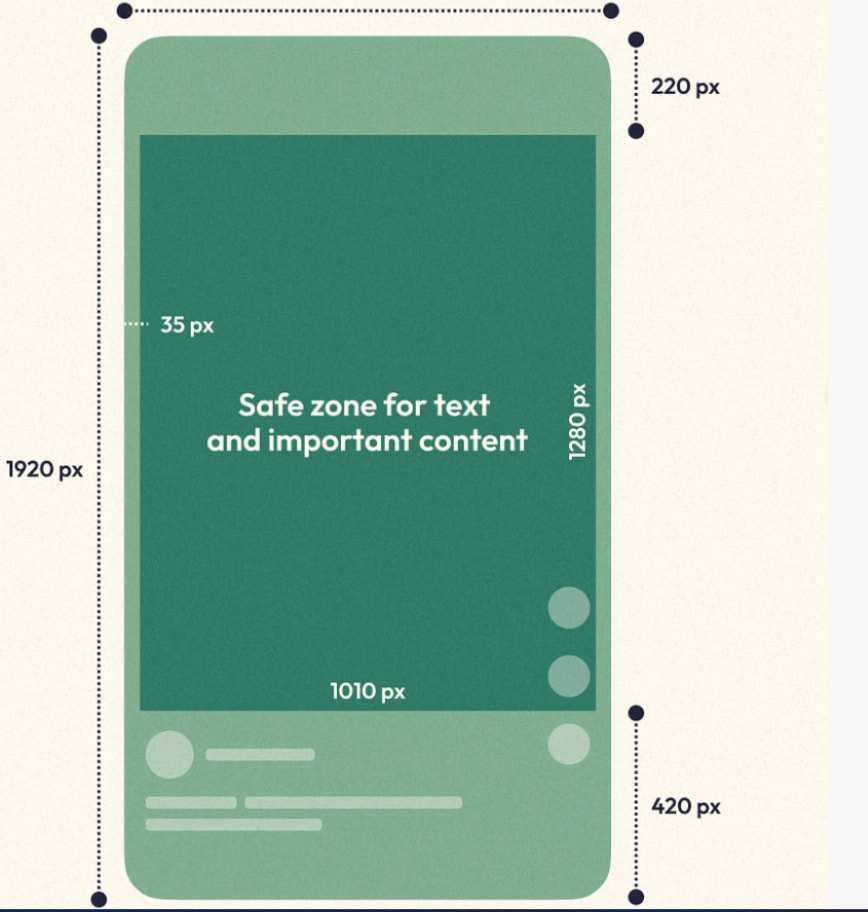
A vertical line 50px from the right to avoid the “Like” and “Share” icons, and a top margin at 220px to account for header tabs.
The main aim is for the central 1010x1280px safe area, ensuring that no critical information is hidden behind the native interface of apps like TikTok, Reels, or YouTube Shorts.
Thanks for this new version. I see many useful new additions and fixes.
A few comments so far:

What is the new way to work with Glaxnimate?
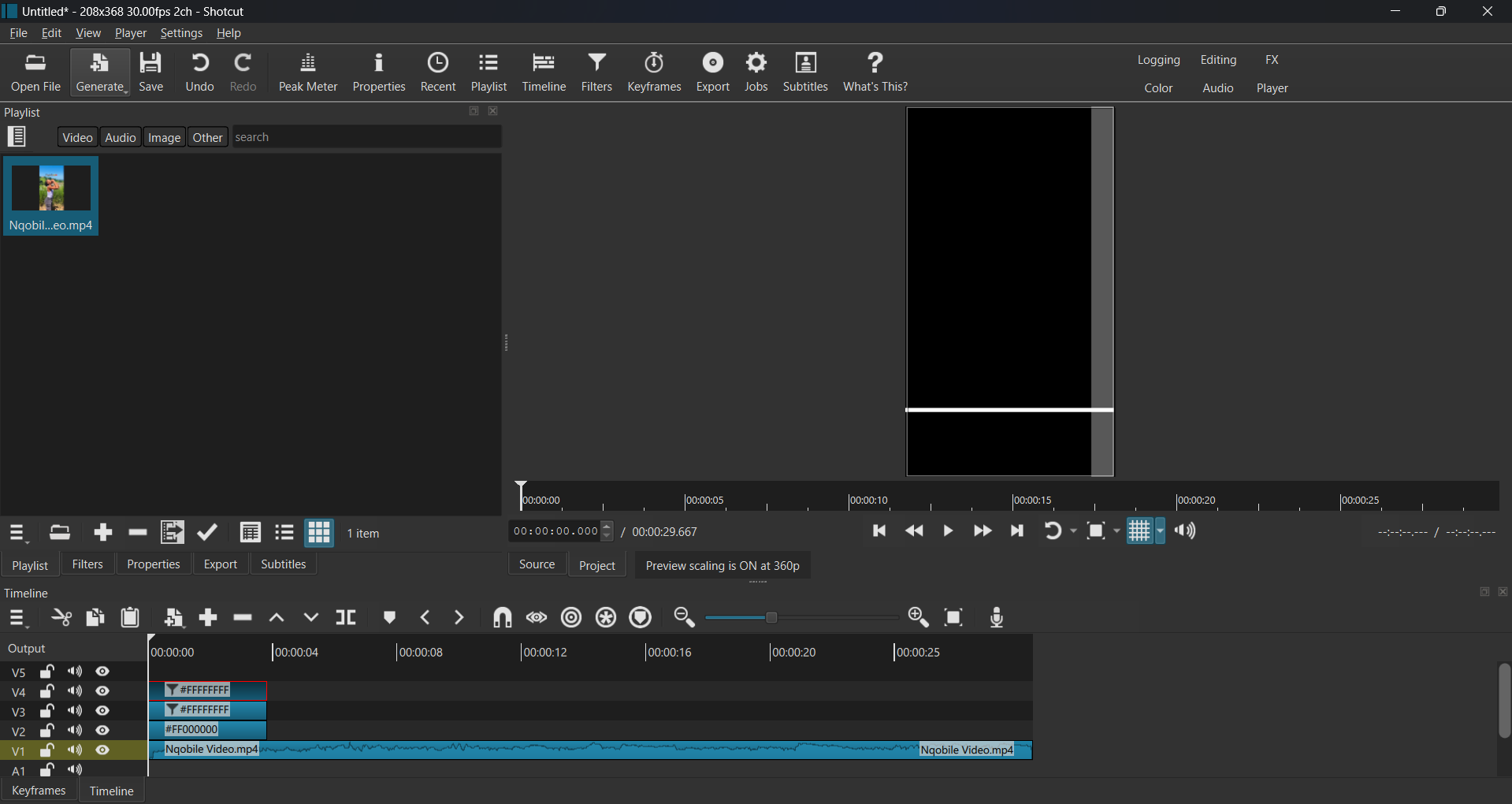
Is there a way to see in Glaxnimate the Shotcut tracks sitting under the rawr clip?
Unless I’m missing something, the Mask Draw (Glaxnimate) filter is now pretty much unusable if we can’t see the Shotcut timeline in Glaxnimate.

As I understand this, we place the Playhead somewhere in the Timeline then grab the end of a clip and hold I or o while dragging it toward the playhead.
But there is a problem: Holding I or o will trim any clip on the other tracks.

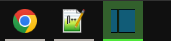
Glad to see that feature back. But is it normal for the icon in the taskbar to stay green after the job in completed. Only thing that will remove the green highlight is to exit/relaunch Shotcut.
3 Likes
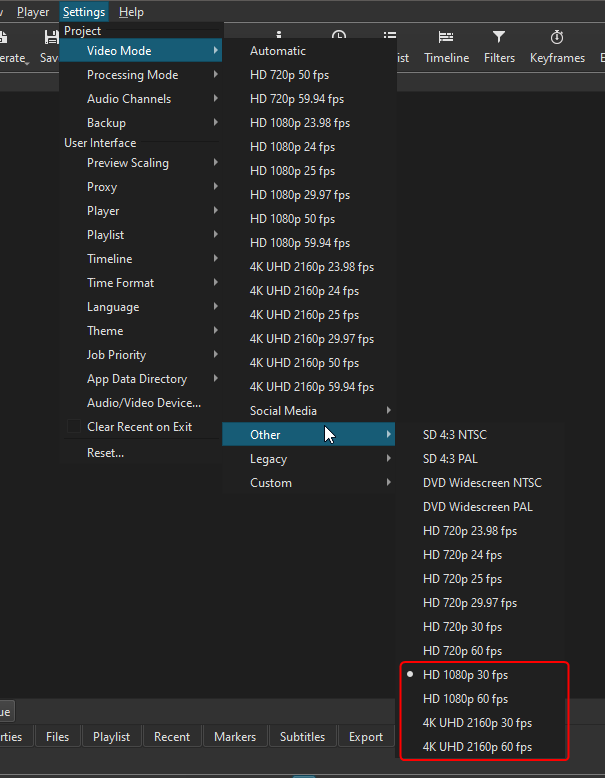
I’m also a bit surprised to see that the HD 1080p and 4K 2160p (30fps and 60fps) video modes are now inside a tab called Other. Aren’t they popular video modes?
1 Like
Yes, it still works
No, place the playhead in a blank area next to the selected clip. A single press of I or O extends the selected clip to the playhead assuming there is enough footage.
Yes, because people are not constant watching it. You want to check much later if something is done. This is the only way to show something done.
1 Like
Most people should be using 29.97 and 59.94 since that is what cameras are shooting and TVs are displaying.
1 Like
Not going do add this. Also, these rules are not dependable as devices, software, and trends change over time.
1 Like
That’s fair. You are 100% correct on that. I support you.
Now that will be VERY useful, thanks! 
1 Like
When I Click ‘O’ It Trim The Top Clip
2 Likes
Thanks, fixed.
3 Likes
You did notice that ‘i’ for front extend do not work, only ‘o’ which extend to the back works well?
I don’t think this is standard behaviour on windows, I mean for me it has the exact opposite effect if it remains green: it looks stuck at 95+% so my first reaction “oh, that’s still exporting, I’m not gonna check yet”. Not being green is the way to see if the export was done.
Btw, big thanks for not including glaxnimate directly anymore, the install time is so fast now and there’s 15000 less files in the folder (I don’t know why they don’t just .tar/.zip those thousands of files and use them directly at runtime, other people must be annoyed by this also).
1 Like
Then, what is? It was written by Claude, and Gemini told me:
Taskbar Progress Bar (Completed State)
The taskbar icon can double as a progress bar. While usually used to show ongoing work, you can set the progress bar to 100% and leave it there. You can also change the state (color) of the bar to indicate the result (e.g., normal/green for success, error/red for failure).
It does that while also does some flashing when done if you notice it. Gemini also mentions an icon approach where I would have to provide the 16x16 icon, but this is all I feel like doing now.
Firefox and Handbrake are 2 very popular apps that just return the taskbar icon to the regular state after a download/conversion finishes. So I’d say this is the expected behaviour.
You might have lead the AI to your preferred answer using previous queries. Just asked chat gpt a plain “what is the behaviour of most apps that show the progress in the windows taskbar?” and it said:
6. Completion behavior
- When progress reaches 100%:
- The bar disappears shortly after.
- Apps may trigger attention (flash or highlight the icon).
I don’t see the need for the “trigger attention” part - the fact that there’s no green overlay is enough to signal that the export finished. This is not an alarm app, after the export finishes the file is saved and there’s no need for further input from the user. The progress bar’s purpose is to avoid alt tabbing into the app to see how much time till finish.
followup for “what do most apps do at the end?” :
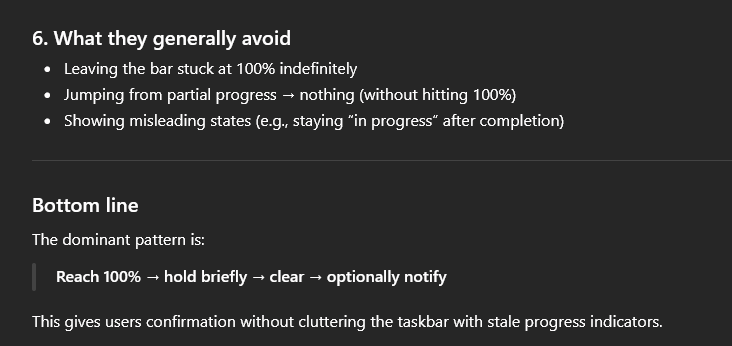
2 Likes
Weird, it wasn’t working yesterday. Now it does. Oh well.
Only difference (I think) is that yesterday I used the portable version. Today I’m using the installed version.
Ok I will make it do that after it does the flashes that I see other apps do.
P.S. The Windows 11 taskbar always shows a short green bar under the window that has focus.
4 Likes
Debatable. Agreed that a lot will use Shotcut for home videos they’ll watch on TVs, but I think most people create their videos for YouTube and other online platforms.
According to Gemini:
For the best quality across YouTube, Instagram, and TikTok in 2026, the preferred, industry-standard settings are 1920x1080 (horizontal) or 1080x1920 (vertical) resolution at 30 or 60 frames per second (fps), exported as MP4 files using the H.264 codec.
While 4K is superior, social media platforms heavily compress videos, often making 1080p the most reliable format to maintain sharpness after uploading.
Summary Table of Preferred Settings (2026)
Platform Resolution Ratio (FPS) TikTok 1080 x 1920 9:16 30 or 60 IG Reels 1080 x 1920 9:16 30 (60 accepted) IG Feed 1080 x 1350 4:5 30 YouTube 4K or 1080 16:9 24, 30, or 60 YT Shorts 1080 x 1920 9:16 30 or 60
Anyways. Not a big deal. I guess that when users managed to find the 30fps and 60fps video modes once, they’ll remember where they are the next times.
It is rounding and not being detailed. It make makes no mention of 29.97 or 59.94 as options or the actual standard. The purpose of this change is to guide people away from the sharp edges that occur from not know the difference between 30 and 29.97 or the meaning of the little ‘i’ or ‘p’ after the resolution number (learned from bentacular). YouTube delivers 29.97 (technically, 30000/1001) to your 29.97 TV when you upload a 29.97 video you shot with your camera at 29.97. You can lead a horse to water, but you can’t make him drink.
2 Likes
I hear what you’re saying, but I want to clarify that this is not a matter of a trend or a passing fad. All I am asking for, Sir, is just two lines added to the existing Vertical frame to help us stay within a professional safe zone.
For example, the EBU R95 Safe Area (Also available on Shotcut) has played a massive role in subtitle writing for decades. Back in the day, people also thought that designing around “Safe Areas” was just a trend or a suggestion, but today it is a global technical standard. Very few people watch movies or social content without subtitles anymore, and the 80% Title Safe rule is what ensures those subtitles are actually readable.
I am asking you from the bottom of my heart to reconsider adding these:
- The 420px horizontal line from the bottom: This is critical. If you look at YouTube Music or Spotify, they use the same logic. It’s the only way to ensure that subtitles don’t get buried behind the app’s native interface.
- The 50px vertical line from the right: This acts as a “Mobile Title Safe” guide so we can avoid the “Like” and “Share” icons that block the view.
Even if you feel the software landscape is always shifting, the core 1010x1280px safe area has become the industry standard for vertical content. Just as Shotcut provides 80/90 grids for horizontal video, adding these two lines would make the Vertical frame a serious, professional tool for those of us who need to ensure our content isn’t hidden by native app buttons.
I kindly ask you, Dan, please consider this. It would be a huge help to the community.