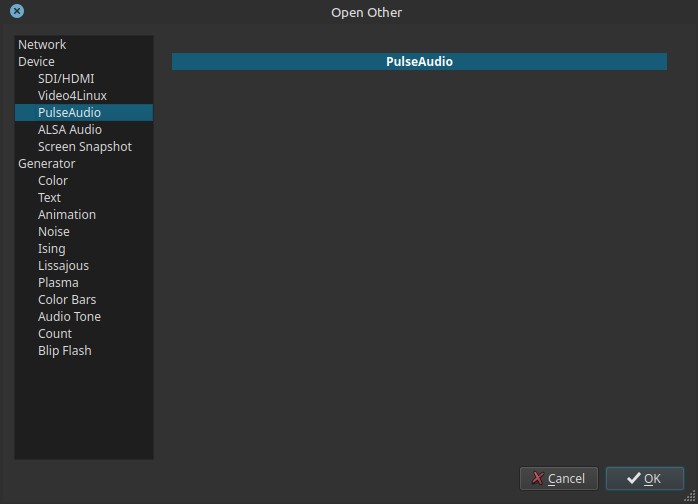
Opens a live audio input using PulseAudio as the capture backend.
This allows Shotcut to receive audio from the Linux desktop audio system instead of specifying a low-level hardware device.
This feature is Linux-specific.
What PulseAudio is
PulseAudio is a user-space audio server commonly used on Linux systems.
It sits above ALSA and provides:
- Device abstraction
- Software mixing
- Input/output routing
- Per-application audio control
Most desktop Linux environments route microphones and audio inputs through PulseAudio or PipeWire, which is PulseAudio compatible.
Behavior in Shotcut
- This device has no configurable controls inside Shotcut.
- Audio source selection is handled entirely by the system.
- Shotcut receives whatever input PulseAudio is currently providing.
How audio input is selected
When using PulseAudio:
-
Microphone or input device selection is done via:
- System sound settings
- Desktop audio control panels
- External tools such as
pavucontrol
-
Shotcut simply connects to the active PulseAudio input stream.
If the wrong microphone is used, it must be corrected outside Shotcut.
Scope and behavior
- Linux-only feature
- Audio capture only
- Uses the desktop’s active audio routing
- No channel count or device selector in Shotcut
- Appears as a live audio source
This is the default and recommended audio capture path on Linux.
Typical use cases
Use this Open Other option to prepare for Timeline > Record Audio by verifying the audio input, audio input levels, and microphone placement.
- Voice-over recording
- General microphone recording
- Simple, system-managed audio input
Advantages
- Simple setup
- Works with most microphones
- Handles device switching automatically
- Compatible with desktop audio routing
- No ALSA device knowledge required
Limitations
- No direct device control in Shotcut
- Relies entirely on system configuration
- Not suitable for low-level or multi-channel capture
- Latency depends on PulseAudio/PipeWire configuration
Relationship to other capture options
-
PulseAudio
- High-level, desktop-managed
- Recommended for most users
-
ALSA
- Low-level, hardware-specific
- Intended for advanced or specialized workflows