I’ve been struggling with it for a while now, but everytime I add a file before another one, every file from that point on gets moved forward. I’d like to know if there are any settings that I need to tick or anything I could do to fix this?
Hi @Fire67
Maybe you have one or the two Ripple buttons enabled in the Timeline toolbar?
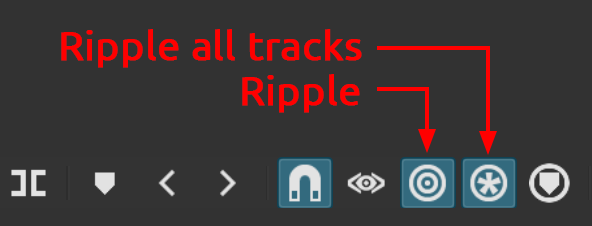
If they are, turn them OFF. And always remember to disable them after use.
Pasting a clip on a Track will also push the subsequent clips to the right, regardless if the Ripple buttons are enabled or not.
2 Likes
Those buttons are unchecked by default, I think. Honestly, you’ll need to practice using them a lot to get comfortable with them.
What I would suggest is keeping them hidden except the magnet, and
having a “show advanced controls” option in the menu.
This topic was automatically closed after 90 days. New replies are no longer allowed.