Workflow is pretty much as described in the YouTube video description.
- capture video from bike on FireFlyX
- capture GPS data on Android GPS app
- export GPS data as kml or gpx file
- import GPS data into Google Earth Pro
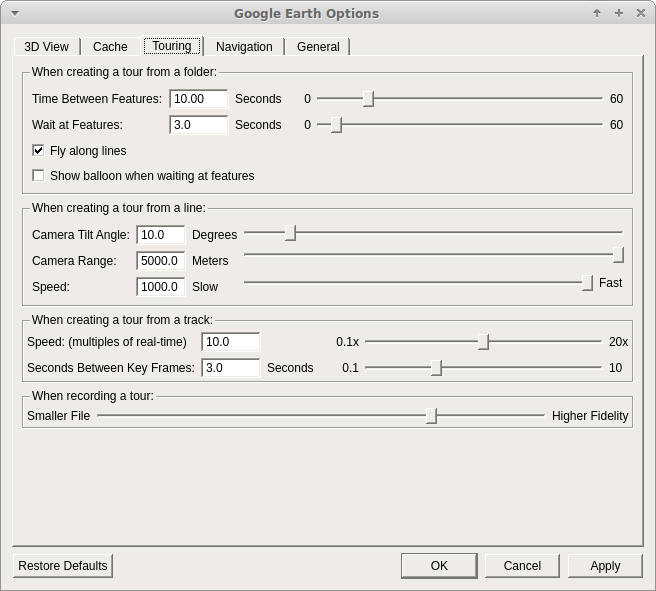
- create a “tour” from the GPS data. Modify camera angle and elevation to suit. See screenshot of options used:
- play the tour and use a screen capture app to save.
- import FireFlyX video(s) to timeline
- import screen capture to new video track. Note on the Google Earth Pro settings the tour playback is 10., so you need to change the properties of the clip to .1x
- sync the videos - you are correct I’m about 1.5 secs out on the demo
- used the “Clip Rectangle” and “Size and Position” filters on each video track to adjust where each clip displays.
- export video. I always used default YouTube settings. My camera records in 2560x1440 so that’s what I export as. I have found with YouTube if you export at any thing less than 1440 YouTube will only re-encode your video using the avc codec and not vp9 (which is better), so you may need to get Shotcut to upscale your video even if you only intend to view at 1080p.
I’ve got a Zoom H1N for recording, just didn’t bother with this video as it was just a test of the GPS stuff.
Hope that helps 