Crash when switching dynamic range for project

What is your operating system?

Windows 10 Pro, version 22H2, OS build 19045.7846

What is your Shotcut version (see Help > About Shotcut)?

26.9.27

  • Can you repeat the problem? If so, what are the steps?

Yes. I have a large project with 5 video tracks (1 disabled among them), and a muted audio track (work in progress). The videos in the project are a mixture of HLG footage with a few items of BT.709 and BT.601 SDR footage, where conversion LUTs are used to move the SDR into the HLG colour space. The project is ITU-R VT.2020 colourspace, but the dynamic range is SDR.

If I click on the Output track and go to Properties to adjust the video mode (I want to change the dynamic range to be HLG HDR!) and click OK, the program sits busy (non-responsive for a while) and then dies.

If I adjust the MLT XML file to be HDR by doing the following:

<playlist id="main_bin">
<property name="shotcut:colorTransfer">arib-std-b67</property>
<property name="xml_retain">1</property>
</playlist>

…upon load it’s still in SDR mode so I must try and adjust it again in the GUI, and it crashes again. I am not sure why it doesn’t respect the arib-std-b67 setting in the MLT XML.

The .dmp file (being loaded in Visual Studio 2022) doesn’t have much info as I am using the release build from the website, so there’s no debug info. But here’s the info I have:

Unhandled exception at 0x00007FFBF174B2E8 (libmlt-7.dll) in shotcut.exe.11540.dmp: 0xC0000005: Access violation reading location 0x0000000000000000.

The thread tried to read from or write to a virtual address for which it does not have the appropriate access.

Call stack is:

libmlt-7.dll!00007ffbf174b2e8()
libmlt-7.dll!00007ffbf174957b()
shotcut.exe!00007ff798a29338()
Qt6Core.dll!00007ffbcf313013()
kernel32.dll!00007ffc09fe7124()
ntdll.dll!00007ffc0ad3cc91()

So it looks like a crash somewhere in libmlt, perhaps requiring a mutex or something; I don’t know.
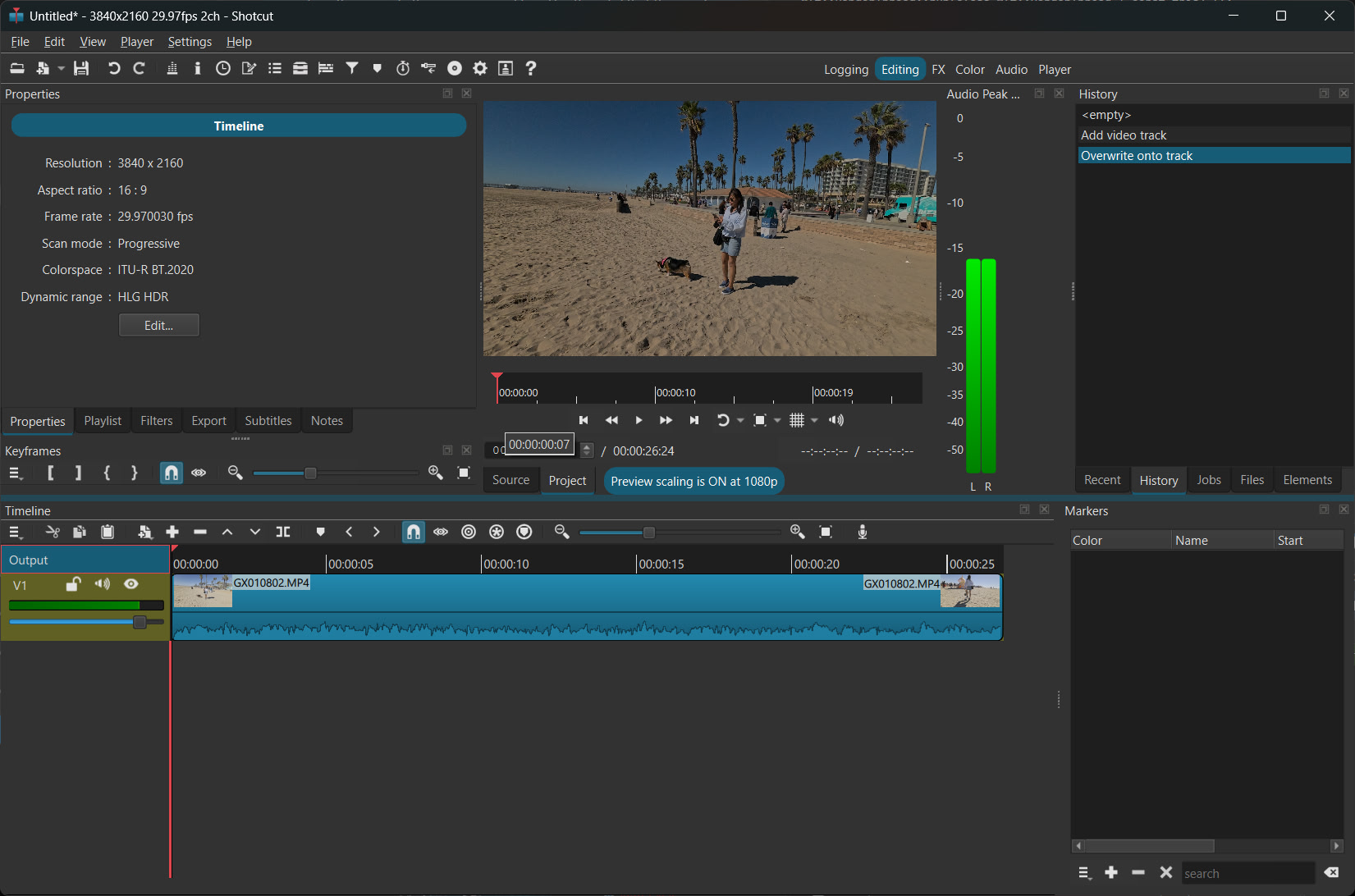
Just replying to say I also tried this on the beta version v26.11 BETA (tagged v26.10.30) and it does the same on there.

For the workaround, you need to change the shotcut:colorTransfer under <tractor> , not the playlist. That playlist property is simply an artifact, possibly when it was save before adding tracks to Timeline.

  <tractor id="tractor0" title="Shotcut version 26.9.14" in="00:00:00.000" out="00:04:02.502">
    <property name="shotcut">1</property>
    <property name="shotcut:colorTransfer">arib-std-b67</property>

Also, please be aware that only 2 processing modes support HDR:

I can’t get that workaround to work. I have attached an emptyHDR.mlt which is in SDR mode but as soon as you attempt to switch it, it’ll bomb out. emptyHDR.mlt (2.8 KB)

I have built the debug version and ran it on this, and it is failing in:

libmlt-7.dll!mlt_deque_close(mlt_deque self) (f:\shotcut-build\mlt\src\framework\mlt_deque.c:424)
libmlt-7.dll!consumer_read_ahead_thread(void * arg) (f:\shotcut-build\mlt\src\framework\mlt_consumer.c:1023)
Mlt::RenderThread::run(class Mlt::RenderThread * const this) (f:\ShotcutGit\src\src\videowidget.cpp:1145)
Qt6Core.dll![Unknown/Just-In-Time compiled code] (Unknown Source:0)
kernel32.dll!KERNEL32!BaseThreadInitThunk (Unknown Source:0)
ntdll.dll!ntdll!RtlUserThreadStart (Unknown Source:0)
[Unknown/Just-In-Time compiled code] (Unknown Source:0)

f:\shotcut-build\mlt\src\framework\mlt_consumer.c is crashing on line 1023 at the call to mlt_deque_close, where priv->queue is NULL at the point of call, sadly.

Some LLM analysis reveals some race issues only when GPU mode is enabled:
MLT 7.43.0 (git master 2a51ed9) crashes in consumer_read_ahead_thread() at src/framework/mlt_consumer.c:1023 (mlt_deque_close(priv->queue)) with priv->queue == NULL, on Windows with a GPU-processing project (shotcut:processingMode = Linear10GpuCpu).

  • priv->queue is created in consumer_read_ahead_start() (line 1176) and destroyed only by the read-ahead thread’s own exit path, which is also the sole writer of NULL (line 1024);
  • Because mlt_deque_count(NULL) is NULL-safe (mlt_deque.c:73-79) while mlt_deque_close(NULL) is not (mlt_deque.c:422), a NULL value at this point means the exit block already ran for that priv, or priv is a recycled allocation belonging to a newer consumer (fresh calloc ? ahead == 0, queue == NULL, so the loop is skipped and execution falls straight into line 1023).
  • The lifetime is broken from two sides: mlt_consumer_close() never stops the consumer (the //mlt_consumer_stop( self ); call is commented out at line ~1772), so closing/destroying a consumer leaves the read-ahead thread dereferencing freed priv; and mlt_thread_join() unconditionally sets priv->ahead_thread = NULL (line 1865) after letting the application provide the handle via the consumer-thread-create event, so when Shotcut’s VideoWidget::createThread() (videowidget.cpp:347-366) reuses its single RenderThread and only assigns (*thread) on first creation, every subsequent join callback receives a NULL handle and silently returns without joining (videowidget.cpp:376-386)
  • consumer_read_ahead_stop() then destroys queue_mutex/queue_cond (lines 1298-1301) and the next consumer_read_ahead_start() installs a new deque while the old thread is still alive, so two invocations can race on one priv->queue and the first one to exit closes and NULLs the queue under the second.

Additional contributing defects:

  • On _WIN32 the thread is started eagerly in mlt_consumer_start() before self->start() runs (lines 583-590), so a failed/aborted start leaves a running thread with started == 1;
  • mlt_consumer_stop() takes neither stop path when real_time == 0;
  • consumer_work_stop() never joins ahead_thread and closes the queue without nulling it;
  • consumer_read_ahead_start() sets priv->started = 1 only after creating the thread (line 1186), a non-atomic check-then-act.

The crash seems to be a stop/close lifetime race, and it requires GPU effects to be enabled, because Shotcut installs its consumer-thread-create/consumer-thread-join listeners only when m_glslManager exists (Settings.playerGPU()).

I’ll try and fashion a fix on my machine; would this be useful to contribute if it succeeds?

Why? It works for me. Start a new project with the correct video mode and processing mode, save it, and It reloads with HDR.

empty-HLG.mlt (2.9 KB)

Now, I have opened it and added a video:

The only thing in the XML that defines it as HLG HDR is what I gave you above and what is also in this file.

Debugging it is not going to help much because that OpenGL-based GPU processing mode is going to be abandoned. It was always experimental for the reason you discovered here. It is being replaced with a new Vulkan-based pipeline that integrates with hardware decoding to reduce memory transfers (and more stable). I have not yet decided if it will be a rip and replace or keep the old mode hidden for loading a legacy project.

P.S. It seems changing video cannot change the Dynamic Range; you have to edit the XML.

I copied/pasted from your .mlt file and HLG is now my project setting, so thanks! I wonder if I had some butchered line endings or something in my file. No idea.

My “fixes” didn’t work anyway, so I shall abort trying further particularly if this OpenGL-based GPU mode will be quietly discarded.
Thank you very much for your time and efforts; I will be able to export this project now (and try the new audio feature in the beta!).