Everytime I want to Start Shotcut it it freezes and this (see picture) happens
it also showed me that Windows Smart App Control blocked it? any fix for this?
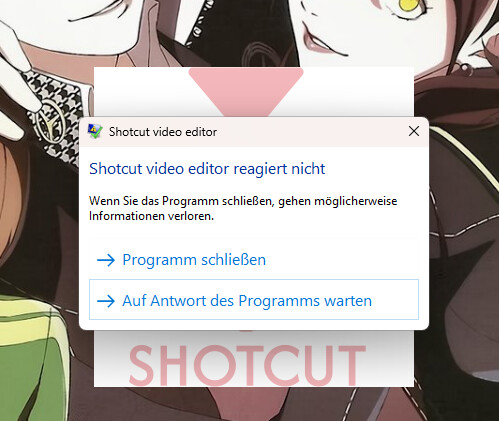
Windows sometimes blocks new executables until their AI checks (or whatever they use these days) decide they are worthy of a scan and declare them safe. I don’t know if there’s a “report false positive” button somewhere but you should be able to override it.
I wonder if it is related to this topic:
Another solution besides turning off Smart App Control temporarily is to get it from the Microsoft Store
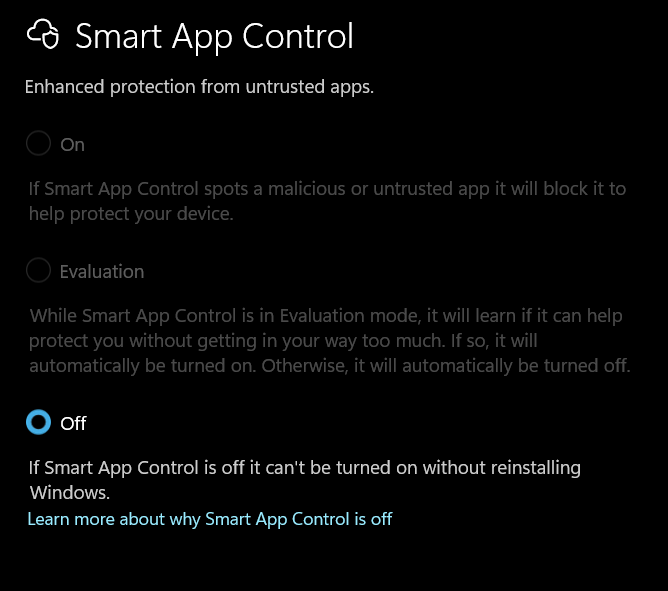
But I don’t think turning off Smart App Control is a smart thing to do  since you can only reactivate it by reinstalling Windows.
That is not true anymore.
But then I read about an October update that broke that. 
Glad the Smart App Control setting helped, and it is worth keeping the safer middle step in mind for anyone else hitting this: instead of leaving it fully off, set Smart App Control to Evaluation mode if that option is offered, then launch Shotcut once and check whether it opens normally. If it still stalls, a clean reinstall from the official Shotcut site — uninstall first, restart, then install the current Windows build — is a cleaner next step than repeatedly launching a partly blocked install. If it opens after that, you can then decide whether to turn the control back on and see if the October behaviour returns.