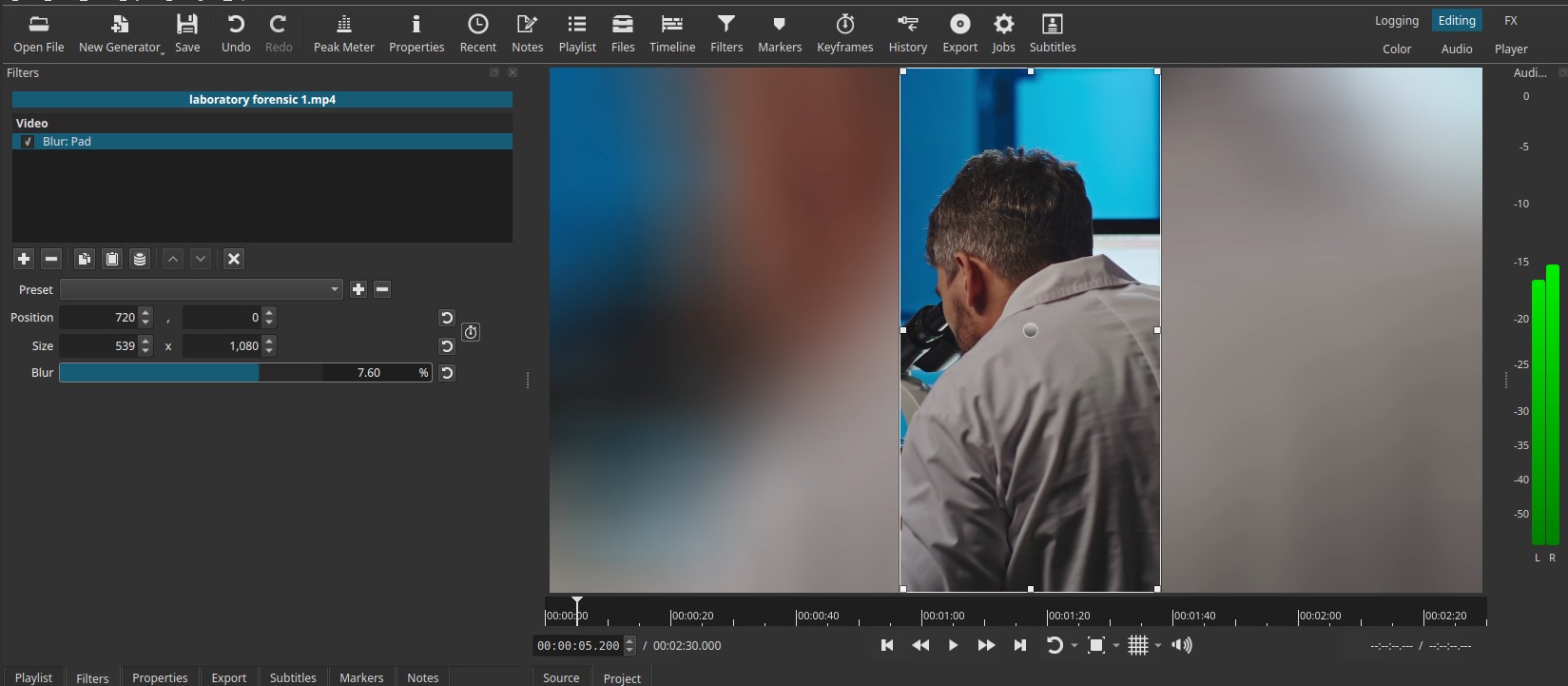
Creates a blurred padding area outside a defined rectangular region, using a scaled version of the original image.
The interior of the rectangle remains unmodified, while the surrounding area is filled with a zoomed and blurred extension of the same frame.
This filter is primarily intended to replace black bars or empty space by generating a visually consistent background derived from the clip itself.
Note:
This filter is commonly used to create blurred backgrounds for vertically oriented videos presented in a landscape frame by extending and softening the original image, avoiding lateral black bars without manual compositing.
Parameters
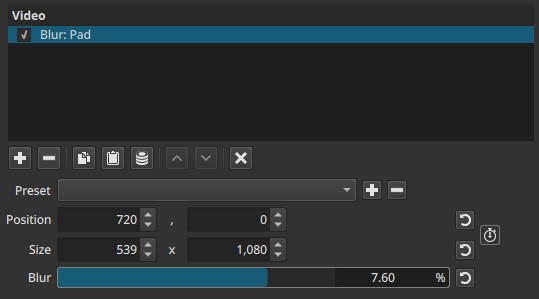
Position (X, Y)
Controls the center position of the unblurred rectangle, expressed as normalized coordinates.
- Can be adjusted numerically or directly from the preview overlay.
- Moving the position changes which part of the image remains sharp.
- The blurred padding always occupies the area outside this region.
Typical use:
- Centered position for pillarbox/letterbox filling
- Offset position to protect a subject that is not centered
Size (Width, Height)
Controls the size of the unblurred rectangular area.
- Can be adjusted numerically or via the preview overlay.
- The rectangle defines the protected region that remains untouched.
- Everything outside this rectangle is replaced by the blurred padding.
Important behavior
- The blurred area is derived from a scaled (zoomed) version of the original image.
- This prevents visible seams between the sharp and blurred regions.
Note:
Size defines what stays sharp, not what gets blurred.
Blur (0.00 - 10.00%)
Controls the strength of the blur applied to the padding area only.
-
0.00%
No blur; the padding is a scaled copy of the image. -
Low values (0.50 - 2.50%)
Strong blur already. Image details in the padding become hard to identify. -
Medium to high values (>2.50%)
Extremely soft background. Additional increases have diminishing visual impact.
Important behavior
- Blur affects only the padded area, never the protected rectangle.
- The blur radius increases very rapidly; small values produce large perceptual changes.
Note:
Blur is intentionally coarse; it is designed to hide detail, not to be finely tuned.
Keyframes
- Position and Size can be keyframed.
- Blur cannot be keyframed.
Keyframing enables:
- Tracking a subject while maintaining a sharp foreground
- Dynamic reframing for vertical or square output
- Animated transitions between protected regions
Parameter interaction
- Position + Size define the protected (sharp) area.
- Blur affects only the generated padding outside that area.
- The padding is always a zoomed version of the same frame, ensuring color and motion consistency.
Visual characteristics
- Sharp rectangular region overlaid on a blurred background
- No visible edges or hard seams between regions
- Background blur follows the motion and color of the source clip
- Padding scales automatically with the frame
Recommended use cases
- Converting horizontal footage for vertical formats
- Filling black bars without cropping content
- Social media delivery (Shorts, Reels, Stories)
- Quick alternative to mask-based background generation
Limitations
- Blur strength has a narrow useful range
- Padding cannot use an external or custom background
- Shape is limited to a rectangle / square
- Blur behavior is not physically accurate