Hi,
i have a problem with the last version of the AppImage v25.8.16.
I use Manjaro LXQt last stable update 6.12.41-1 and the last Shotcut version that works for me is the 25.05.11.
If i double click the AppImage it doesn’t load Shotcut and if i try from terminal i get this error:
Can’t open squashfs image: Bad address
Cannot mount AppImage, please check your FUSE setup.
You might still be able to extract the contents of this AppImage
if you run it with the --appimage-extract option.
See FUSE · AppImage/AppImageKit Wiki · GitHub
for more information
execv error: No such file or directory
If i try ./Shotcut.AppImage i get this:
fuse: memory allocation failed
squashfuse 0.5.2 (c) 2012 Dave Vasilevsky
Usage: squashfuse [options] ARCHIVE MOUNTPOINT
I tried to extract manually and run it but it gave error.
So i tried this:
Ok it works in Pop! but i’m using another distro. Shotcut v25.05.11 loads in my system but last version 25.8.16 not. Isn’t it possible that You made some changes in the new version that makes me get those errors?
I guess so because if the previous version loads, i don’t understand why the new doesn’t.
Isn’t possible to check if there is an error in the new appimage?
I tried file command and i got this:
LAST VERSION:
file Shotcut.AppImage
Shotcut.AppImage: ELF 64-bit LSB pie executable, x86-64, version 1 (SYSV), static-pie linked, BuildID[sha1]=b15b018a4f56042ad61c2b9e0504773f7da1ac38, stripped
while for the previous version, that works, i get this:
PREVIOUS VERSION
there is a little difference and i don’t know if that’s the problem.
Moreover the last version is only 180MB, while the 25.5.11 is 250MB.
Is that ok?
I also tried v 25.07.26 and this one doesn’t load.
So something changes from 25.05.11 to 25.07.26.
Maybe something related to fuse or squashfuse or other?
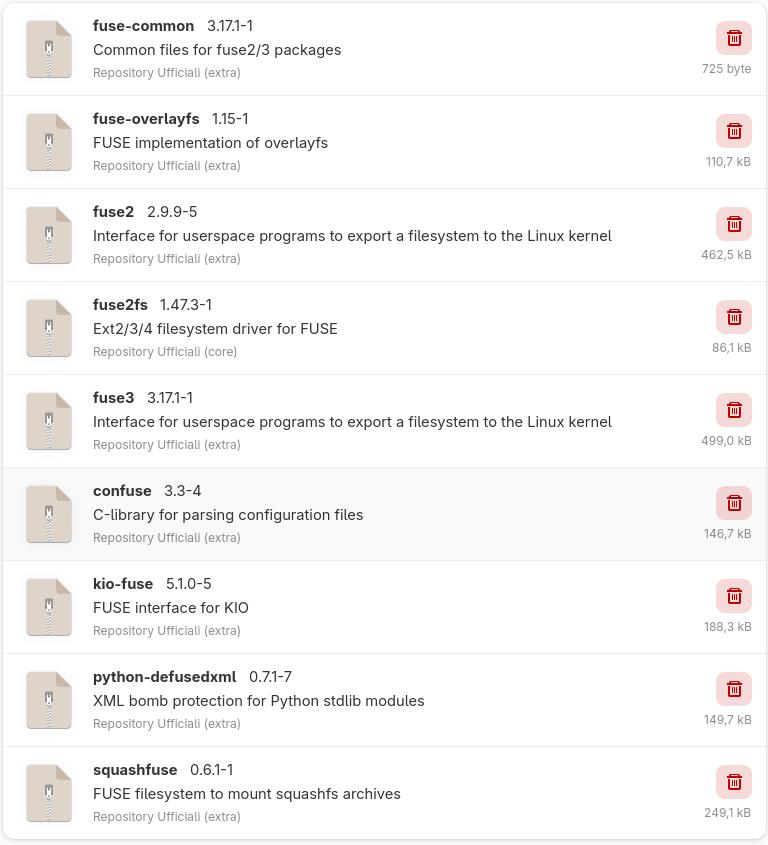
Your app image uses squashfuse 0.5.2 (c) 2012 Dave Vasilevsky while i have installed squashfuse 0.6.1-1. I guess it could be the error but i don’t know.
pkg2appimage made this recent change from AppImageKit to appimagetool
But I do not know how that change could cause the problem you are facing. If anything, it looks like the more recent version with static-pie linked should be more system independent and compatible. I do not know the internals of AppImage. I am reading that there is an optional SquashFS kernel module that can mount this, and if that fails a squashfsfuse embedded into the AppImage executable is used. And if the latter does not work it tries to use squashfsfuse on your system.
I found these bugs in AppImageLancher project that match your failure. I also reproduced the problem in an Arch-based Garuda 2025 VM that I have; I think it installed AppImageLauncher by default. There are other but reports it links to.
I thought the point of AppImage is that you do not need to install something to run it.
I uninstalled it using sudo pacman -R appimagelauncher, but I had to reboot in order to get the AppImage to work.
This is the type of thing that has made me experiment with
Flatpak as an alternative to AppImage. Thus far, the Shotcut flatpak has worked perfectly for me, including updating automatically to the latest version. That said, this is still a new enough experiment that I don’t know if there are any “gotchas” waiting down the road …
AppImage has been quite a reliable thing until now. I do believe this issue may tarnish its reputation. It is due to a confluence of events: people making a tool to better integrate AppImage into the desktop, people install that or even some distros install it by default (Garuda), and an AppImage build tool change. Sadly, the launcher project has not yet released the fix (?) yet. Who knows how long it will take to release, get into distros, and then onto peoples’ systems! I will try to pin the AppImage build tool we use to the previous version.
I have a fix that is ready now. It is a newer version 25.8.25 instead of a repackage of the latest release version. I might choose to do that, but it is not convenient whereas daily build CI/CD is automated:
Thanks but it’s ok, i already solved it. I answered with the link to the solution. It was a problem with some residual files left by appimagelauncher when i unistalled it. Thanks anyway.