Decodes Ambisonic audio (a spatial/3D audio format) into the project’s configured output channel layout and allows rotation of the sound field in 3D space.
The filter’s available controls and modes depend on Settings > Audio Channels.
Ambisonic Decoder is a spatial audio filter. Its effect is temporal and should be evaluated during playback, but also some of the audio scopes in View > Scopes can help by visualization.
Availability and mode behavior
The Mode control and its options depend on the project setting: Settings > Audio Channels.
1 (Mono)
- Mode: not displayed
- The filter exposes orientation controls only.
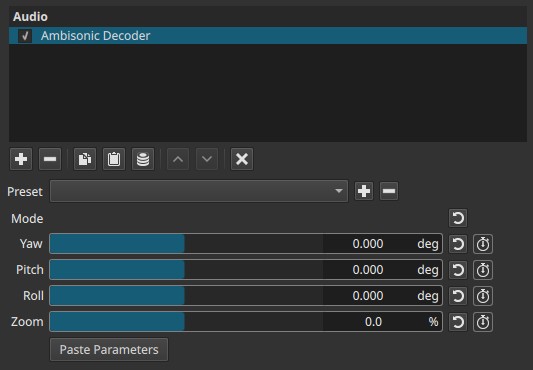
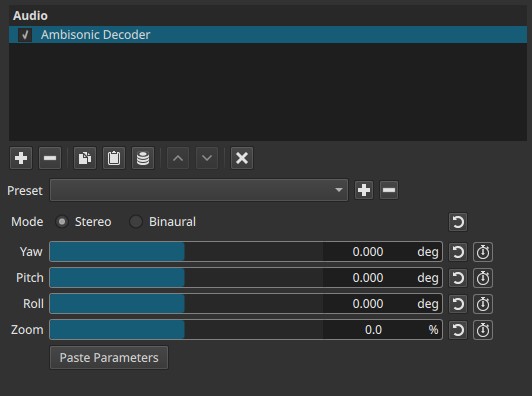
2 (Stereo)
-
Mode:
- Stereo
- Binaural
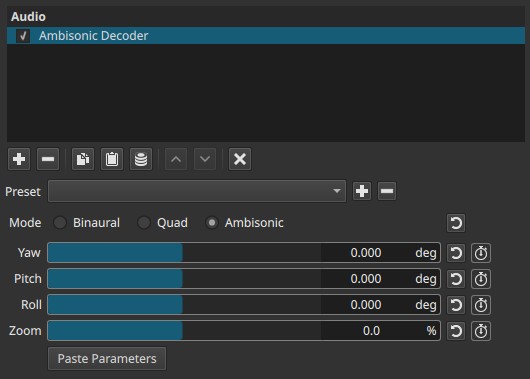
4 (Quad / Ambisonics)
-
Mode:
- Binaural
- Quad
- Ambisonic
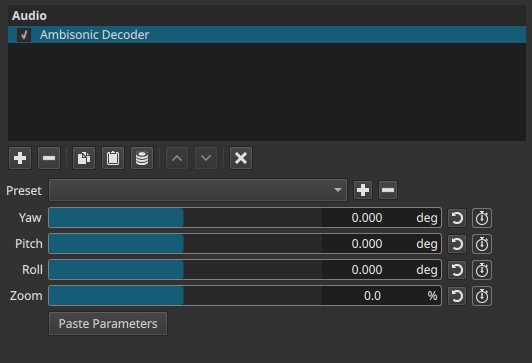
6 (5.1 Surround)
- Mode: not displayed
Binaural mode restriction
“Binaural” audio provides an immersive, 3D audio experience designed specifically for headphones.
When Binaural is selected (in any configuration where it is available):
- Yaw, Pitch, Roll, and Zoom are locked
- Sliders remain visible but cannot be adjusted
This reflects that binaural decoding uses a fixed head-related transfer function (HRTF) and does not expose orientation controls in this mode.
Parameters
Mode
Defines how the ambisonic sound field is decoded to the project’s output format.
-
Stereo
Decodes spatial information into a conventional two-channel stereo image. -
Binaural
Produces headphone-oriented spatial audio using binaural decoding.
Orientation controls are disabled. -
Quad
Decodes to four-channel surround output. -
Ambisonic
To use this filter useful to transform or rotate the spatial audio.
Yaw (–360° to +360°)
Rotates the sound field horizontally around the listener.
- Equivalent to turning left or right.
- Full ±360° rotation allows continuous or looping motion.
Pitch (–180° to +180°)
Rotates the sound field vertically.
- Tilts the perceived sound environment upward or downward.
- Affects perceived elevation of sound sources.
Roll (–180° to +180°)
Rotates the sound field around the forward axis.
- Tilts the entire sound field clockwise or counterclockwise.
- Useful when audio orientation must match camera roll.
Zoom (–100.0% to +100.0%)
Controls the visual scale of the orientation reference displayed in the preview player.
- –100% — very small reference cross
- 0% — medium (default) size
- +100% — large reference cross
Important clarification:
Zoom affects the visual reference overlay only.
It does not change audio loudness or spatial intensity.
Paste Parameters (button)
Applies previously copied Ambisonic orientation parameters to this filter.
Typical use cases:
- Synchronizing orientation across multiple clips
- Reusing orientation data from another Ambisonic Decoder instance
- Matching audio rotation to externally generated metadata
Viewer overlay (orientation reference)
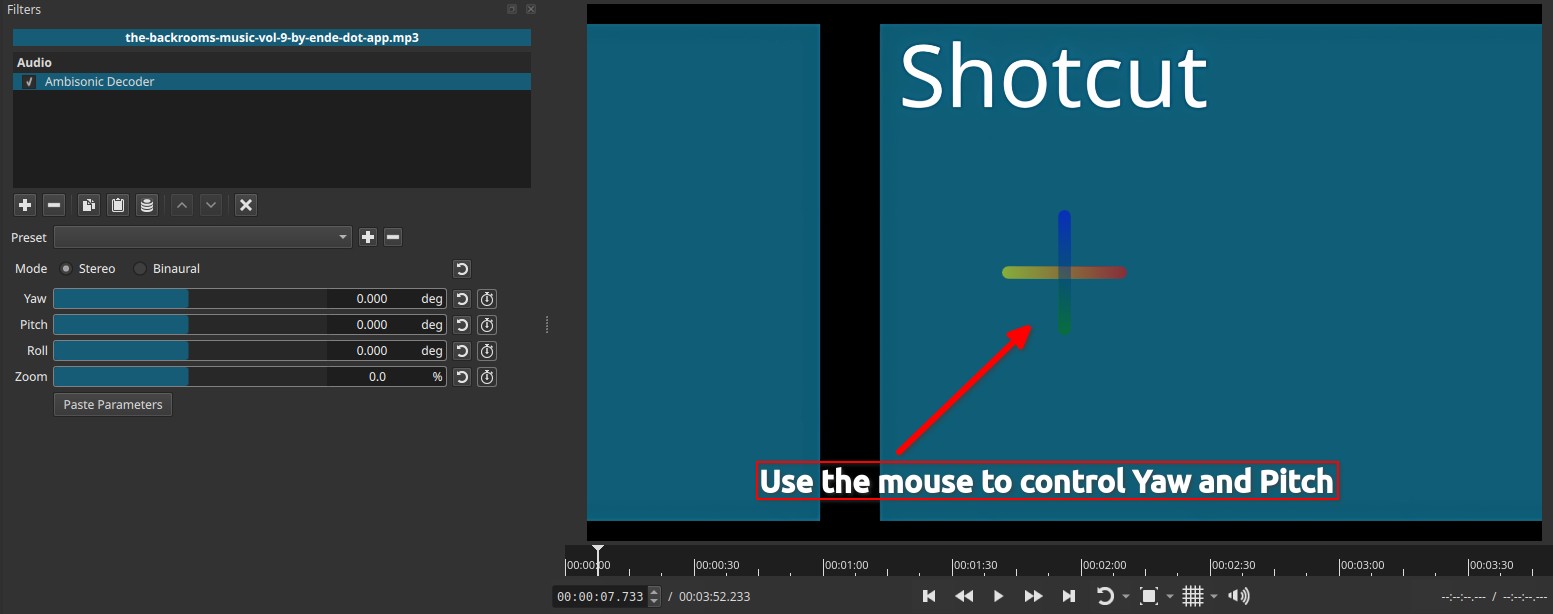
When the filter is active, a cross-shaped overlay appears in the preview player:
-
Vertical axis:
- Blue at the top → Green at the bottom (gradient)
-
Horizontal axis:
- Red on the left → Yellow on the right (gradient)
This overlay:
- Visualizes the current orientation reference
- Updates when Yaw, Pitch, Roll, or Zoom change
- Is not rendered into exports
Interactive orientation control (viewer)
The orientation cross displayed in the preview player is interactive.
- The cross can be rotated directly with the mouse in the preview player.
- Horizontal dragging adjusts Yaw.
- Vertical dragging adjusts Pitch.
- The mouse wheel adjust Zoom.
- Changes made via the overlay are immediately reflected in the corresponding sliders and keyframes.
This interaction provides a direct, visual way to adjust sound field orientation without relying solely on numeric controls.
Although the overlay itself is not exported, Zoom is keyframeable because:
- It allows the reference to remain readable as orientation changes
- Large rotations may require scaling the reference for clarity
- It supports animation workflows where orientation evolves over time
The keyframes affect how the orientation reference is displayed, not the audio signal.
Keyframes
-
Yaw, Pitch, Roll, and Zoom are keyframeable
-
Keyframes enable:
- Rotating the sound field over time
- Matching audio orientation to camera movement
- Creating dynamic spatial audio motion
Keyframes are ignored when Binaural mode locks the controls.
Parameter interaction
- Yaw, Pitch, Roll define listener orientation within the Ambisonic sound field
- Zoom scales the orientation reference overlay
- Mode determines whether orientation controls are active and how decoding is performed
Auditory characteristics
- No visual effect is exported
- Audible rotation and repositioning of sound sources
- Strongest spatial cues in multi-channel and Ambisonic modes
- Limited directional cues in stereo
- Fixed orientation in binaural mode
Recommended use cases
- Decoding ambisonic recordings
- Converting Ambisonics to surround sound
- Spatial audio for 360° or VR video
- Matching audio orientation to camera motion
- Controlled rotation of sound environments
- Advanced spatial sound design
Limitations
- Requires Ambisonic or spatial audio sources to be meaningful
- Binaural mode disables orientation controls
- Stereo output cannot reproduce full 3D spatial cues