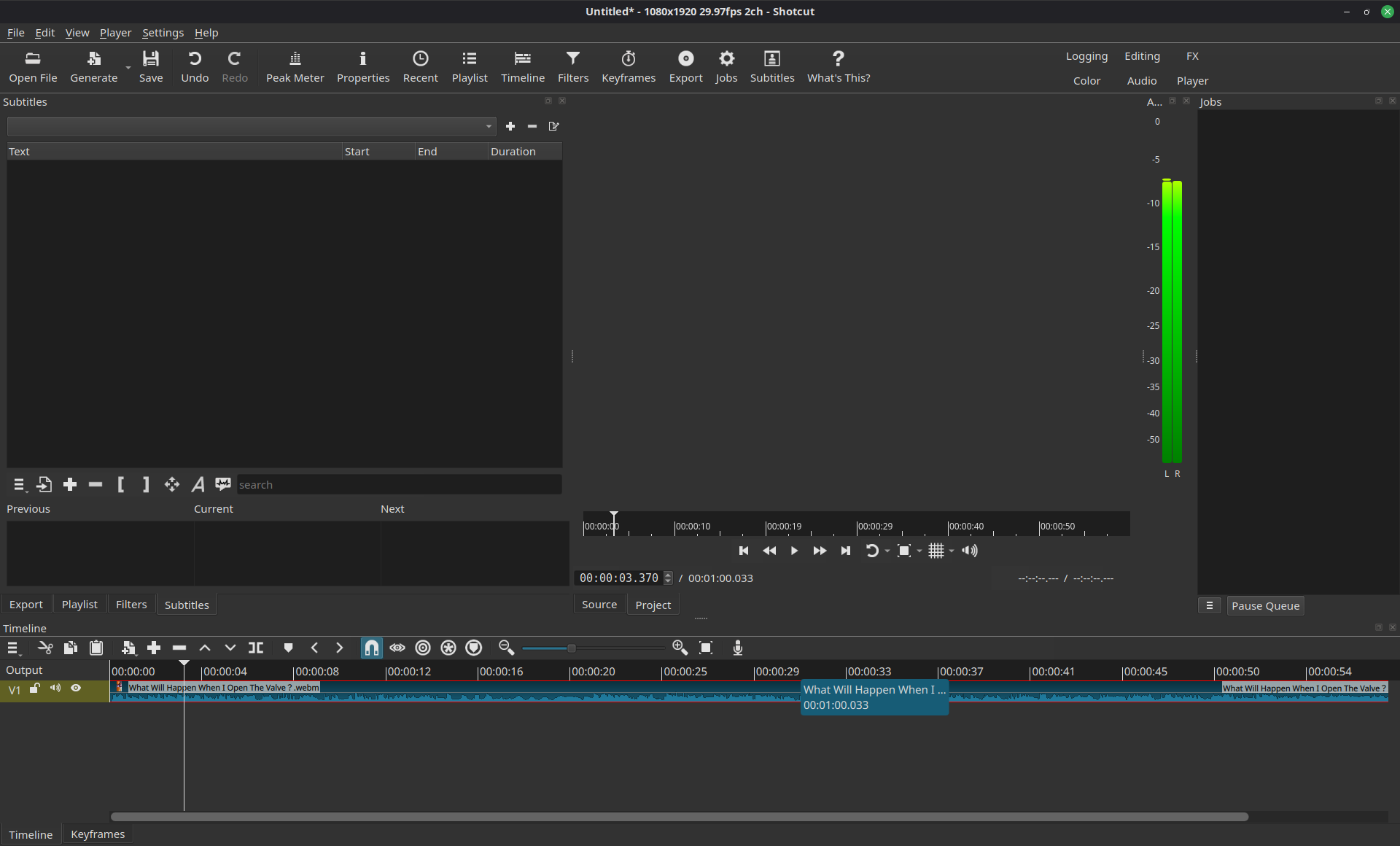
-
What is your operating system?
Linux Mint 22.3 Cinnamon X11
Shotcut was installed as a Flatpak
-
What is your Shotcut version (see Help > About Shotcut)?
Shotcut version 26.6.25
-
Can you repeat the problem? If so, what are the steps?
After updating to the latest version, my video output is now blank and no video file displays in Shotcut.
I saw that there are two display methods, Vulkan and OpenGL, but they both gave the same result.
Hi @Dash3897
Did you try other files?
Did this particular .webm file work in your previous version of Shotcut?
The Flatpak works in general, but your computer is probably too old (or its drivers too weak) to support the new video output. Choose Settings > Player > Use Old Video Output.
You can provide your View > Application Log before making that change and after opening a video, and it might help me better understand the problem to possibly make it automatic.
this happens to all files not just .webm
I don’t think an Intel i5 10th gen and a GTX 1650 TI is too old right?
Using the old video output works.
Here is application logs before (I believe it to be the relevant bit)
log before.txt (40.8 KB)
here is application log after using old video output.
log after.txt (41.2 KB)