I recently struggled with how to do this. I have a long clip and and I was trying to save a bunch of short segments for “Reels”. Lots of old posts describe ways that no longer work. This is working in version 25.12.31. TL/DR: Markers
Not necessary but I created a second track (V2) for visual clarity.
After slicing the part I want, I move that clip up to V2. Rinse/repeat for all desired clips.
Move the playhead to the start of the first clip, hit M to mark. Move the playhead out of the way.
CTRL-click (Windows, prolly command-click on mac) on the marker and drag to the end of your clip. Helps to have snap turned on. It should make a green highlight above the clip.
More rinse/repeat for each clip creating more marker “segments”
Probably a good time to click save.
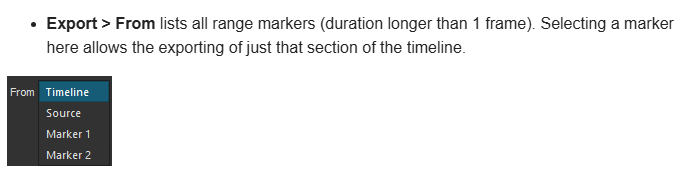
Go to the export window and click on the dropdown that says “From: Timeline” Magically it will now offer “From: Marker 1” and all other markers.
This is a nice reminder on how to export parts of the Timeline.
But this is not new.
Markers where introduced in version 21.10.31 and already then it was possible to Export > From > Marker 1, Marker 2, Marker 3 etc…
Glad it was helpful to you.
That’s a good thing @ImpatientMaker brought the subject to attention.
I guess many people are not aware of this Shotcut feature.
I’m sure it is. But I did an earnest search, and not knowing the answer “Markers” I didn’t find anything useful. I posted this with all the words I used in my search.
Version 26.1 adds a button to the main toolbar to pick what you want help with (F1 cannot see what you are looking at, and it is the wrong user experience in Shotcut to assume whatever currently has keyboard focus). We simply need to make a few small improvements to the existing docs: From in Export Basics with a link to the Markers page, and a link to Basics from the Advanced Export page.
@shotcut I tried this button (right now), and it does nothing, (click on the button → pointer become question mark → then click on a slider in the filter window → nothing is happening, same by clicking on the filter name → nothing…)
Do I use it wrong?
If you are using Linux but not Flatpak it is not reliable. Just like you had reported about the link in the Compressor filter UI. It normally works but not reliable on all Linux desktops due to fragmentation.