Creates a motion trail effect by blending the current frame with a number of previous frames.
Moving objects leave visible afterimages, while static areas remain largely unchanged.
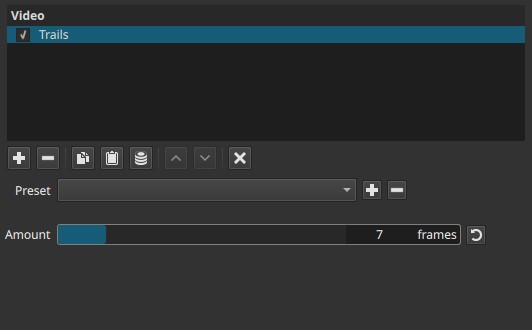
Trails is a temporal effect. Its behavior depends on motion over time; evaluating it on a single frame is misleading.
Parameters
Amount (2 - 30 frames)
Defines how many previous frames are accumulated to produce the trail.
-
Low values (2 - 5 frames)
Short, subtle trails. Motion is emphasized without excessive smearing. -
Mid values (6 - 15 frames)
Clearly visible trails. Moving objects leave extended afterimages that persist briefly. -
High values (16 - 30 frames)
Long, persistent trails. Motion can appear smeared, with multiple overlapping afterimages.
Behavior notes:
- Amount is measured in frames, not time.
The visual length of the trail depends on the project’s frame rate. - Higher values increase persistence, not brightness.
- The effect accumulates history; it does not extrapolate motion.
Visual characteristics
- Afterimages following moving objects
- Static regions remain mostly stable
- Trails fade gradually as new frames replace older ones
- Stronger effect on fast or high-contrast motion
Recommended use cases
- Stylized motion emphasis
- Abstract or experimental visuals
- Dance, light movement, or performance footage
- Visualizing motion paths
- Can increase the perceived speed of motion by leaving visible trails behind moving objects.
- Atmospheric or dream-like effects
Usage notes and tips
- Always preview during playback to judge the effect accurately.
- Consider frame rate when choosing Amount: higher frame rates produce shorter-looking trails for the same value.
- Combining Trails with opacity or color effects can enhance readability.
- Use modest values to avoid excessive smearing or ghosting.
Limitations
- Not keyframeable
- Can cause heavy motion smearing at high values
- Accumulates noise and compression artifacts
- Not suitable for precise motion analysis