I am using ubuntu 22.04 and Shotcut 25/06/11 (appimage) and when i am in time-remap filter nothing happen when i click on keyframe, only appears the panel. What can I do? Thank you
I think you mean version 25.05.11. I do not understand the problem description. There is no keyframe button in this filter’s UI. Rather, you must open the Keyframes panel. That initially has a straight upward line like
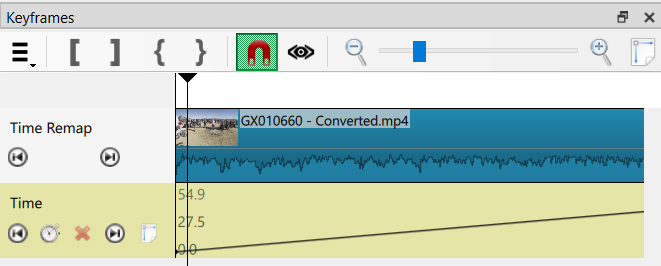
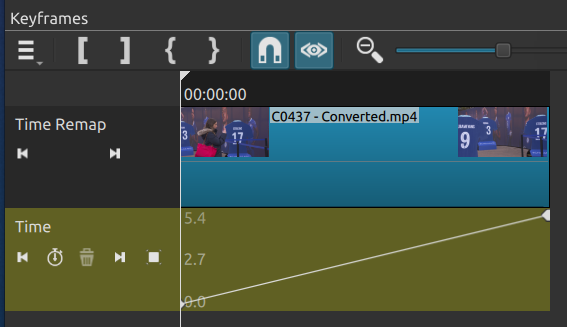
Your screen will look a little different with dark theme on Linux. What is the problem? You do not know how to use Keyframes, or your panel is empty, or something else?
Yes, the version is 25.05.11, sorry. the problem is: referring to your image, when I open the Keyframes panel I don’t have either the “Time Remap” line or the “Time” line.
Do you have the toolbar? If yes, then you have the wrong things selected: clip and filter. If you do not see the toolbar there is a problem with OpenGL on your system, and this probably also prevent the timeline from working. You must include a screenshot for anyone to be able to help any further.
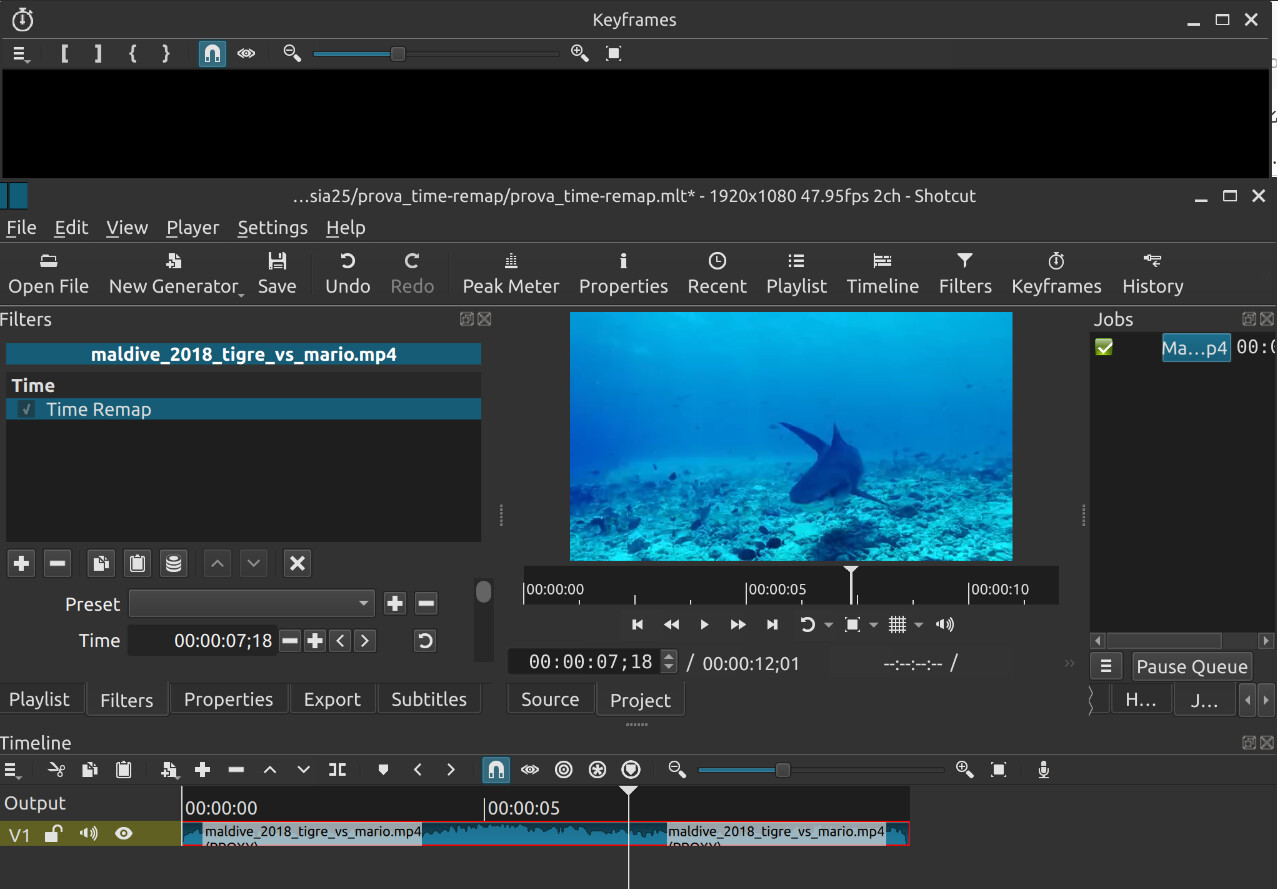
The Keyframes panel is floating, not docked into the main window. This is a known problem on some systems (black panel contents), and you need to double-click the Keyframes panel title bar to re-dock it inside the main window. If you have trouble to understand that procedure in the main menu choose View > Layout > Restore Default Layout.
Ok! Double click on the toolbar did not produce any effect, instead “Restore Default Layout” yes, thank you very much, you, Shotcut people, are the best.
This topic was automatically closed after 90 days. New replies are no longer allowed.