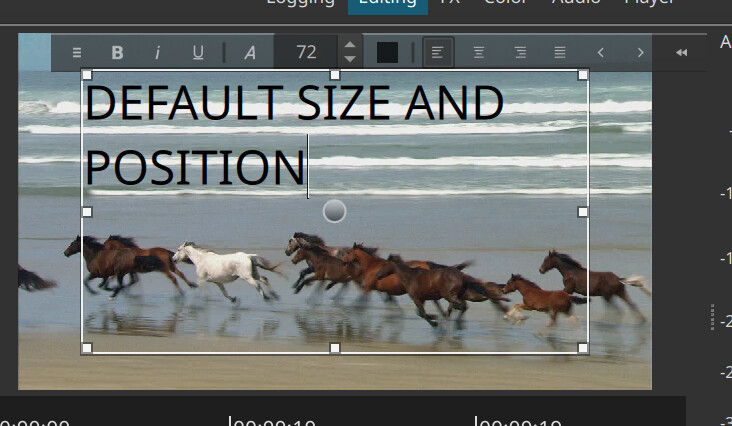
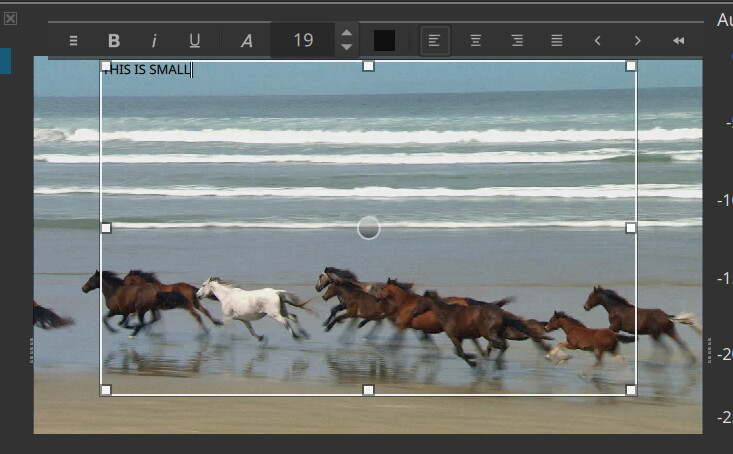
Could the devs fix it so the text appears at the center of the box and not close to the confugration bar ? This is terrible. Or is it possbiel to chagne it ? I tend oto use text simple just bcs of this
Could the devs fix it so the text appears at the center of the box and not close to the confugration bar ? This is terrible. Or is it possbiel to chagne it ? I tend oto use text simple just bcs of this
No, it is formatted text. It is like asking a word processor to start in the center horizontally and vertically. You have perhaps contrived your situation to illustrate a point, but most people will not experience what you show. This is more realistic:
The default text size is not that small.
You can click the right-most button on the toolbar to collapse it.
It is generally a bad idea to place text very close to the edge of the video.
The toolbar only overlays the text box when it cannot go any further up vertically.
You should resize the video area to make more room above the video:
I don’t know… Here, if I change my layout so the player gets tiny, the Text: Rich toolbar stays above the rectangle control.
However, if I reduce the zoom of the player bellow 50%, then I get the same issue as @4a5a85c8c080b252c6ca. That could explain why his screen capture is so microscopic.
Alright !Guess the Problem Arises on Vertical videos. Is there a way of making the player screen a window outisde the shotcut interface?
You were on point My scale was on 25%, Which is needed for vertical videos I believe.
No, you can set the zoom to Fit
You got the perfect answer!
I always used the zoom %s never zoom to fit, which led me to this problem. Rookie mistake. Thank you all !!
I made a rookie mistake obvs. Only used the zoom %s neer zoom to fit, which led me or with that odd box or a small window in which you couldnt do anything; THank you
This topic was automatically closed after 90 days. New replies are no longer allowed.