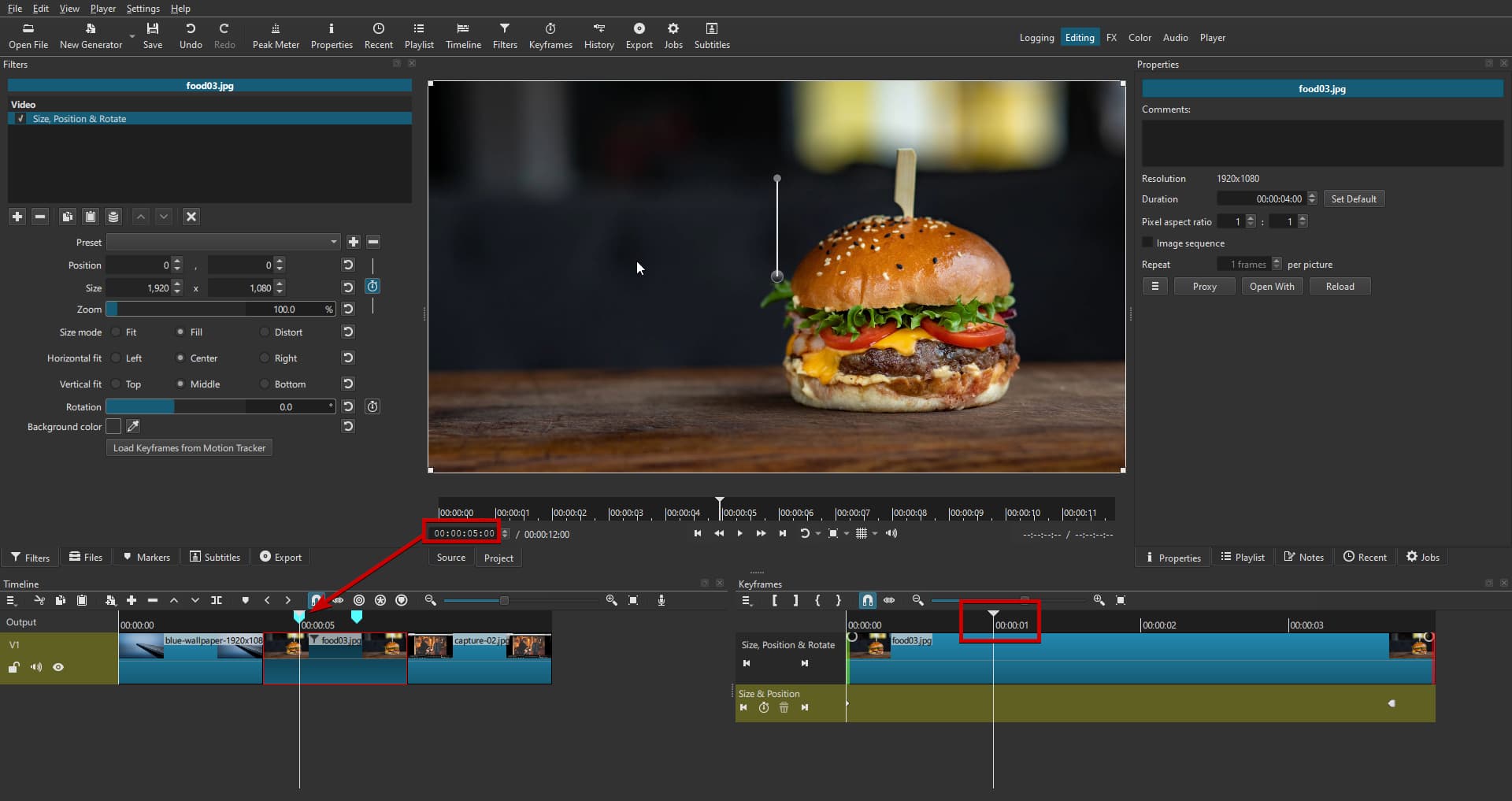
Currently, markers added to the timeline are visible only in the timeline view. When switching to the Keyframes panel, those markers disappear, making it harder to align keyframes with important points in the edit.
It would be extremely helpful if timeline markers were also displayed in the Keyframes panel (perhaps as faint vertical lines or ticks). This would allow editors to visually reference marker positions when adjusting keyframes, improving precision and workflow efficiency.
Use case:
- Place a marker at a beat in music or a scene change.
- Switch to Keyframes to animate a parameter (e.g., opacity, position).
- See the marker in Keyframes, so you can snap or align keyframes directly to it.