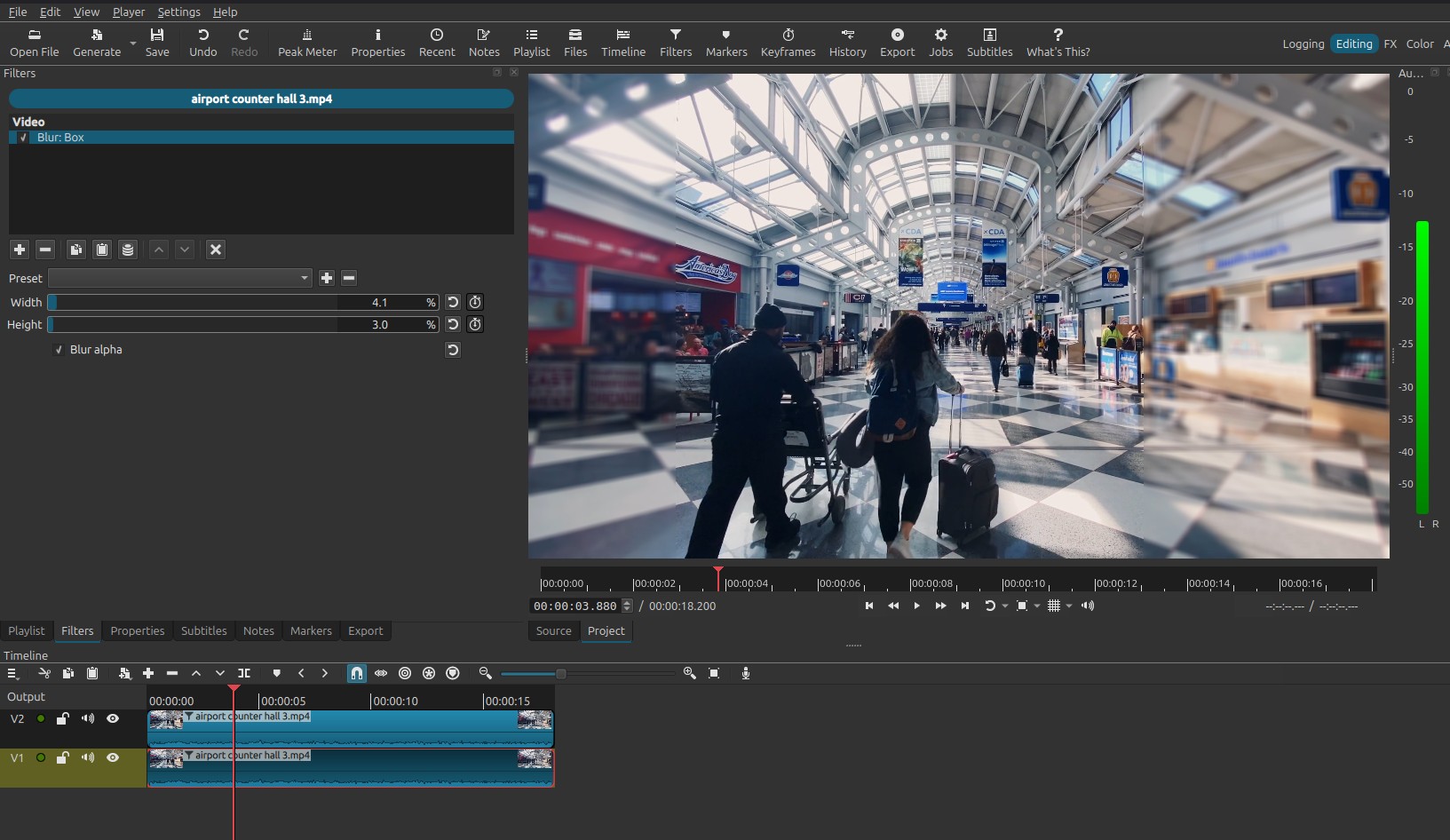
I just want a specific section to appear. The part I want to appear is Rectangular.. or close to the square… I want all the remaining parts to be hazy.
If it’s not what you are looking for, I think it’s a mask you want?
or 2 clip of the same video on top of each other,
the one on top > Filters> Crop: Rectangle (crop the video as you wish,
the one below > Filters > Blur: Box or Blur: Exponential
Hi @Ertan - I did it in a similar way to @Patrice’s method, also with 2 tracks.
I used Blur:Gaussian, and Mask:Simple Shape.
Put your video on V1
Apply a Blur filter
Copy the video to V2
Remove the Blur filter and add a Mask:Simple shape filter.
Adjust the Mask filter rectangle.
How it works:
The default setting for the Mask filter is “Overwrite”, meaning that the area around it turns transparent, allowing the blurred video to show through round the edges.
PS Change the Mask filter to “Subtract”, and the rectangle will blur, not the edges…
PS One advantage of Mask over Crop - you can soften the edges of the mask filter, if you want.