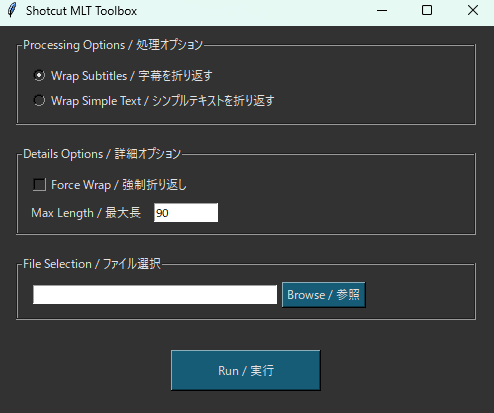
I’d like to share a small tool I developed: Shotcut MLT Toolbox v1.0.0.
This update adds a feature to automatically insert line breaks for subtitles and the Simple Text filter. Until now, if a line was too long, Shotcut would shrink the font size to fit the screen width. With this tool, text will now wrap to the next line without reducing its font size, making it easier to read.
Key Features:
Automatic line breaks for long text
Preserve font size (no more tiny text on long lines)
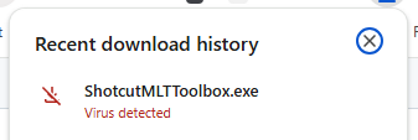
Hello, I guess it is safe to download, what is the opinion of the community? Sorry but it is the first time I would add a functionaliy to Shotcut with external code. I am not used to that in general.
That is still not clear. I am considering to remove all posts here that refer to companion software downloads because I do not want this forum to be hosting links to potential malware.
add a functionaliy to Shotcut with external code
It is interesting that people who have the skill to make these do not contribute to the Shotcut open source.
While it does have some utility, it might not be worth it. If you want automatic text wrapping for a single or few text elements, use Rich Text. If you want to add line breaks for subtitles, one can simply edit them to add a line break.
I generate a transcript from a video track with whisper model (using the “detect speech and transcribe function”).
So I have a lot of subtitles (I cannot style them or create line breaks one by one (or maybe I could but wanted to find another solution)).
Then it seems to I have two options to display and style my subtitles:
Use “Burn in subtitles on output”: subtitles seem to be styled with the filter “Subtitles burn in”. It is very fine to modify the style of all the subtitles at once but it doesn’t have wrapping options (for example to display a subtitle on two lines), it is very similar to a “text: simple” filter.
Use “Generate text on timeline”: it seems it generates text as a “text: simple filter” (and then I did not get how to style all subtitles at once (for example change text color for all subtitles with one click), I just saw you could use “Preset styles” with “Generate text on timeline” but it doesn’t give access to a rich text preset.
 Download on GitHub