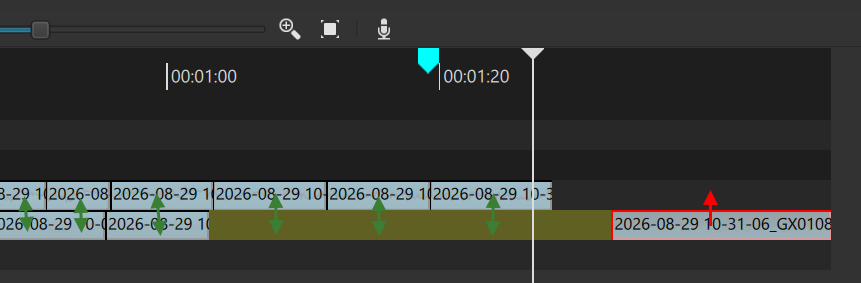
Hi, In the summer, I did some editing on Linux (trying to leave Microsoft) and was handicapped because I used to use Ctrl+Up and Ctrl+Down to fast-switch the timeline track so I could add a clip to the correct track with A. However, I noticed this doesn’t work on Linux; it does something else… This weekend, back on Windows after updating to the latest version, I noticed the exact same behavior: Ctrl+Up and Ctrl+Down don’t work anymore as I was used to.
I didn’t find anything in the changelog (maybe I missed it), but I was also unable to find this functionality in the keyboard shortcuts. It now switches to the ‘clip above’ or ‘clip below’, which is not what it did in previous versions. Is this a bug? Intended? Can the old behavior be restored? Thank you.
Now, when I click on a track, I can select the active track by pressing Up/Down. But when I’m in the Source panel, I can’t. Even when I come back (by pressing “p”), it still doesn’t work. I have to switch back to the mouse and manually click on a track again.
This behavior is very annoying compared to how it was before—it’s a real loss of time and comfort.
Do you know what I mean? I hope I explained it clearly.
My workflow consists of reviewing a lot of 20-second clips, which are cut using a Python script from a long GoPro video with “highlight” markers. I look through them, apply fade-ins/outs, and decide whether a clip goes to my Main Track or a specific Track X/Y.
Previously, I could preview a clip, select the target track, and insert it just by pressing “A”. With the current behavior, I can’t do this anywhere near as fast as I used to.
Maybe that can be improved. Ctrl+Up/Down was never about switching the current track and has not changed. It still changes the selected clip, and the current track follows it. What changed was that Current Track previously required Ctrl+Alt+Up/Down and now does not require Ctrl+Alt.
Some Ctrl+Up/Down behavior had to change to fix this bug:
But both you and that reporting are conflating moving clip selection with changing current track.