ShareX is Great! Thank you!

November 19, 2025

Hi Folks,

:grinning_face:

I hate to brag!!!

I wanna thank you all for letting me to try using the “ShareX” Tool.

Especially “Jonary” who is a member of this forum who recommended “ShareX”.

Yesterday was a successful day on Tuesday afternoon November 18th ONLINE Meeting by suing “ShareX” Tool.

I had a meeting ONLINE on the “Microsoft Team Meeting” online.

I also was able to EDIT the video on “Shortcut” Editing tool to narrow it down to 1 hour that our meeting lasted.

I started recording it 5 minute EARLIER. And ENDED at several minutes afterworth.

I wanna share with you two pieces of the videos that I made, recorded with ShareX.

Enclosed MP4 videos

1. A short of the beginning of my meeting.

2. A short ending of my meeting. Which is my favorite part. Because you can hear the sound of closing Microsoft Team Meeting. “Whooooooooo”.

:slightly_smiling_face:

What do you think???

I think it’s great and that “ShareX” is NOW my BUDDY partner for recording my online meetings.

What really make me so MAD is thinking of the PAST that I should’ve known “ShreX” Tol to record my ZOOM Meeting in the past few years ago!!!

Well, you can’t do anything about the PAST.

Hope that you like my video clips from ShareX and Edited on Shortcut tool.

It seems like tat both ShareX and Shortcut work together by compatible!!

Thank you all!!! Thank you!!!

Eugene

2 Likes

@jonray pointed me towards Sharex some years ago. I still use it, but for more extensive screen recording I use OBS Studio. It is more complex but has a lot of features that I now find I can’t do without. A good introduction can be found here:

1 Like

Hey Folks,

While ShareX is great for my Desktop with Windows 11, is there a ShareX version for Windows 7 Desktop???

Thanks,

Eugene

:slightly_smiling_face:

Thanks @elusien. Great to see you back here, by the way! :+1:

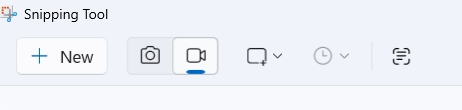
Further note about screen capturing - as Dan pointed out recently, the Windows Snipping Tool now has an option for screen video, not just stills. Another option.

1 Like

Hi @cruznvideollc , glad you had success with ShareX. Pleased to help!

There’s a super nice weird little java applet app whatever is java anyway type thing you can find on github. that’ is the one i prefer. think Flameshot for windows, but like alpha version.

Windows:
MiniTool Video Converter (not Movie Maker)
ShareX
screen2Gif (meh … )

Linux:
Spectacle (on Wayland)
VokoscreenNG (Wayland or x11… methinks)
! successfully captured ChatGPT voice (Bluetooth speaker monitored), my input text (Video), my voice (Webcam mic monitored) - that is. You can delegate what you want it to do about audio. or some such rhetoric.
SimpleScreenRecorder

I don’t eat macintosh

This topic was automatically closed after 90 days. New replies are no longer allowed.