Smart Shutdown Timer – Auto‑shutdown after Shotcut export (Linux)
I didn’t want to judge how long the export would take, so I made this tool to automate it. It’s a personal project, but I think it’s especially useful for those long exports where you want to walk away and come back to a shutdown PC.
A lightweight Python GUI tool that monitors your Shotcut exports and shuts down your PC when the export finishes. No more waiting for long renders!
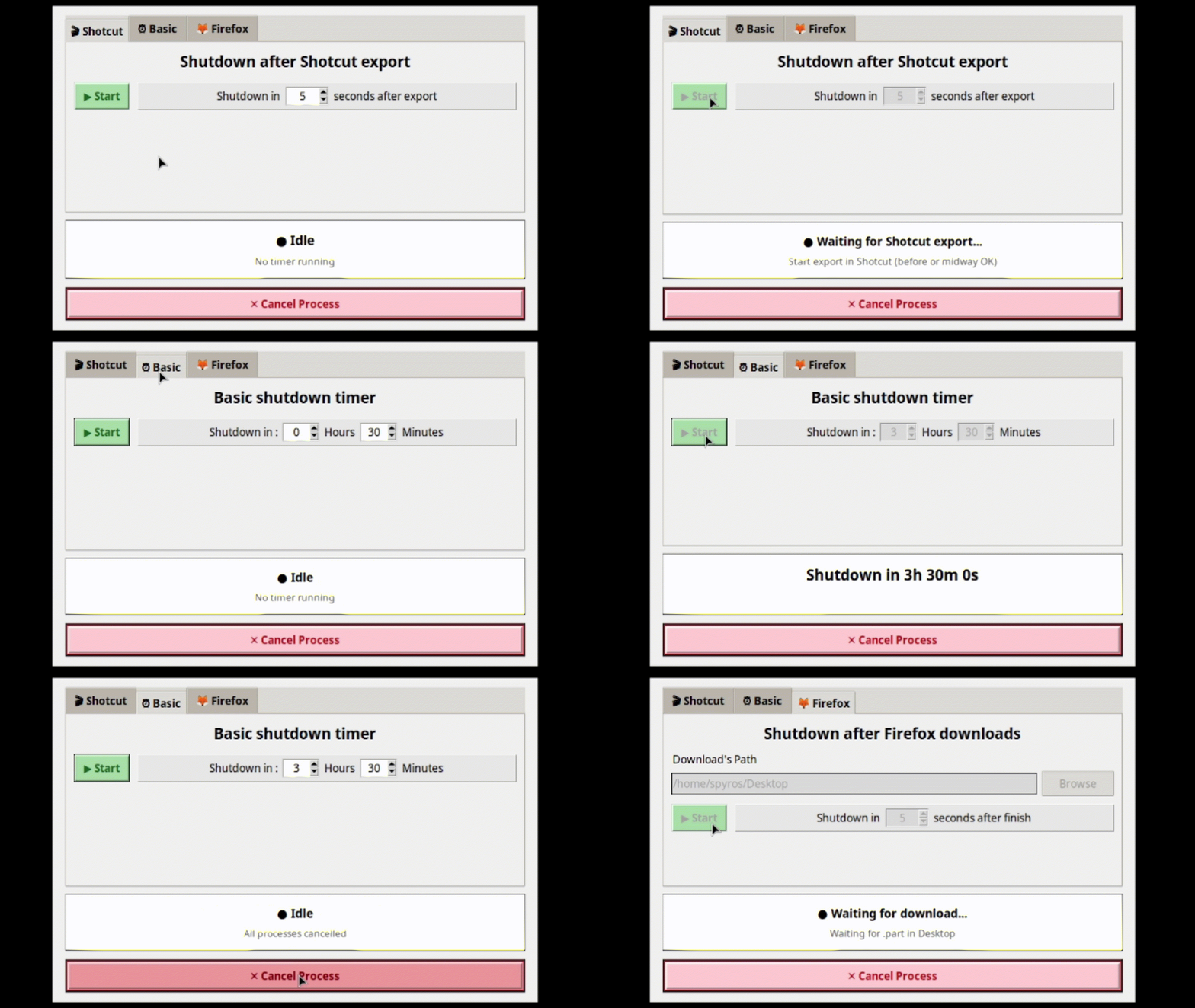
 Shotcut Tab – What it does
- Detects
meltprocesses (Shotcut’s render engine) – works even if export is already running - Shows export progress and ETA (via Shotcut’s D‑Bus progress)
- Shuts down your PC after a configurable delay (5–600 seconds)
- Handles queued exports (one after another)
 Basic Tab
Simple countdown timer – set hours and minutes.
 Firefox Tab
Watches for .part download files, skips stalled downloads, shuts down after completion.
 Audio Tab
Monitors audio playing. Shuts down after audio stops. Proper before sleep movies,music etc.
Global Cancel
Stops any running timer immediately.
 Requirements
- Linux (Mint / Ubuntu / Debian / Xfce, GNOME, etc.)
- Python 3.8 or newer
- Shotcut (any version that uses
melt -progress2) - Python package:
psutil
 Installation
# 1. Install dependencies
sudo apt update
sudo apt install python3-pip python3-tk
pip install --break-system-packages psutil

# 2. Download the script
git clone https://github.com/spinos1995/smart-shutdown-timer.git
cd smart-shutdown-timer

# 3. Run it
python3 SmartShutdownTimer.py

---
📦 Download

[**GitHub Repository**](https://github.com/spinos1995/smart-shutdown-timer)

MIT License – free to use, modify, and share.


