Removing 1st frame prevents playhead movement to the right

What is your operating system?

Windows 11

What is your Shotcut version?

26.2.26 but I think I first noticed this on 25.10.31

Can you repeat the problem?

At the beginning of any audio or video clip if I use the right arrow key to move one frame and then use Shift+I to remove the first frame of the clip, the playhead will no longer move to the right using the right arrow key. However, I can move the playhead left and even 1 frame to the left will “unlock” movement to the right. This doesn’t seem to happen when trimming off more than just the first frame of a clip.

If this is indeed a bug, it’s obviously very minor but I thought I’d bring it to your attention. Thanks for everything you do!

-Mike

3 Likes

I noticed the same issue with Alt+Page Down (Forward Jump). Sometimes the shortcut won’t work
But after using Alt+Page Up (Backward Jump) the forward jump will work again.

3 Likes

MusicalBox,

Interesting, I wonder if the code fix for one would automatically resolve the issue for the other since they both involve advancing the playhead forward?
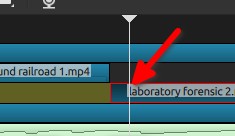
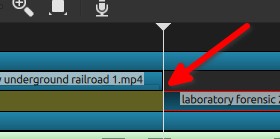
-Mike

1 Like

I confirm, this happened to me (I was trying your bug), just using arrow key ← and → positioning to the first frame


Then do a Shift+I
which position the playhead to frame 0

Then I cannot use the → arrow key, I need to use this ← arrow key first to “unlock” the →

I’m on Linux Mint 22.3, MATE DE, Shotcut 26.2.26

1 Like

Patrice,

That’ll be good for the dev team to know this isn’t just an issue on Windows, thanks for the reply.

-Mike

This is fixed for the next version 26.04

2 Likes

Thanks Dan!

Why are those links in your reply where you quoted me?

Yeah, like I said, super minor bug. If I click anywhere else on the timeline the playhead is not locked for right movement in the new location. It sounds like this will be fixed in the next release.

-Mike