anyone please tell me how to create this effect.
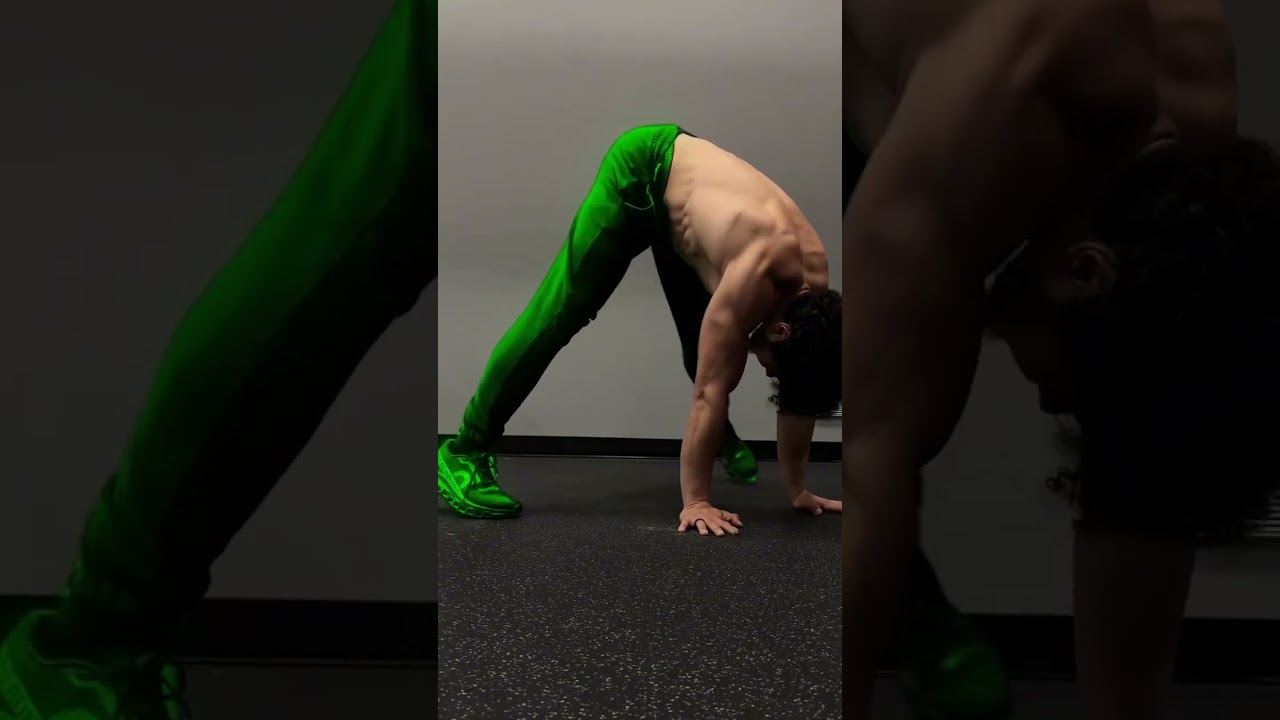
anyone please tell me how to create this effect.
You mask the areas where you want that effect, apply the mask to the color layers above it, lower the intensity of the track that has colors. I also believe that you can change the colors without like a transition by hold frames, like when the frame comes it suddenly changed to a different color, but I haven’t used shotcut that much in the past time, it might be that I am wrong about the keyframe part.
I believe this was done with features like rotobrush to make it easier, otherwise in shotcut the only way to do this is manually masking.
Manually masking is the best way, however if you have a black and white masked file, somehow, you can isolate the areas you want from that file using a crop filter ig on the color track.
yeah just mask the thing i want to change, using glaximate, then add colour by using hue adjust according to the requirement by using brightness and others. If you want a little good one i didnt tried it yet but you can first create a project with the masked parts and add colour on it, then create a new project import the file and then use blend mode. use glow for better results :))
This topic was automatically closed after 90 days. New replies are no longer allowed.