OS Name: Microsoft Windows 11 Pro
OS Version: 10.0.26200 N/A Build 26200
Shotcut version 25.10.31
-
Can you repeat the problem? If so, what are the steps?
-
Playlist-only project.
-
Added ~600 files to the project (all from the NAS)
-
Change folder for proxy to a local machine one
-
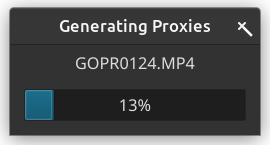
Turning on proxies and starting the convert process is blocking the whole program
-
In the proxy folder I see a lot of files being created with syntax hash.pending.mp4, e.g. 968758fd611457387365064cc188b861.pending.mp4
-
However, it takes several minutes until Shotcut is reacting again
To ease the situation I had to start one proxy file creation manually. By that I am able to pause the queue. Otherwise, the creating of the files and the proxy creation are running in parallel which will take even longer until Shotcut will react again