Hello, I’m a newcomer here but long-time-user of Shotcut.
I used to export PNG files from recorded videos with an old version of Shotcut and now I have downloaded the latest version. The same command (file/export frame or Ctrl+Shift+E) gives very bad results in comparison (image seems very blurred while it was sharp with older versions).
Is there a setting I have missed for image export ? video export seems to be fine.
Thanks for the help !
You need to turn off proxy. Otherwise, no, there is no (unspecified) version regression here.
Thanks for your answer. Unfortunately, I did not set proxy on in parameters menu so I’m afraid I don’t see what you mean. Can you be more precise, please ?
Well, then it depends on Settings > Video Mode.
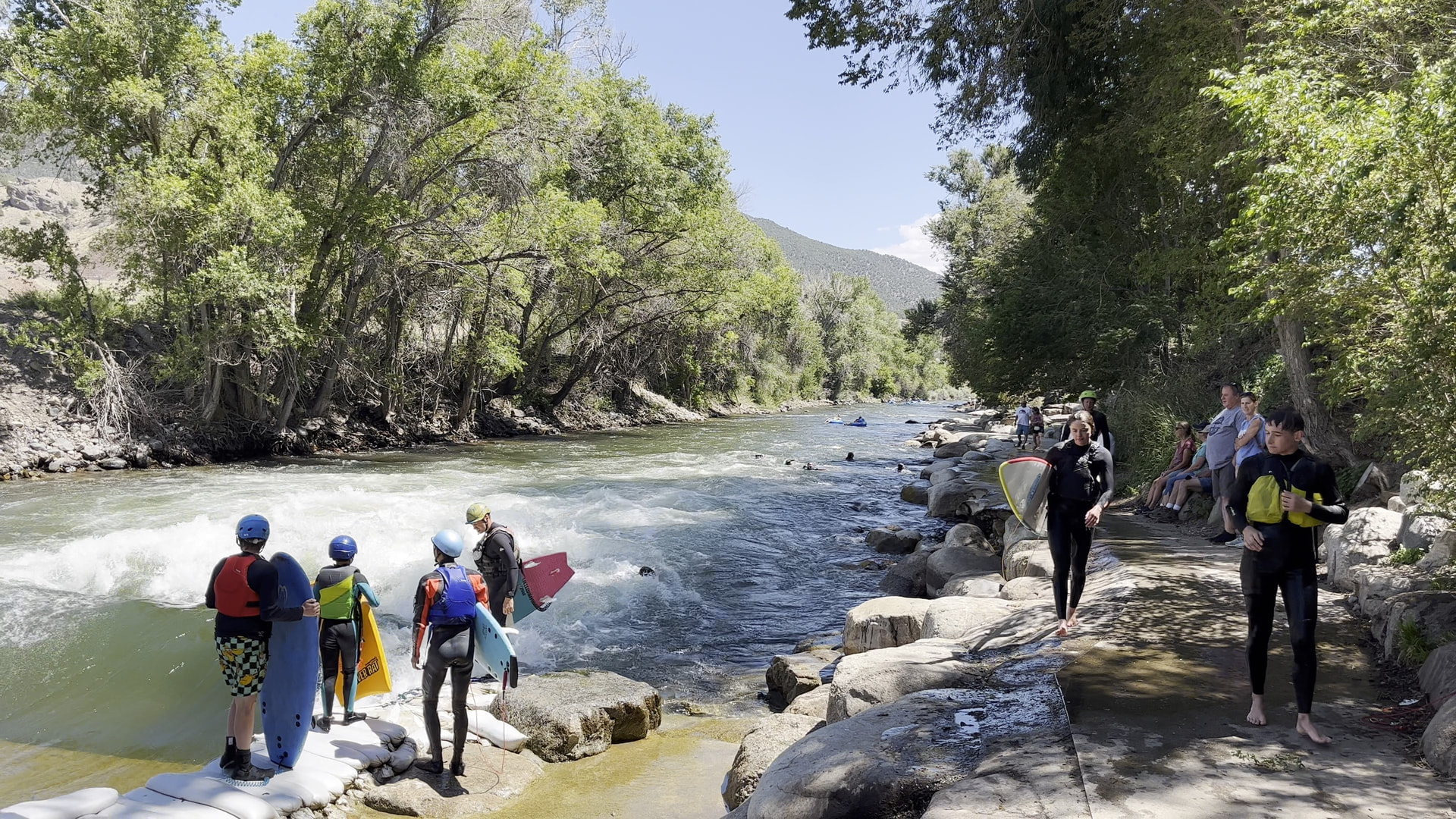
Here is an example made with 4K in the latest version. You need to click into the image to show it as large as possible or download it to see the full resolution.
In my case, I extracted 1920x1080 frames from a video of the same resolution (a capture of my own computer screen at 30fps) and the difference is obvious. I checked the proxy is off in my latest version of Shotcut. I can send a picture to show you the difference when zoomed if it helps.
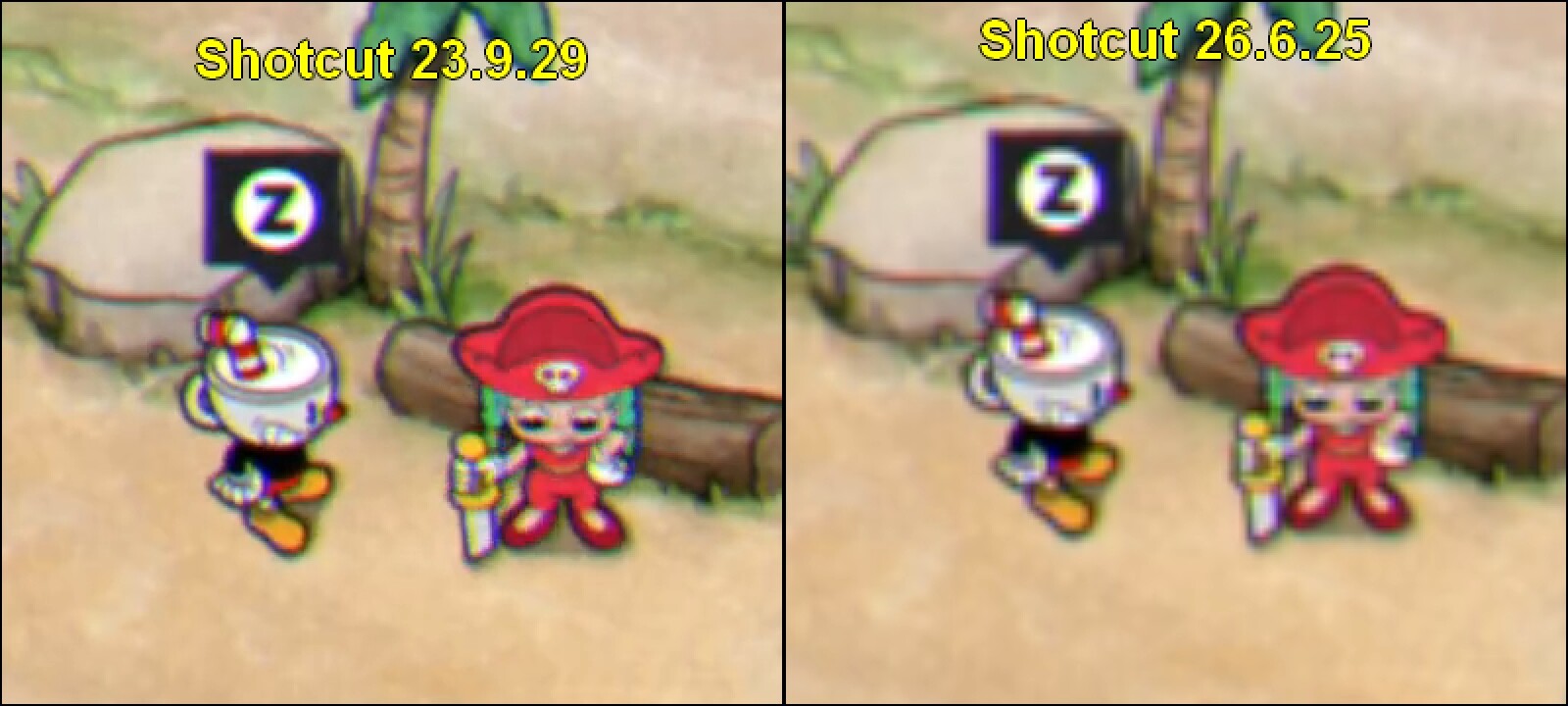
Here’s a picture as a comparison : this is a 2x zoomed portion of the same 1920x1080 frame extracted from the same mkv 1920x1080 screencast I recorded on Cuphead. The settings are exactly the same on both versions of Shotcut but the frame saved with the latest version is more blurred compared to the version I have used so far.
I just can’t get the reason why so I will get back to my older version (fortunately, I kept the original file)
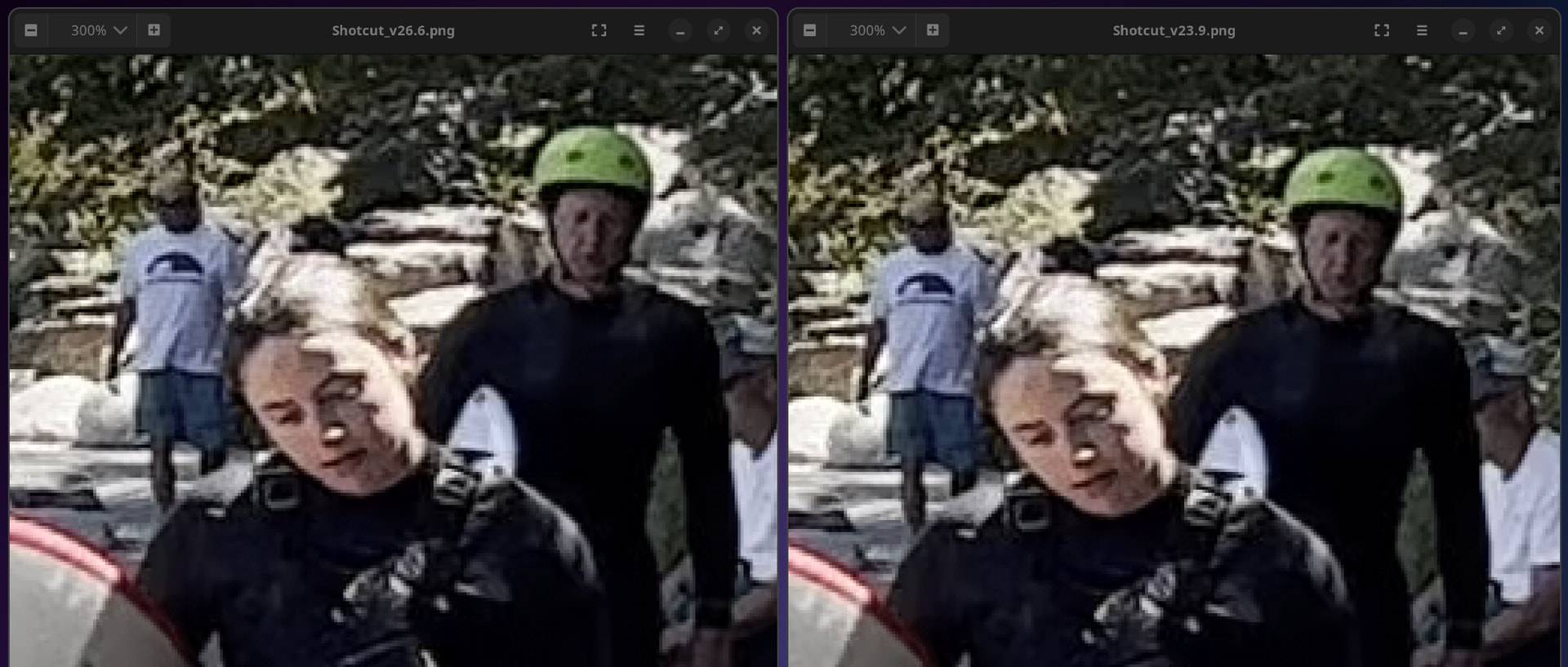
I did a 300% zoomed-in comparison of my 4K between versions 23.9 and 26.6, and I do not see a difference in sharpness, only some in color (HLG HDR video):
What are the video properties of your mkv? Does the Video Mode match the video resolution? The quality of scaling between the two is dependent upon Settings > Player > Interpolation.
Same resolution for my mkv initial video and the frames extracted (1920x1080) and the video settings is also 1920x1080 so no interpolation to do.
I have kept the 2 versions of Shotcut (I think they share the same file for general settings because I found all my custom settings in both versions) and I treated the video the same way with the 2 versions. I never noticed any differences in settings or the way I extract frames.