The build version is 26.10.30, but the plan is release a 26.11 version in 2 - 3 weeks. This version is light on new features and has a lot of important fixes for recent regressions.
The biggest feature addition courtesy of @brian is an Audio Mixing Assistant you can read about at
Can you please check if it’s me or this build that when I hover my mouse over a clip I no longer see the meta data (eg duration)? I’m on Windows 10, using a ten year old Acer Swift 1 laptop. I tried closing and opening the application. Thanks.
I reproduced it on Windows. Unfortunately, it is a bug in the new version of the Qt GUI library we are using, which we can no longer really control due to the build process.
I was testing the Audio Mixing Assistant and found it to be a very interesting tool. However, it has a flaw: it requires the clip to be at 00:00 to perform the assistance. It would be great if it could provide the assistance regardless of the clip’s position.
Can you explain this more? The assistant operates on tracks, not clips. It analyzes tracks and adds filters to tracks. It doesn’t care where the clips are on the tracks.
That’s right, what I meant to say is that when using the Audio Mixing Assistant, for it to work on the tracks, the clip needs to be at the very beginning of the track. I’ve attached the video to show you.
Yes, I just tried it, and this appears to be the case.
@brian, can I pass on my HUGE congratulations for this feature? It’s like having a Normalize on steroids! It’s going to be very useful for my music videos, that’s for sure, and what a brilliant idea to have the audio track analysed, bringing up suggestions for adding audio filters, then being able to apply them in one click. Absolute genius! Thank you.
@brian, FWIW I just tested the Audio Mixing Assistant with two audio tracks, both from videos downloaded from YouTube.
On A1: a bit of Manouche Jazz ;
on A2: a track by James Galway on flute.
After running the Audio Assistant, track A1 didn’t need much tweaking, because it was mixed high enough anyway, but the flute track was too low.
Admittedly the High Pass and Compressor didn’t make much difference to the sound - but they were professionally-mixed audio tracks anyway.
Because the tracks were Audio-only, I set them to “Dialogue”.
On first testing, it’s working great, and I’m sure there other things on it I can explore!
Let me know if you have suggestions for the recommended gain adjustments. The recommendations are based on my own experience/preference. And I expect some users will make adjustments after the recommendations are applied. But I would like the defaults to be as universal as possible.
I thought about running an audio loudness analysis of each track and then use some LRA threshold to decide if compression should be applied (if the LRA is too high, compress it). But I do not know if some short parts with high dynamic range might still sneak through. Also, part of the purpose of the tool is to just give people a shortcut to good practices. A compressor that isn’t doing anything also doesn’t do any harm.
@jonray I am genuinely glad that you have taken an interest in this feature. Please do not hesitate to make suggestions. I would rather polish it or work out the kinks before the release. If you have a LOT of suggestions, we can start a new thread.
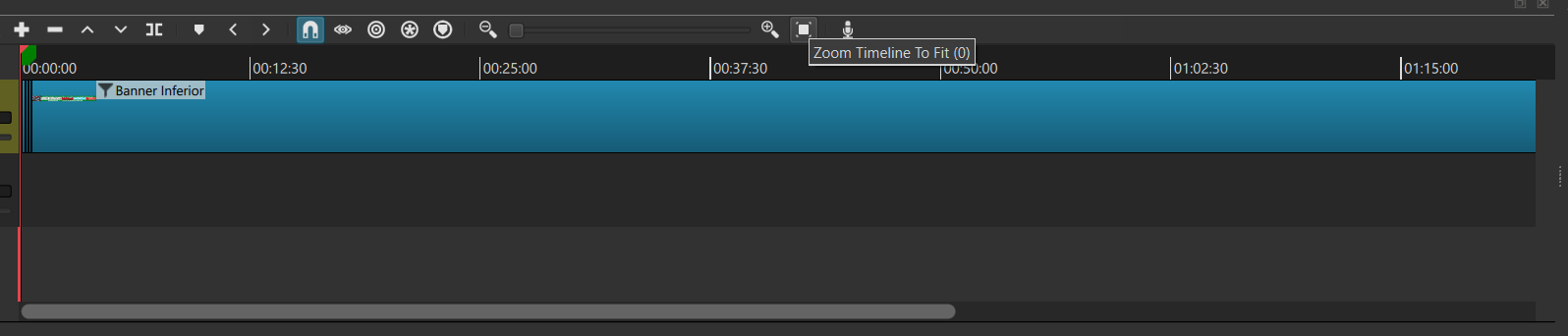
Zoom to fit is not always guaranteed because there is a minimum zoom level, and it depends on the panel width. The minimum is only designed to handle up to 90 minutes on a panel that uses the full width of a 1920x1080 screen/window. Your screenshot shows that you have reached the minimum zoom level. I compared the SAME 2.5 hour project on this beta with previous versions 26.1 - 26.9, and they are the same.
I saved a project as an MLT file, where the progress bar went from 0% to 100%. Then, I imported that MLT project file as a video clip into a new project. However, when I play the MLT file in the new project, it doesn’t play the full video, it cuts off at 41%. Video attached.