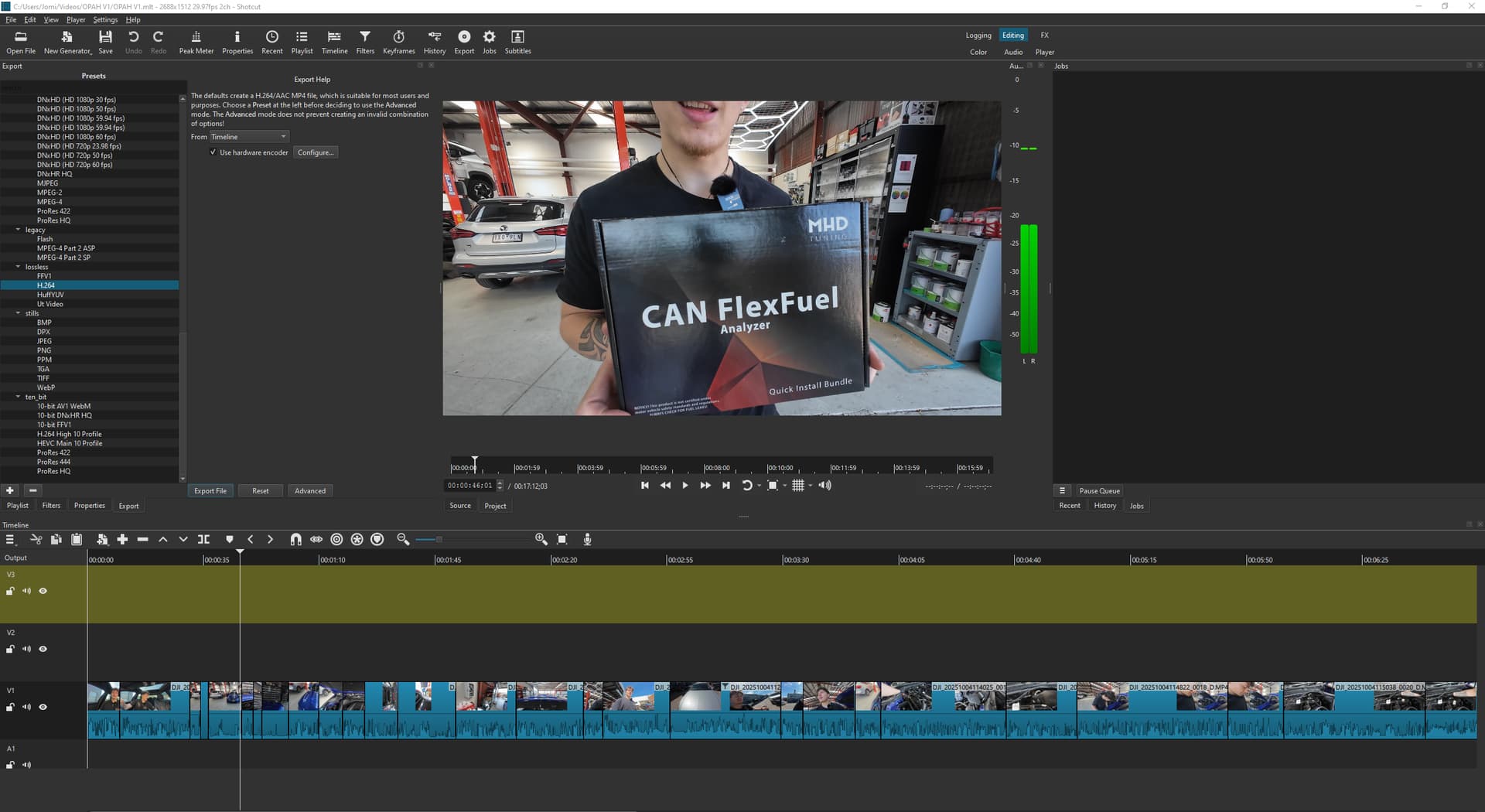
hi all, i’ve just made and edited my first youtube video via shootcut but it is not letting me export the video file at all. When i click on export the videoo file doesnt begin download in jobs like it usually does (i used to use this software a while ago for school). I’ve tried a few things ive seen in other forums including;
- making sure resolution matches from camera too software as well as frame rate
- have sufficient storage on device to download video
- ensured that parallel processing is disabled
- restarted shotcut
- restarted my pc
Any help is greatly appreciated as I really cant afford to have to re–edit on another software. A few notes I should add:
The footage is currently still only on sd card reader plugged into usb port and not the pc itself.
The version of shotcut is up to date, and is the version for sale on windows store.