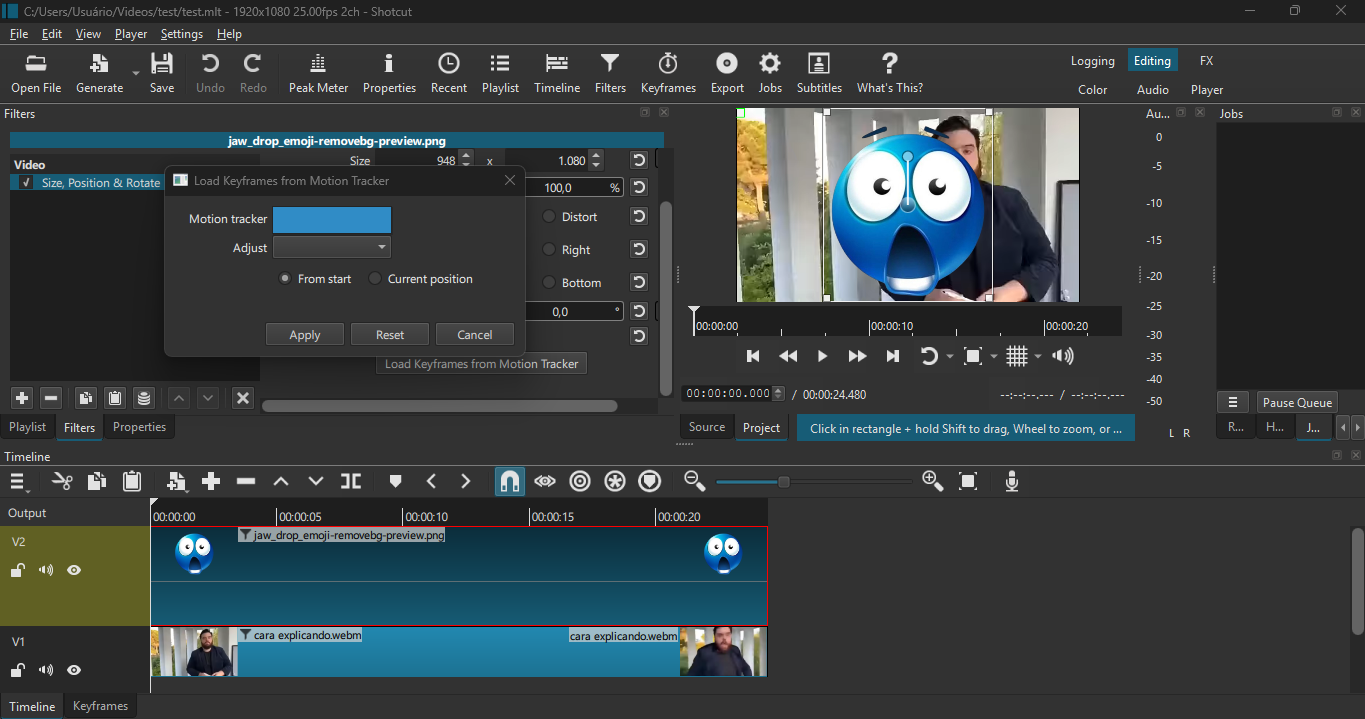
Hi. Today I opened Shotcut to edit a video and tried to use Motion Tracking, but when I click Load Keyframes on the Size, Position & Rotate filter, it doesn’t give me any option to select the Motion Tracker.
All it shows is a blank box, and I just can’t use the Motion Tracker.
I just tested it, and it is working for me. You need to click the Analyze button in the Motion Tracker, wait for the job to run, and then it shows “Analysis complete” next to the Analyze button. Your screenshot shows no job. Maybe you saved the project and restarted Shotcut before making the screenshot. Look at the Motion Tracker filter and see if it still says “Analysis complete.” If not, you need to run it again.
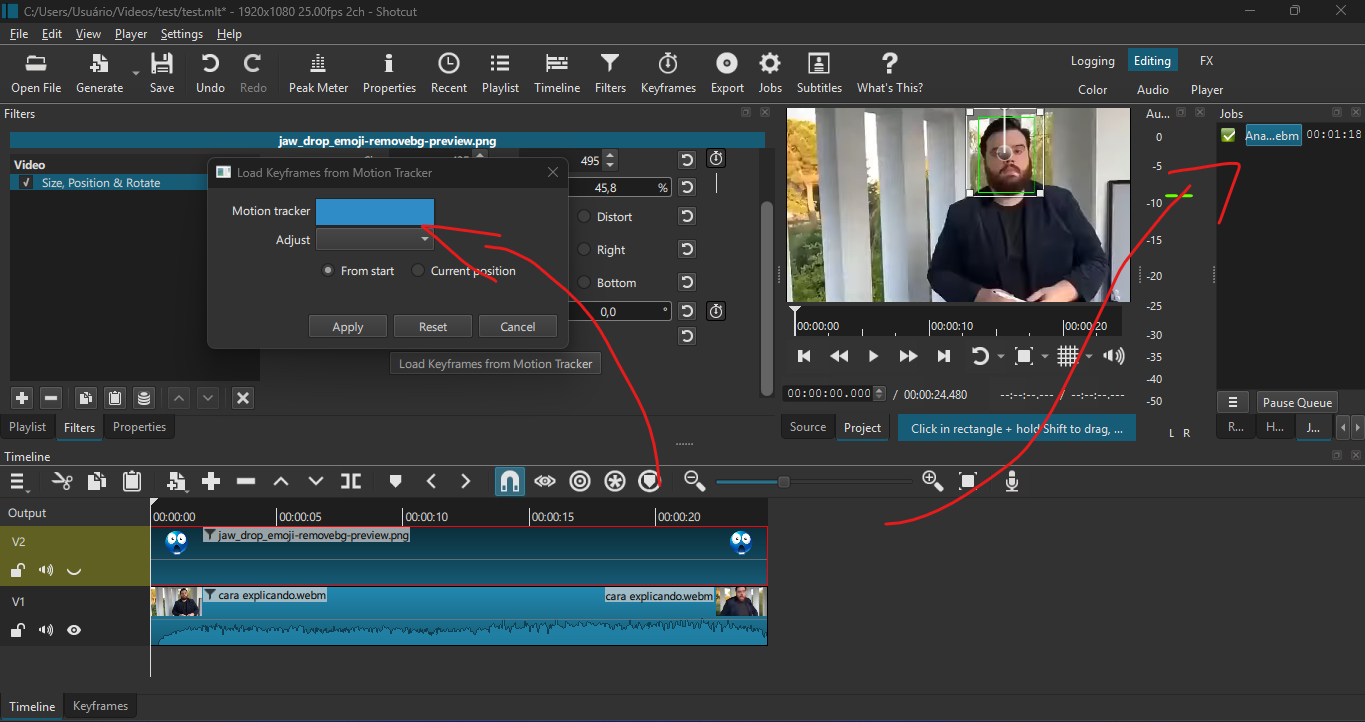
Here, I tried it again to show you that I actually analyzed it and followed all the steps.
I also tried saving and relaunching it but also doesn’t work.
(Also, i never get the analysis complete message)
Ah, that is key. While the job succeeded, it was unable to create the data points to save for whatever reason (I do not know the internal details how this functions). You can right click the analysis job, view the log, and it might say something useful but not guaranteed.
Hi, I’m back to say that I reinstalled my entire operating system to see if it was the problem, but the problem still isn’t solved. I suppose the issue is with Shotcut itself and not my PC.
View the JOB log and paste it here. When it succeeds, View > Application Log shows something like this (at the end, just after the job completes)
[Info   ] <AbstractJob::onFinished> job succeeded
[Info   ] <AnalyzeDelegate::updateFilter> updated filter opencv.tracker with results: "0~=864 486 192 108 0;5~=0 0 0 0 0;10~=0 0 0 0 0;15~=0 0 0 0 0;20~=0 0 0 0 0;25~=0 0 0 0 0;30~=0 0 0 0 0;35~=0 0 0 0 0;40~=0 0 0 0 0;45~=0 0 0 0 0;50~=0 0 0 0 0;55~=0 0 0 0 0;59~=0 0 0 0 0"
[Debug  ] <MotionTrackerModel::add> "{a1efbe83-7be4-4ab4-9f49-9b96bcf7c3fa}" "Tracker 1"
No LV2 plugins were found! Check your LV2_PATH environment variable.
No VST2 plugins were found! Check your VST_PATH environment variable.
[libvpx-vp9 @ 000001f0f76bf0c0] v1.16.0
[libvpx-vp9 @ 000001f0f76bf0c0] --prefix=/mingw64 --target=x86_64-win64-gcc --enable-vp8 --enable-vp9 --enable-vp9-highbitdepth --enable-vp9-temporal-denoising --enable-runtime-cpu-detect --enable-postproc --enable-pic --enable-shared --enable-static --enable-experimental --disable-examples --disable-docs --disable-install-docs --disable-install-srcs --disable-unit-tests
[AVIOContext @ 000001f0f74bae40] Statistics: 65536 bytes read, 1 seeks
[producer avformat] audio: total_streams 1 max_stream 1 total_channels 2 max_channels 2
[AVIOContext @ 000001f0f74b6e40] Statistics: 65536 bytes read, 1 seeks
[libvpx-vp9 @ 000001f0f76c4840] v1.16.0
[libvpx-vp9 @ 000001f0f76c4840] --prefix=/mingw64 --target=x86_64-win64-gcc --enable-vp8 --enable-vp9 --enable-vp9-highbitdepth --enable-vp9-temporal-denoising --enable-runtime-cpu-detect --enable-postproc --enable-pic --enable-shared --enable-static --enable-experimental --disable-examples --disable-docs --disable-install-docs --disable-install-srcs --disable-unit-tests
[chain avformat-novalidate] C:/Users/Usuário/Desktop/Pedro/Memes/cara explicando.webm
checking VFR: pkt.duration 41
Curre 9
Current Frame: 122, percentage: 20
Current Frame: Current Frame: 167, Current Frame: 34Current Frame:Current Frame: Current Fr
Completed successfully in 00:00:12
This is the job log you asked me to paste. Also, the part of the log you said was supposed to appear doesn’t show up.