I’m very confused. Trying proxy editing for the first time on a low-spec but portable device (Surface Go - Linux).
Shotcut version is 26.9.27
If I drop a clip directly into the timeline it displays fine can be cut, adjusted etc.
If I take the same clip and set in/out in the source window first, it drops into the timeline as black with no audio.
Edit: Also, if I insert from the playlist with V (bypassing the source window) it imports into the timeline as black
I’ve tried various combinations of ticking / unticking hardware acceleration (h264_vaapi on my intel iGPU) but nothing helps.
Is this a bug, or am I doing something wrong?
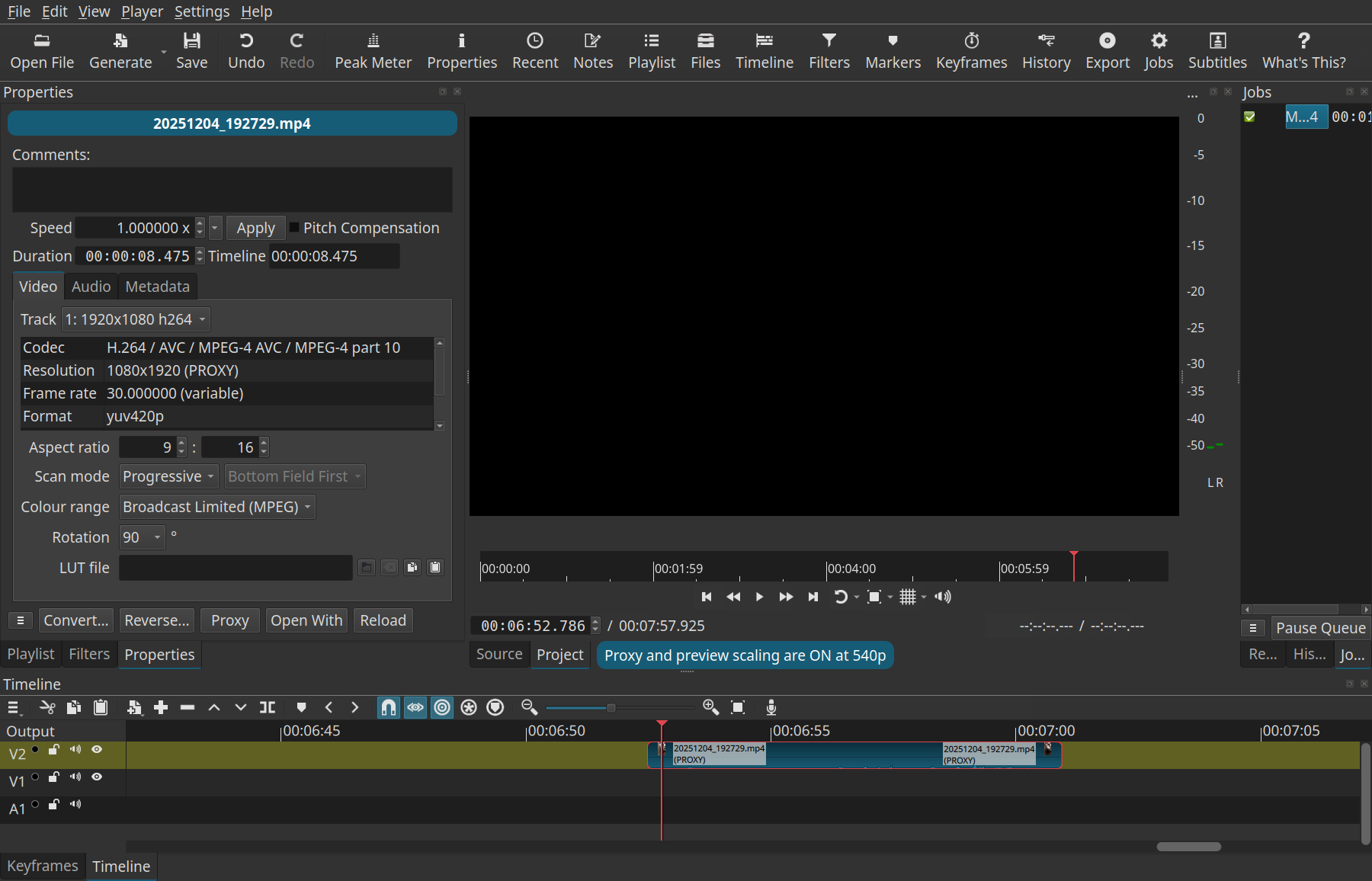
Show a full screenshot with the problem: clip on the timeline, clip selected, and the Properties panel (very important). Due to something about the source video there could be a compatibility issue with the generated proxy. With proxy on and the problem appearing, in Properties, check Video > Track. Is it None? Try changing this drop down.
Thanks for your help: the video track isn’t none (I read that online and checked)
Here’s a screenshot:
Next, in Properties click its menu button in the bottom left corner and choose More Info and paste those details here. Also, try turning off Settings > Preview Scaling > Use Hardware Decoder.
here you go:
# ffprobe output


[streams.stream.0]
index=0
codec_name=h264
codec_long_name=H.264 / AVC / MPEG-4 AVC / MPEG-4 part 10
profile=High
codec_type=video
codec_tag_string=avc1
codec_tag=0x31637661
mime_codec_string=avc1.640028
width=1920
height=1080
coded_width=1920
coded_height=1080
has_b_frames=0
sample_aspect_ratio=1:1
display_aspect_ratio=16:9
pix_fmt=yuv420p
level=40
color_range=tv
color_space=bt709
color_transfer=bt709
color_primaries=bt709
chroma_location=left
field_order=progressive
is_avc=true
nal_length_size=4
id=0x1
r_frame_rate=30/1
avg_frame_rate=4927500/164299
time_base=1/90000
start_pts=0
start_time=0:00:00.000000
duration_ts=657196
duration=0:00:07.302178
bit_rate=14.146618 Mbit/s
max_bit_rate=N/A
bits_per_raw_sample=8
nb_frames=219
nb_read_frames=N/A
nb_read_packets=N/A
extradata_size=34

[streams.stream.0.disposition]
default=1
dub=0
original=0
comment=0
lyrics=0
karaoke=0
forced=0
hearing_impaired=0
visual_impaired=0
clean_effects=0
attached_pic=0
timed_thumbnails=0
non_diegetic=0
captions=0
descriptions=0
metadata=0
dependent=0
still_image=0
multilayer=0

[streams.stream.0.tags]
creation_time=2026-09-29T10:53:17.000000Z
language=eng
handler_name=VideoHandle

[streams.stream.1]
index=1
codec_name=aac
codec_long_name=AAC (Advanced Audio Coding)
profile=LC
codec_type=audio
codec_tag_string=mp4a
codec_tag=0x6134706d
mime_codec_string=mp4a.40.2
sample_fmt=fltp
sample_rate=48 KHz
channels=2
channel_layout=stereo
bits_per_sample=0
initial_padding=0
id=0x2
r_frame_rate=0/0
avg_frame_rate=0/0
time_base=1/48000
start_pts=0
start_time=0:00:00.000000
duration_ts=347136
duration=0:00:07.232000
bit_rate=256.063000 Kbit/s
max_bit_rate=N/A
bits_per_raw_sample=N/A
nb_frames=339
nb_read_frames=N/A
nb_read_packets=N/A
extradata_size=2

[streams.stream.1.disposition]
default=1
dub=0
original=0
comment=0
lyrics=0
karaoke=0
forced=0
hearing_impaired=0
visual_impaired=0
clean_effects=0
attached_pic=0
timed_thumbnails=0
non_diegetic=0
captions=0
descriptions=0
metadata=0
dependent=0
still_image=0
multilayer=0

[streams.stream.1.tags]
creation_time=2026-09-29T10:53:17.000000Z
language=eng
handler_name=SoundHandle

[format]
filename=/media/steve/Storage_512/scratch_surface_SD/live_projects/Outin_Nano_Battery/20260929_115309.mp4
nb_streams=2
nb_programs=0
nb_stream_groups=0
format_name=mov,mp4,m4a,3gp,3g2,mj2
format_long_name=QuickTime / MOV
start_time=0:00:00.000000
duration=0:00:07.302178
size=12.539885 Mibyte
bit_rate=14.405589 Mbit/s
probe_score=100

[format.tags]
major_brand=mp42
minor_version=0
compatible_brands=isommp42
creation_time=2026-09-29T10:53:17.000000Z
com.android.version=10
com.android.capture.fps=30.000000
Completed successfully in 00:00:00
No difference whether use hardware decoder is on or not (in preview scaling).
I do not know what the problem is, but I can tell you that there is little benefit to use a 1080p proxy for a 1080p source for a preview scale at 540p. It is best to have the proxy and preview scale at the same resolution to prevent it from having to scale while editing. I do not know how to reproduce the problem. Turn off proxy if it does not work for you.
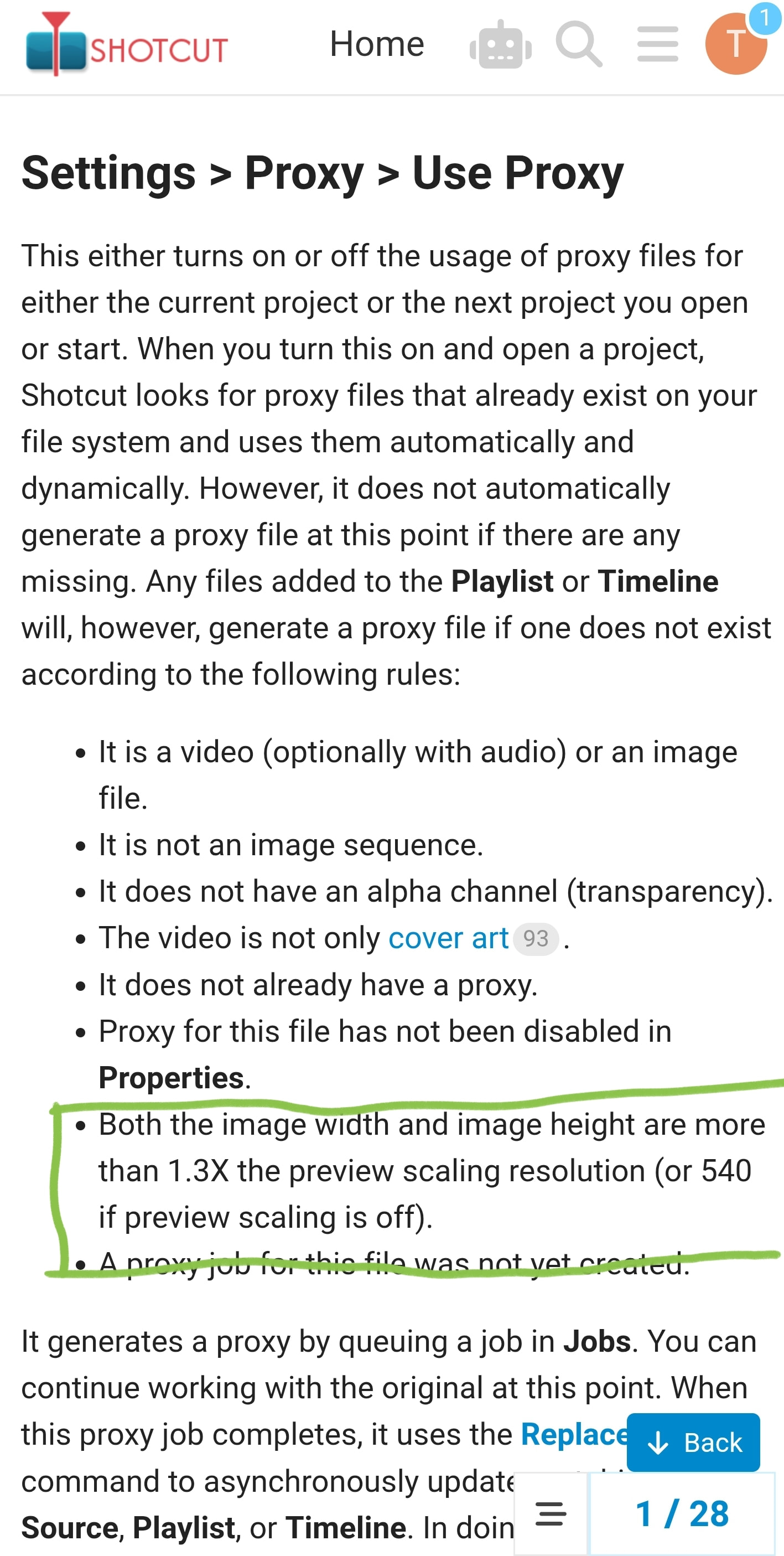
I’m surprised the proxy is 1080 on a 1080 source.
How did that happen I wonder?
I was expecting the default behaviour of 540p (if preview scaling is set to 540, or turned off)
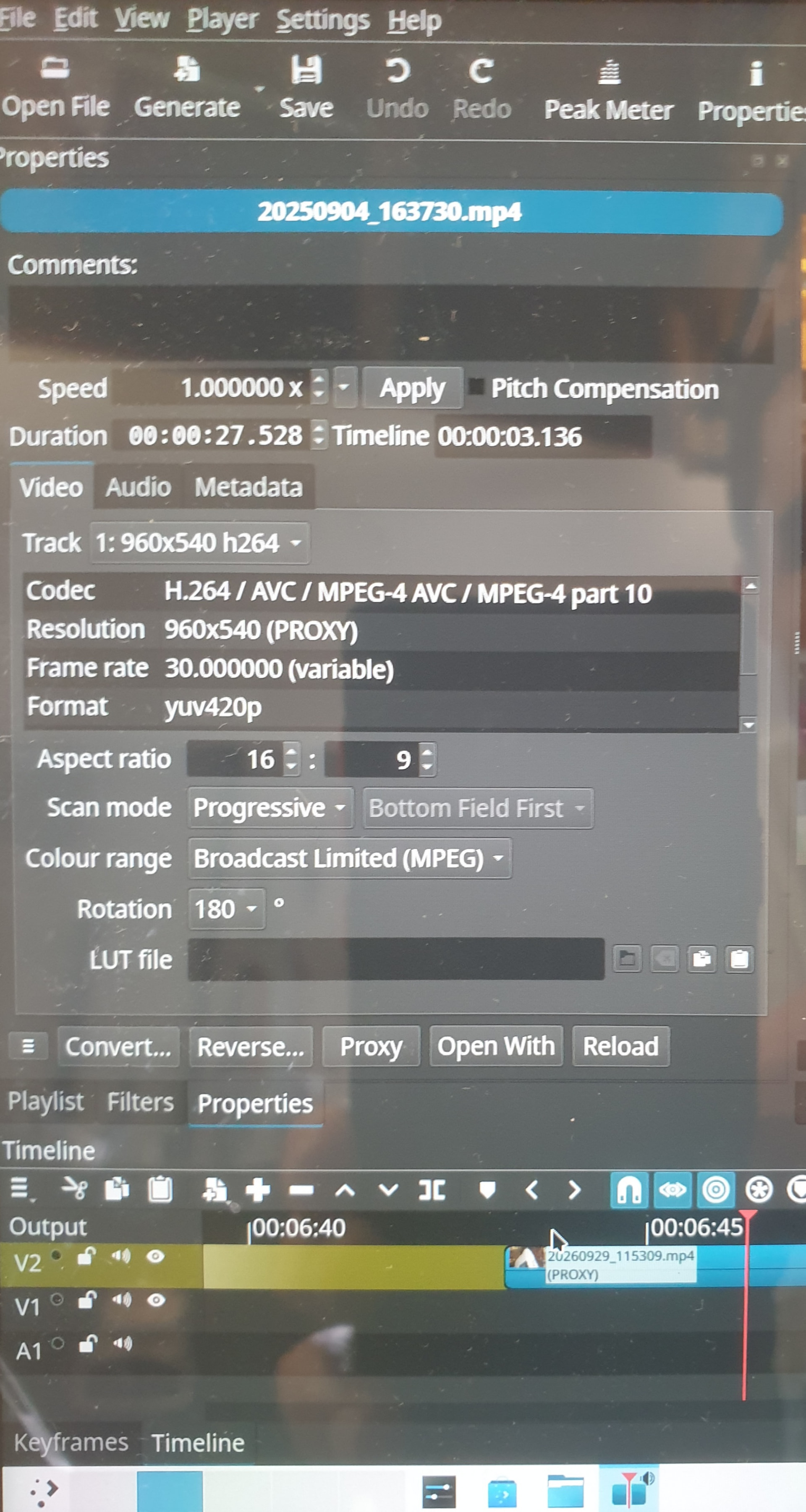
Bizarrely, if I cycle proxies off and on again, the clip becomes 540p (in the properties at least), with no reencoding jobs