With more than 13 GB downloaded, I’m still unable to make it work offline.
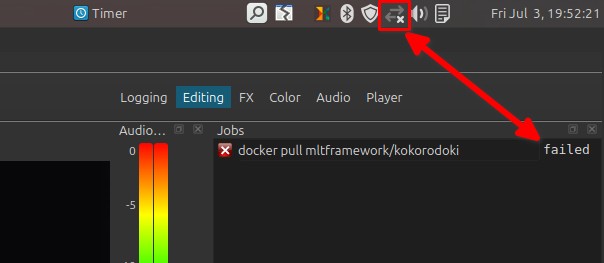
For example, it downloads the voice successfully, but as soon as I disconnect from the Internet, it fails to generate the .wav file, even though it reports that the process has completed.
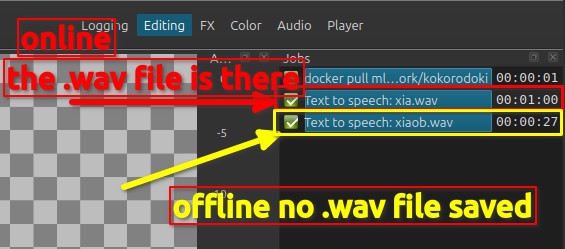
How can I make it work completely offline?
Every time I generate audio, it downloads the same voice again, which takes one or two minutes and uses a significant amount of bandwidth before processing starts.
My Internet usage is metered when I’m away from home, so repeatedly downloading the same voice is a problem.
I specifically downloaded several voices so I could work offline, but the application still reconnects to the Internet and downloads those same voices again instead of using the copies already stored locally.
Am I missing a configuration step, or is offline mode not currently supported?