Inverts the polarity of the audio signal.
This means the waveform is flipped vertically: positive values become negative, and negative values become positive.
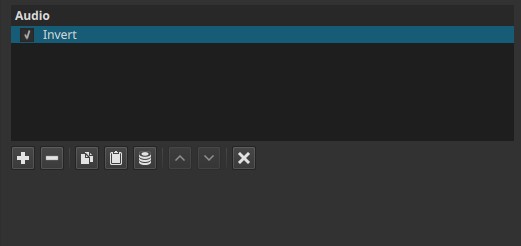
Invert is a phase / polarity correction filter, not an audible effect by itself.
Parameters
This filter has no controls.
There is no channel selection; the operation applies to the entire audio clip. It inverts signal polarity only and does not flip or reverse the audio playback.
What this filter does
- The audio waveform is multiplied by –1
- Loudness, frequency content, and timing remain unchanged
- Only the polarity of the signal is reversed
This is also commonly referred to as phase inversion or polarity flip.
Why you usually hear no difference
When listening to a single audio track:
- Polarity inversion is not perceptible
- Human hearing cannot detect absolute waveform direction
- Music, dialogue, and effects sound the same
This is expected behavior and does not indicate that the filter is broken.
When this filter matters
Invert becomes audible only in relation to other audio signals, for example:
Phase cancellation issues
If two similar signals are combined (e.g. two microphones recording the same source):
- If they are out of phase, parts of the sound may cancel out
- Applying Invert to one signal can restore proper alignment
Multi-microphone recordings
- Overhead + close mics
- Stereo recordings with wiring issues
- Imported audio with incorrect polarity
Layered or duplicated tracks
- Music stems
- Sound effects layered together
- Parallel processing chains
In these cases, Invert can dramatically change the result.
Auditory characteristics
- No audible change on isolated tracks
- Can significantly alter combined signals
- Can restore bass or clarity lost due to phase cancellation
- Can also introduce cancellation if misused
Recommended use cases
- Fixing phase cancellation between tracks
- Correcting inverted polarity recordings
- Testing polarity relationships
- Aligning layered audio sources
Usage notes and tips
- Use Invert only when comparing two or more signals
- Toggle the filter on/off while listening to combined tracks
- Pay attention to bass and low frequencies; phase issues are most noticeable there
- If Invert makes the sound thinner, revert it
Limitations
- No effect on timing or frequency balance
- No visual waveform display
- No automatic phase detection
- Requires contextual listening to be meaningful