Hello,
I would like to know how to use the new “Simple Scroll” feature in the “Overlay HTML” filter on a video clip. It is probably very obvious, but I can’t figure it out, and can’t find anything on it!
Thanks for any help I can get!
Myles
Hello,
I would like to know how to use the new “Simple Scroll” feature in the “Overlay HTML” filter on a video clip. It is probably very obvious, but I can’t figure it out, and can’t find anything on it!
Thanks for any help I can get!
Myles
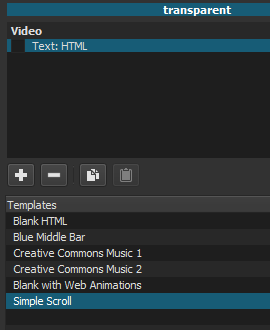
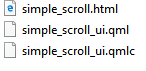
4. The HTML editor will open. Type or paste text. Format the text color and position.
5. Add the clip to the playlist.
6. Put the video on the timeline. Add the transparent clip to a track over the video.
The length of the transparent clip determines how long the text will scroll.
The default scroll direction is up. It can be changed using the direction choice box.
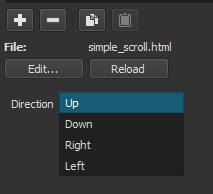
If you use the New Project UI to create the project, the HTML editor will open immediately after the simple scroll template is selected. The simple scroll folder will be automatically created in the project folder.
It is not necessary to add it to the playlist (step 5).
Thank you, this helped a lot!
This topic was automatically closed after 90 days. New replies are no longer allowed.