I have been looking at the program for creating YouTube videos.
I have the video I created and audio track and cannot figure out how to merge them together!
You would think that this would be one of the simplest things to in a video editor, but I see not import no merge cannot drag and drop them together? It was even easy in Microsoft Clipchamp!
Any ideas?
Your question is a little confusing because either you do not know the basics of adding clips to the timeline, or you are looking for a “merge” feature that does not exist. In Shotcut, you cannot “merge” arbitrary timeline clips together. You can put them on parallel tracks and group them. Some editors let you create so-called compound clip, which is a like a nested/child timeline or sequence to create the abstraction of a merge. Is that what you mean? You can do in Shotcut, but it is a bit more manual.
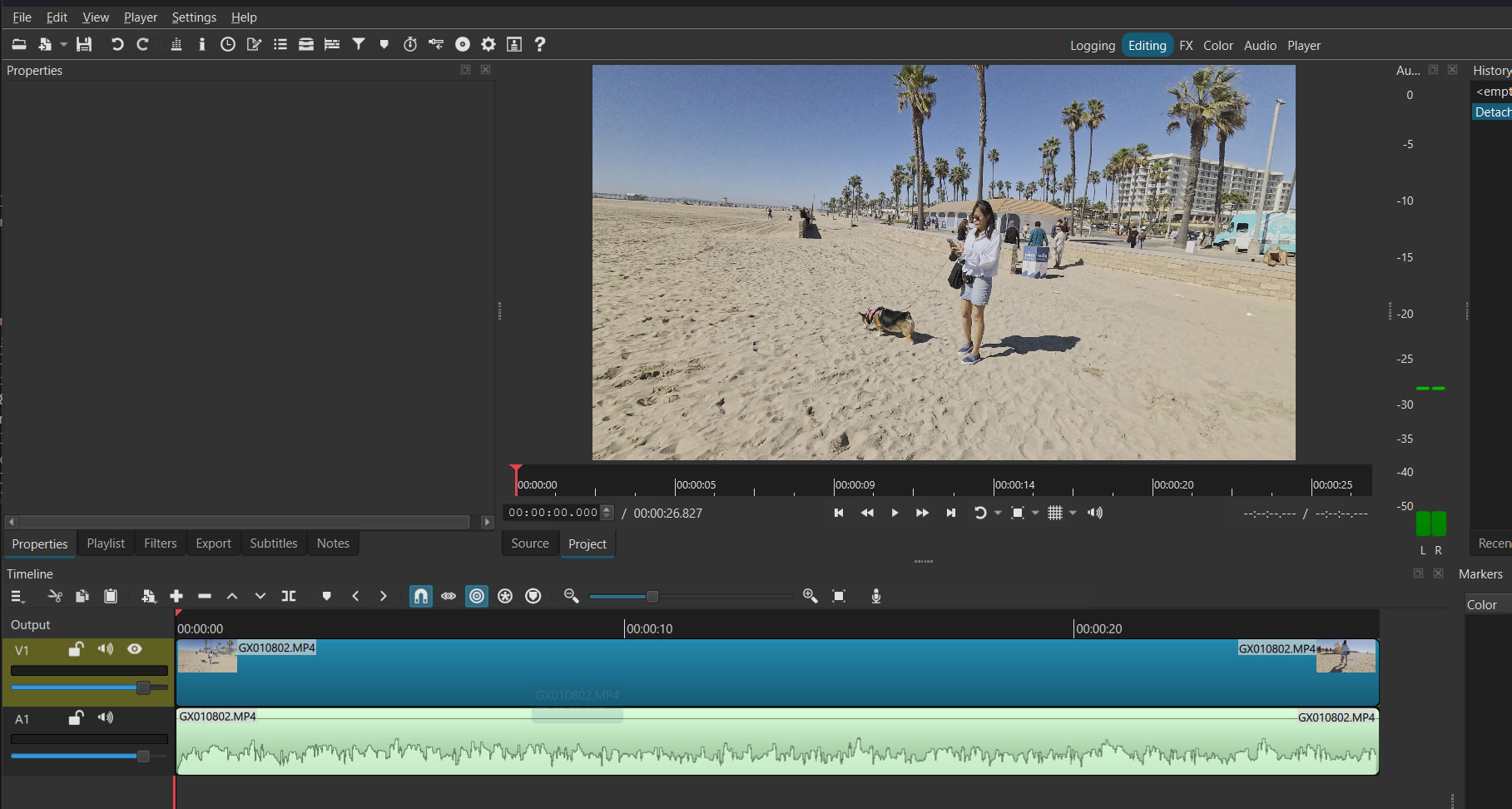
Do you already understand how to easily get to something that resembles this?
To put your audio under your video, no merge step is needed. Shotcut mixes tracks on export. 1) Open both files (Open File) so they appear in the Playlist or Properties. 2) Drag the video onto a video track in the timeline. 3) Add an audio track (Timeline menu > Add Audio Track, or the track menu button at the left of the timeline), then drag the audio file onto that audio track and slide it so it starts where you want. 4) If the video has its own sound and you only want the new audio, click the Mute button on the video track. 5) Press play to check, then use Export. The exported MP4 will contain the video with the audio track mixed in. If you meant something else by merge, such as making one single clip out of several, say so and give the details.