Hi ricktor. Welcome in Shotcut forum.
I’m afraid it’s impossible to answer the question as we don’t know what the question is 
What do you want to do ? A split screen ? Ad drawings to a footage ?
You also may change the title of the subject to make it more relevant.
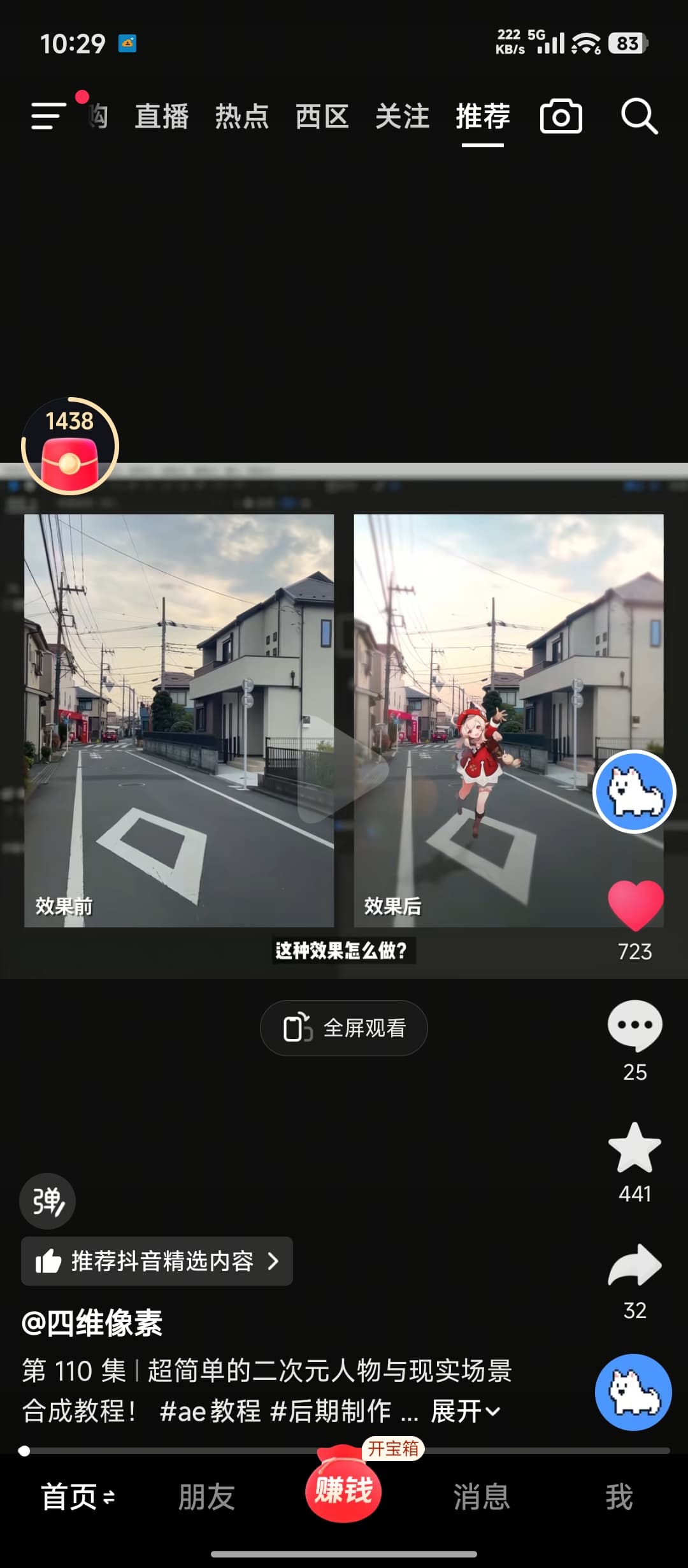
Ok, I want to know if shotcut can follow that diamond shape and I can add a picture like a girl follow that diamond shape, and that pic can auto change size and position based on the video. I saw this video on douyin, uploader used ae, I just wonder if shotcut has the same tool.
This is the video link
7.41 gOk:/ v@F.Hv 01/31 复制打开抖音极速版,看看【四维像素的作品】超简单的二次元人物与现实场景合成教程! # ae教… https://v.douyin.com/U_a_MYyxk-s/
Yes you can do it in Shotcut. It’s more or less the same way that’s shown in the video. The only difference, I think, is that the girl won’t grow up automatically. You’ll have to use the size/position filter with key frames to set the growing in some way manually.
Key frames are frames that serve a mark to define differents settings across the time/footage. For instance you’ll set a keyframe at 2 s for the smallest size of the picture and another one at 6 s with the larger size of the picture. Than the picture will grow up between these two frames.
- use motion tracker to make the added picture follow on object in footage
- use the size/position/rotate filter to change the size of the added picture
With such a simple shot, you even may not need motion tracking : the size/position/rotate filter may be enough to do the job.
More advanced users may give you more accurate details.
waoh, thanks, that’s good, I’ll try that tomorrow. Thanks a lot.
very easy, below a quick and dirty way to do it (if it’s 2 images)