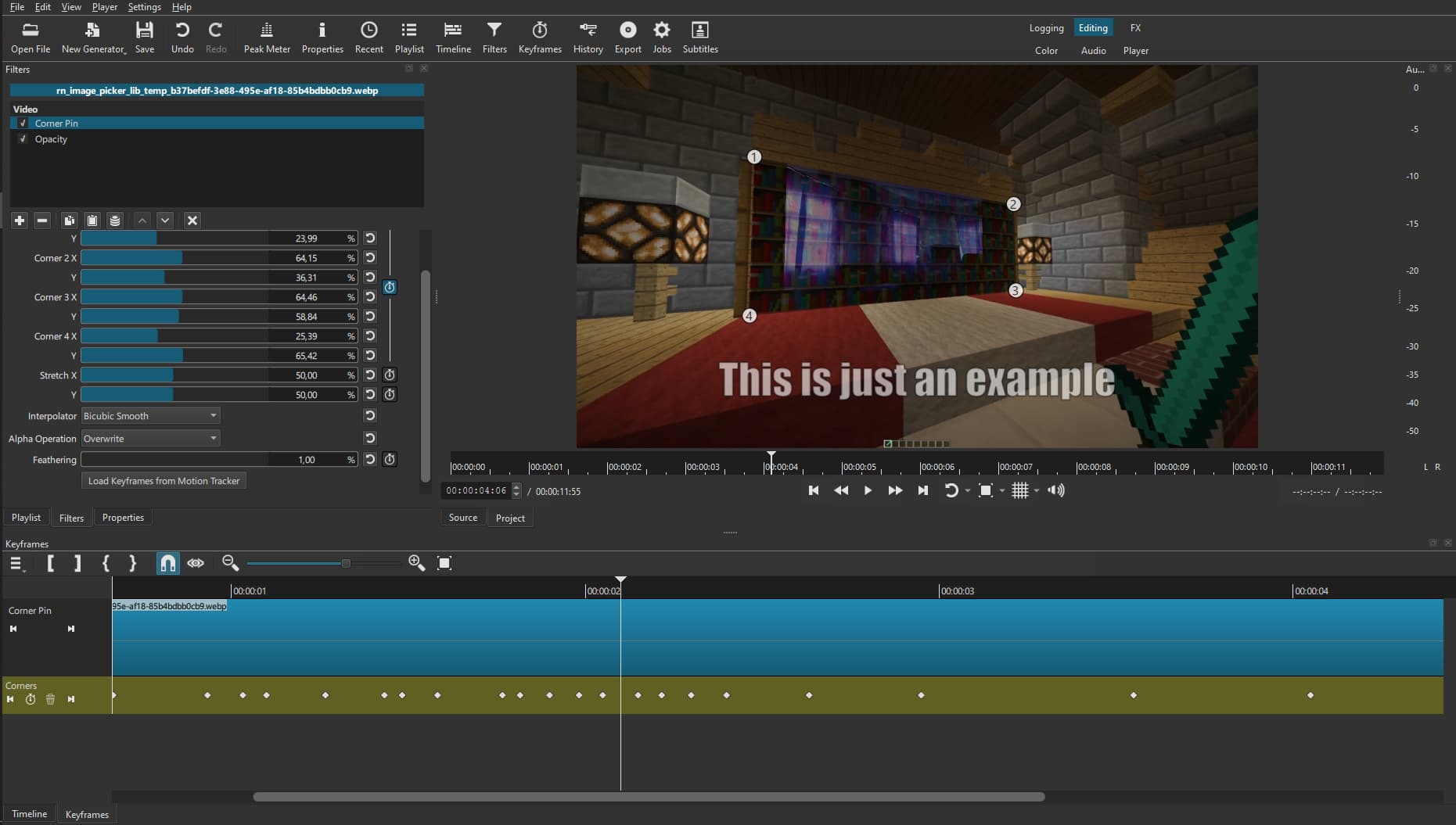
I often like to insert images into my projects to make them look like they’re part of the actual game. For this, I use the Corner Pin filter in Shotcut.
I can position the image to fit it into the 3D space. (I’ll show a video below of how I do it).
Everything seems great, but there’s a problem: animating all of this is very difficult because the project lags. This task might be worthwhile, but the process itself is very unpleasant. I’ve watched quite a few tutorials on how to reduce rendering demands in Shotcut, but nothing helped.
My attempt in Glaxnimate
So, it dawned on me to use not the filter itself, but to create an animation in Glaxnimate. The idea is to perform all these tricks in this special program for animation.
I create an animation file and open Glaxnimate, create an Object from my image, and try Object to Path in order to stretch it like in Corner Pin, but the program ignores my request and doesn’t switch to Path. I tried to repeat this with a vector square, and everything worked, but with a PNG image, it ignores my command.
I tried to trick the program a little by giving it not a PNG, but an SVG image, hoping it would somehow convert it to a Path, but it was unsuccessful.
I need help with this, so if anyone knows how to similarly stretch an image by its corners in Glaxnimate instead of Shotcut, please write how to do it! BUT, if this is impossible… Then please suggest a great way to at least optimize things so that I can create animations using the Filter.
Characteristics:
Program Version Shotcut: 25.07.26
My PC:
Windows - 10
RAM - 16 GB
VideoCard - Nvidia GeForce GTX 1070 ti
CPU - Intel(R) Xeon(R) CPU E5-2670 v3 @ 2.30GHz 2.30 GHz
NOTE: I used a translator, so there might be some mistakes. If you don’t understand something, please let me know, and I’ll try to explain it more clearly.
To my knowledge, there is no way to turn an image into a path with 4 corner nodes in Glaxnimate.
If there is, I’d also really like to know how to do it…
Turning ON Preview Scaling (Settings > Preview Scaling > 360p) helps a lot for me.
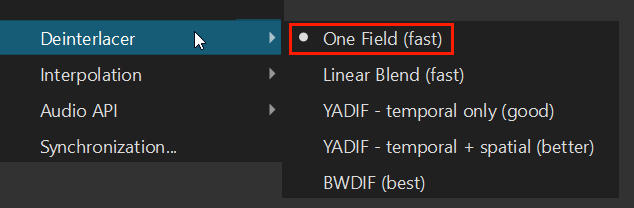
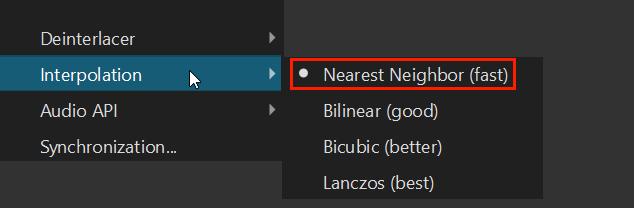
You can also go to Settings > Player and check the parameters used for Deinterlacer and Interpolation. If they are not already, setting both to Fast will help make editing and playback a bit smoother.
Unfortunately, I have already tried such solutions, and I forgot to mention that.
What I really want is to have the program render my scenes not using the CPU, but by utilizing the graphics card (I have an Nvidia GeForce GTX 1070 Ti). I am sure it could speed up the process several times, because during work it is either inactive or at about 30% usage when I’m just recording footage of some moment in a game.
I tried to find a forum or a YouTube tutorial on exactly how I could render a scene using the graphics card, but either I searched poorly or there really is no guide.
Apologies for the late reply, I thought my question was ignored.
I didn’t check the FAQ because, firstly, for some reason the Shotcut website itself is consistently unstable for me, and that’s definitely not the developer’s fault. I also thought about it, but I forgot… (although, this Forum itself works fine).
Anyway, I read it and understood everything. Regardless, it’s a shame this can’t be done and that it’s risky for the optimization itself…
Thank you for such a slightly sad, but very truthful answer.
But the fact that the GPU can interact with Filters is essentially what I wanted, so maybe I’ll try it next time I have a chance to test it (I believe it’s the GPU effects (unstable) button).
I want to thank you for the help (@MusicalBox@Elusien). I’m closing the Topic, because a solution was kind of found, and kind of not.
I’m not upset, and I will hope for the addition of GPU support if a solution is found! good luck.