So I have an updated video based on the @MusicalBox suggestion coupled with (quite) a few more modifications. Not sure if this thread is the best place for it but I will also document some of my own learning, since I’m really still a Shotcut newbie and some of my lightbulb moments/discoveries may help others less experienced.
Updated video:
Changes/additions:
/////////////////////////////////
- Changed text fade out in titles to masks (example title at 11s with masks at 14s)
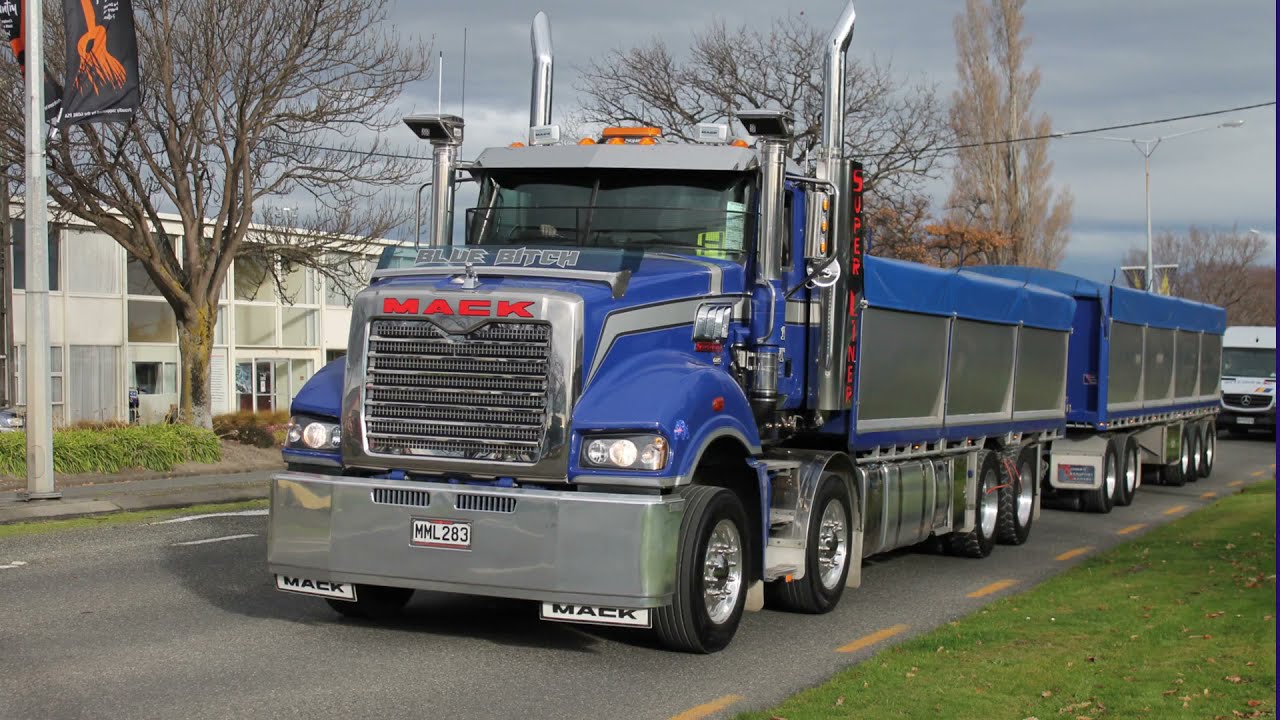
- Removed the song from the beginning of the parade at 42s and cheated by copying another part of the truck audio and mixed it in. Not perfect, but good enough given the time I’ve had to spend doing other more labour intensive duties (like identifying winning trucks from over 1000 photos using the provided winning license plates - great fun!). On another project I might open audacity for this.
- Made a minor edit and stabilised the videos cut into the 3 portrait videos starting at 1:26s
- Changed transition at 1:44 to clock
- Increased dissolve length transitons on joined videos from 1:50 to 2:00 and attempted to make the short speed ramp smoother. I don’t know how to easily fix the change in sky positions during the dissolves which is very obvious.
- Under prize giving results I discovered there were truck entries that were the recipient of more than one prize, and in some cases more than one trophy, while other winners didn’t receive any trophy, so I had to edit the different text variations accordingly. I’ve included a sample of each type and have added the real winning truck in each case (although there are over 40 prizes so I have a lot more work to do). Went from simple to rich text so I could bold winner names (example at 2:10, which also cycles through the various prizes this truck has won). On those that didn’t receive a trophy, I just added a slide in from the bottom (with transparency) on top of the photo. Interesting that the same font settings using rich text aren’t quite the same as simple text.
- Fancied up the colouring competition winners page since it wasn’t working for me. Did a cursor flash effect because I wasn’t inclined to go the full typing route, as in @Jonray’s tutorial. For me, that’s just too much work for the ROI (call me lazy!).
What I Learned
///////////////////////////
During the Prize giving creation I discovered a couple of things about transitions, and why I should limit their use when working with colour blocks and text that might end up being re-used. Instead, I went with size/position/rotate and mask filters to achieve the same outcome in a more efficient manner, even though initially it took slightly longer to synchronise timings).
Long story short; if I use a transparent block to add a transition to text (slide in from right, for example, which is what I did on all texts to achieve the effect from 2:07 - 2:10) then when the entire effect over multiple tracks is copied, changing the text content for a different prize unfortunately means the transition keeps the original text. The transition has to be removed and recreated on every track, which is a real pain.
Here is a screenshot of what I mean:
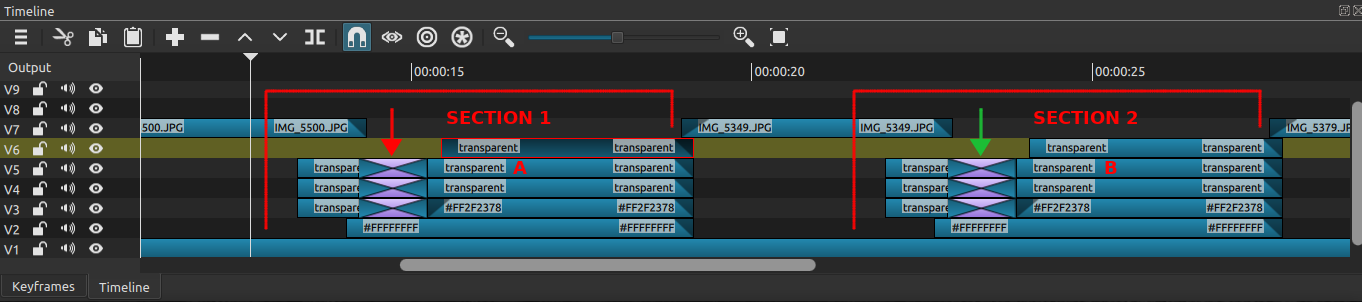
Changing text B leaves the green arrow transition with the original text A. Also, using this method there are a lot of elements to copy to duplicate the overall effect, so this was just stupid in hindsight. After playing with simple masks and reviewing my earlier sideshow video, minimum came to the rescue!
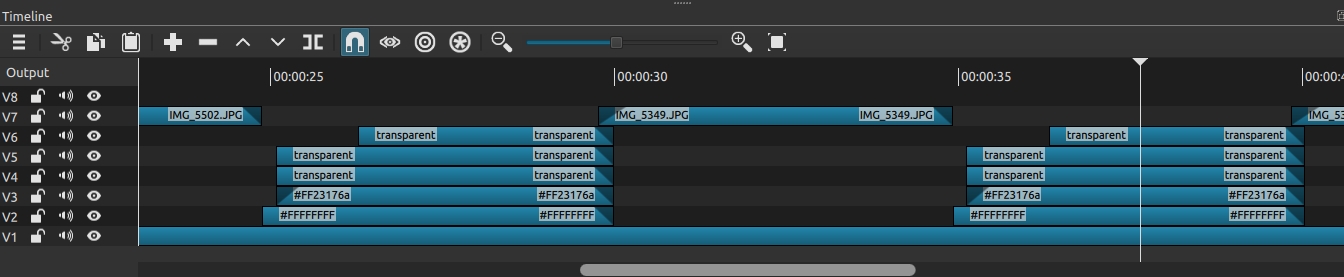
Much easier!
The blue/purple colour was a little too purpley for my liking on the TV, so editing the mlt file with find and replace all was a lifesaver.
EDIT: Damnit, audio swish is out of sync, fixing now.