I wish to use Shotcut to extract a clip from a recording by a google “Nest” security camera.
Shotcut gives the result I need, except that the MP4’s original overprinted time-stamps do not appear after I load into Shotcut. How may I preserve the time-stamps?
If Shotcut does not show the timestamp, it must not be burned into the video. Maybe it is encoded as a subtitle. If so, you can try to extract the embedded subtitles to make .SRT file that you open in the Subtitles panel. Open or select the video file, use Properties > menu > Extract Subtitles…
Docs at View > Subtitles
More than likely your viewer for Nest videos is showing that time stamp. You might be able to include it by adding the Text: Simple filter to the video, not as a standalone text clip. Then, there are some fields you can insert. You can try “Creation date”
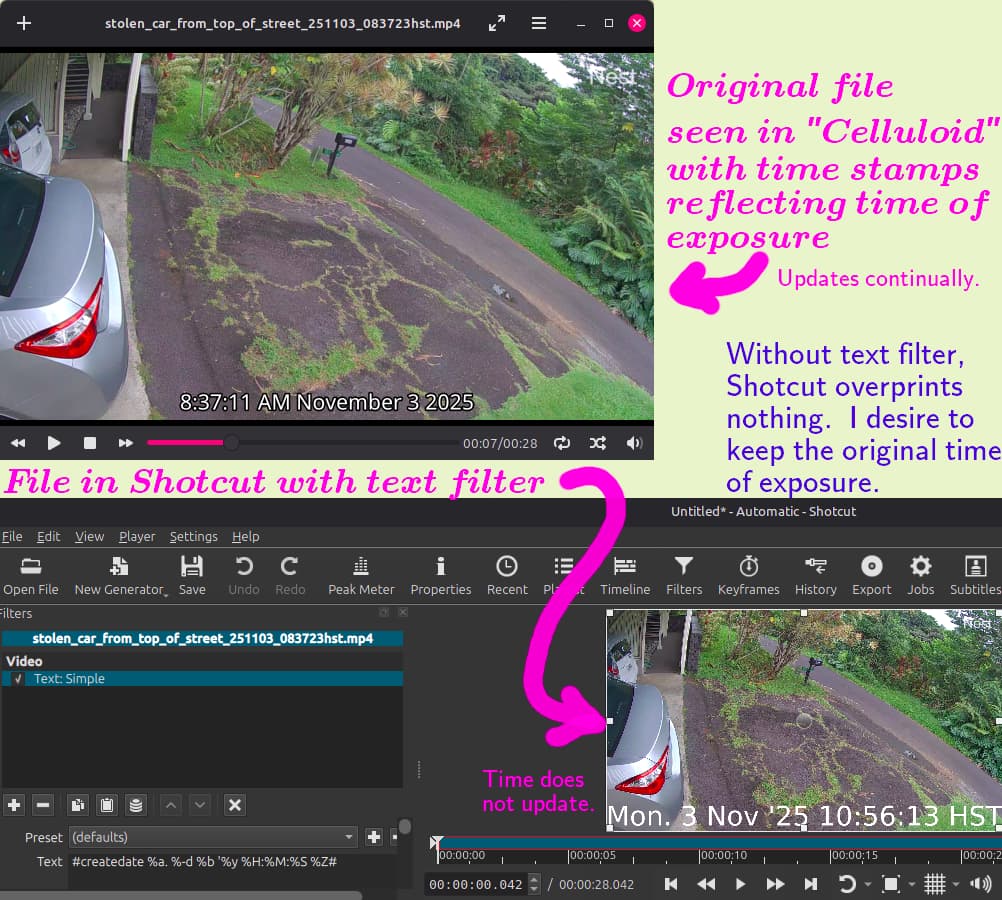
Thanks. Indeed my viewer (Celluloid) must be involved in adding a subtitle with a constantly updating date and time (hours, mins., seconds), which correctly shows the exposure time of the ‘google’ camera. My other viewer (VLC) does no such thing–merely adds a file name over the first few frames.
In Shotcut, I see nothing overprinted unless I include a simple text filter" #createdate %a. %-d %b '%y %H:%M:%S %Z#.
but the #createdate# filter superimposes just a static time stamp of the file when created (as one would expect). Creation time was several hours after exposure time originally reflected in the file as seen in Celluloid.
So I haven’t found the method I seek, which is to preserve the original exposure-time printed across the file when I view it in Celluloid. The file first created by my ‘google’ camera is in my Dropbox (which also does not display the overprint, but the downloaded file will in Celluloid). Here is a still shot comparing how frames differ.
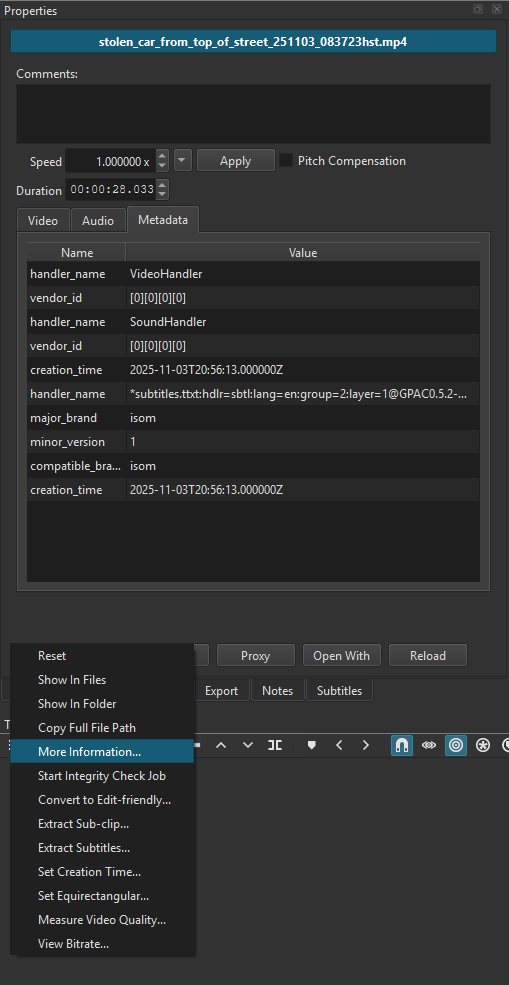
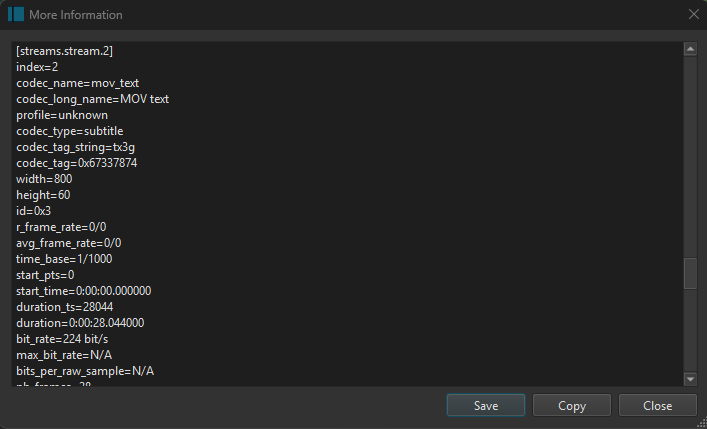
Shotcut has a feature that can show you more information about your clip. In the Properties panel, in the hamburger menu, you can find an entry called “More Information…”.
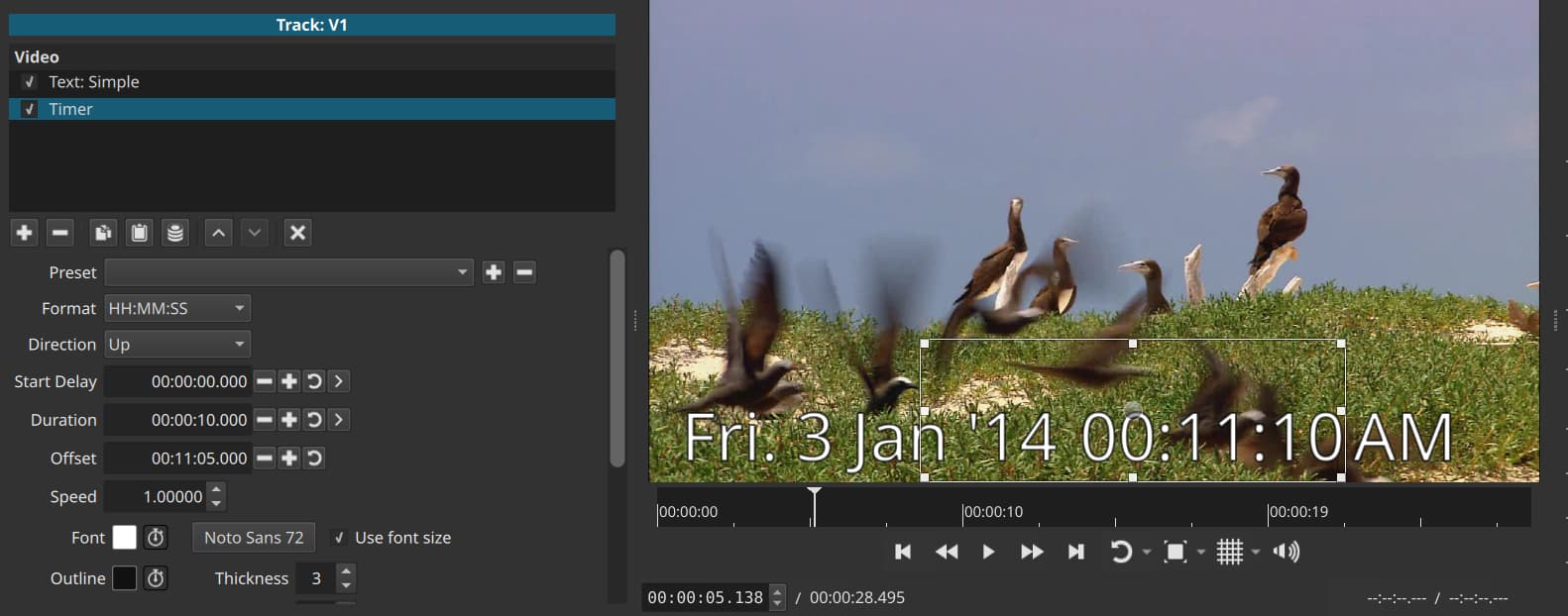
As a workaround you use the format to only show the date and then add a Timer filter where you change the Offset to the start time. But it will not show AM or PM; that could be a part of the Text: Simple.
Thank you for adding the example file. For the next release, I have added a feature that allows the user to extract the mov_text subtitles from the file. The extracted subtitles can be added back into the project and embedded or burned into the export file.

 Many thanks for the fast response.