Adds a soft halo around bright areas by blurring and reintroducing luminance into surrounding pixels.
The effect increases perceived brightness and softness without altering geometry. It is commonly used to suggest light bloom, diffusion, or optical softness.
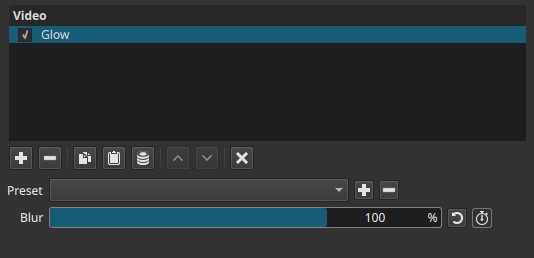
The Glow filter operates as a spatial effect. It does not analyze motion or time; any temporal change comes only from keyframing.
Parameters
Blur (0 - 100%)
Controls the radius and strength of the glow by increasing the amount of blur applied to bright regions.
-
Low values (0 - 20%)
Subtle glow. Bright edges soften slightly with minimal spread. Often perceived as gentle diffusion rather than an obvious effect. -
Mid values (20 - 60%)
Noticeable halo around highlights. Light areas bleed into adjacent pixels, increasing perceived brightness and softness. -
High values (60 - 100%)
Strong bloom. Highlights expand significantly and can wash out nearby detail. Fine edges may lose definition.
Important behavior notes:
- Blur does not brighten dark areas on its own. The effect is driven primarily by existing brightness.
- Increasing Blur enlarges the glow area; it does not act like a sharpening or contrast control.
- The scale is non-linear in perception: higher values increase spread faster than they increase apparent intensity.
Keyframes
The Blur parameter can be keyframed.
This enables:
- Gradual introduction or removal of glow
- Pulsing or breathing light effects
- Simulating changes in exposure, light intensity, or dream-like transitions over time
Parameter interaction
This filter has a single control.
Perceived strength depends heavily on the clip’s luminance range and contrast:
- High-contrast or high-exposure clips show stronger glow at the same Blur value.
- Flat or dark footage may require higher values to produce visible results.
Visual characteristics
- Soft halos around bright objects or highlights
- Reduced edge sharpness near light sources
- Increased perceived brightness without true exposure change
- At high values, highlights may appear smeared or over-bloomed
Recommended use cases
- Softening harsh digital highlights
- Creating light bloom or diffusion effects
- Stylized looks (dream sequences, memories, fantasy)
- Enhancing light sources such as lamps, reflections, or specular highlights
- Subtle beauty or diffusion pass when used at low values
Limitations
- No threshold or intensity control: all bright areas contribute equally.
- Can reduce fine detail and edge clarity at higher values.
- Not a physical simulation of camera or lens bloom; it is a visual approximation.
- Excessive use may cause washed-out highlights or loss of contrast.