The Glitch video filter introduces randomized digital distortion to simulate, for example, corrupted video signals or transmission errors. The effect works by displacing horizontal bands of the image and altering color channels during short glitch events. It is useful for stylized transitions, motion graphics, or adding visual noise to footage.
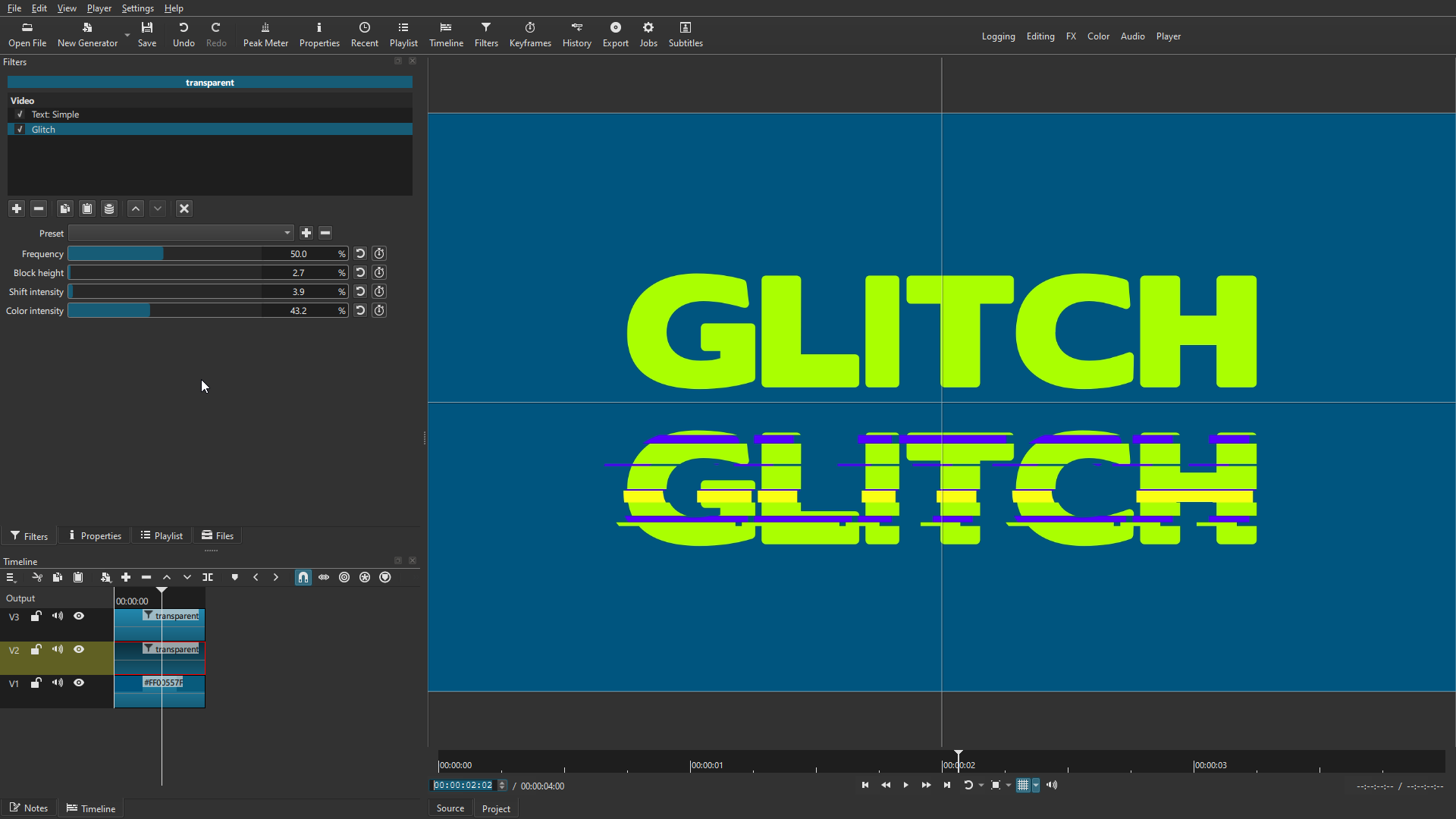
Parameters
Frequency
Controls how often glitch events occur over time.
- Low values produce occasional, subtle glitches.
- High values increase the number of glitch events, creating a more chaotic and continuous effect.
This parameter affects when glitches happen, not how strong they are.
Block Height
Determines the vertical size of the horizontal strips that are distorted during a glitch.
- Small values create thin, fine‑grained tearing.
- Large values produce thick, blocky horizontal bands.
This parameter defines the “resolution” of the glitch distortion.
Shift Intensity
Adjusts the horizontal displacement applied to the selected pixel bands and color channels.
- Higher values increase the sideways offset of the glitch bands.
- Also increases RGB channel separation, producing stronger color fringing.
- Does not affect glitch frequency.
This parameter controls how far the image shifts during a glitch.
Color Intensity
Controls the amount of color distortion applied during glitch events.
- Low values keep colors mostly intact.
- High values introduce strong channel misalignment, tint shifts, and chromatic artifacts.
This parameter influences the visual “noise” and color corruption of each glitch.