Hi,
Have installed Shotcut 20.07.11
Is there a trick to eliminating the gap in between letters in RTL languages? In my case, trying to write an overlay text in Arabic/Persian. As can be seen in attached snapshot a gap appears in between letters. It becomes evident when Thickness/Outline is enabled. I tested it with different “Writing System” as well as different fonts, but no change.
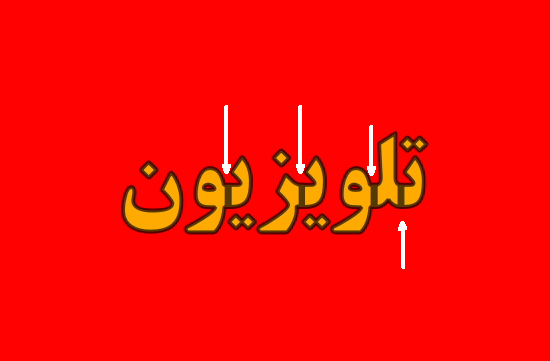
Any guidance is appreciated.
Thank you.
1 Like
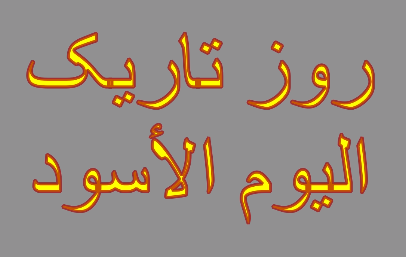
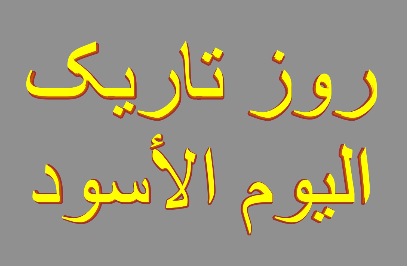
Try this
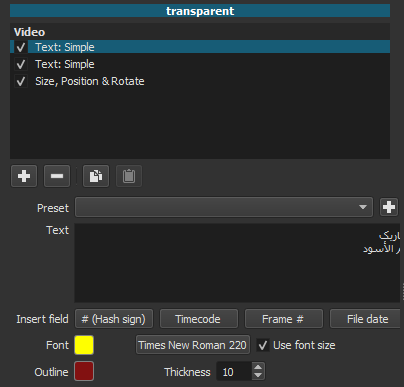
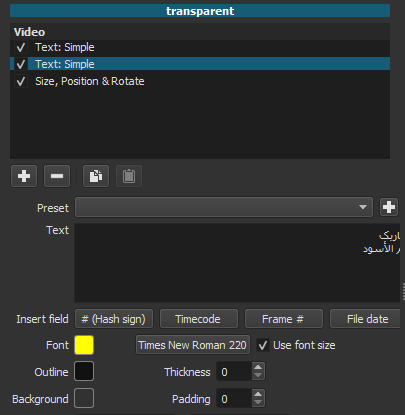
Set the text simple filter to use font size.
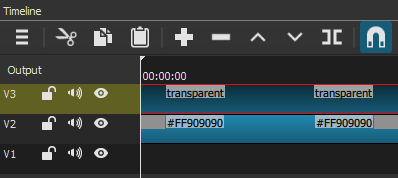
Duplicate the text simple filter. Set the outline on the upper text filter.
Set the outline to 0 on the lower text filter.
If you need to move the text use the Size and Position filter.
9 Likes
This is clever. It worked. Thank you.
This topic was automatically closed after 90 days. New replies are no longer allowed.