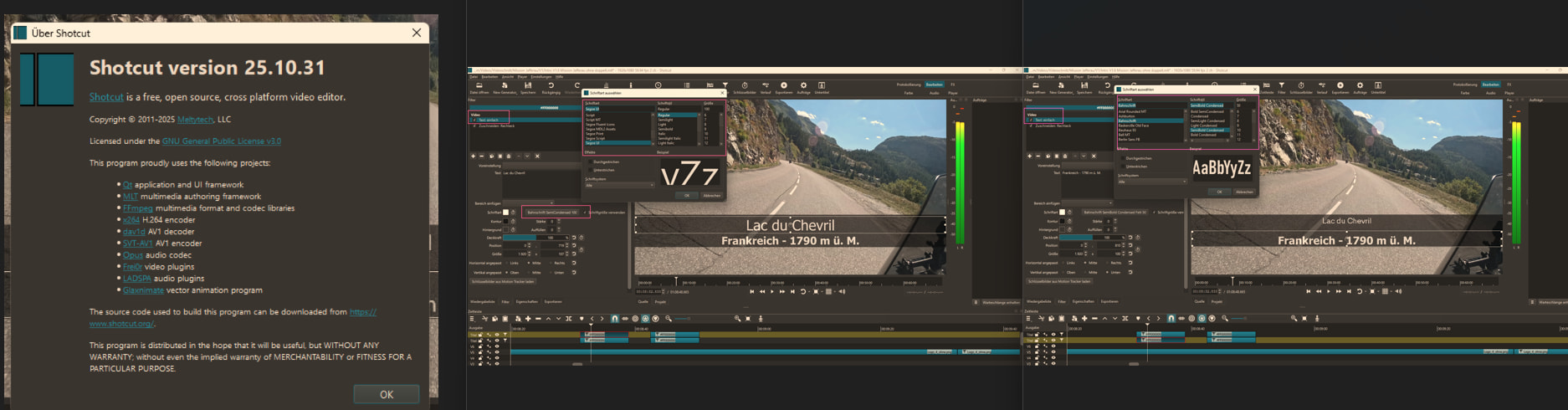
The font structure has changed starting with Shotcut version 25.10.31. Why is that?
What is your operating system?
My operating system is Windows 11 Home, version 25H2.
Current Shotcut version
26.2.26
Can you reproduce the problem? If so, what are the steps?
Yes, see text below.
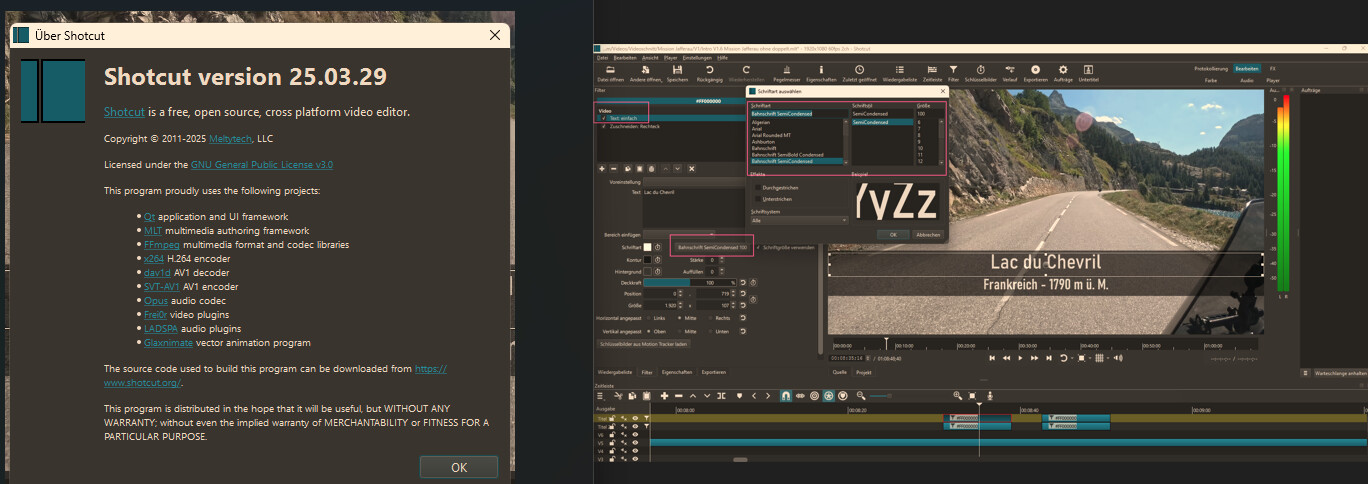
In early 2025, I worked on a project using Shotcut version 25.03.29 and other versions that were released.
Using the Text: Simple filter, I selected the font Bahnschrift SemiCondensed. See attached images.
Then the update to Shotcut version 25.10.31 came out, and I wanted to make some adjustments afterward. At some point, I noticed that something was wrong with the font. When I clicked on the “Test: Simple” filter, I saw that the font was correct, namely Bahnschrift SemiCondensed. But when I clicked on the font selection field, it displayed a different font: Segoe UI. See attached images.
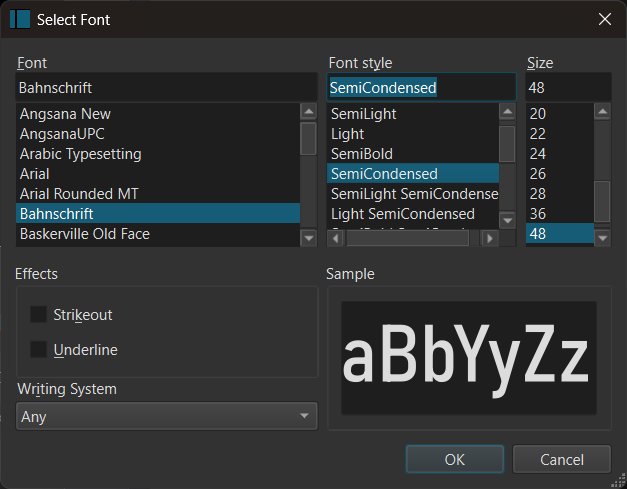
When I scrolled up to Bahnschrift SemiCondensed, I noticed that the font is now split into “Font” and “Style.” So ‘Font’ is Bahnschrift, and “Style” is SemiCondensed. And so, of course, my font isn’t being found or displayed. See attached image.
Now for my questions.
Why was this changed?
Does the change come from Windows or Shotcut?
Will it stay this way? If so, I’ll update my projects accordingly.
I do not recall or find that we did anything different here between those versions, but the Qt version did change. And maybe in your language the behavior changed between versions.
Now, we are changing behavior in the next version to fix actually using any style other than bold or italic:
I ran version 24.09, and it does have the fonts organized like your first screenshot where Bahnschrift SemiCondensed is in the left column. Yeah, that is a Qt change, which is the GUI library we use. I am not going to change anything here to try to make it work like it used to.