Both of these commands do the same thing
-
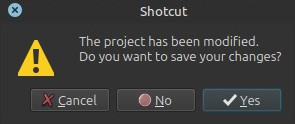
If you have un-saved work you are first asked if you want to save your project.
-
If a file is open–whether a project, saved or unsaved, or a single piece of media–the current project is closed and all clips and timeline tracks are removed from the window. It will look similar to how it appears when you start the program by itself (not by launching it along with a project or media file).
-
Close does not close the Shotcut program; use Exit for that.
-
If you already did some things in Shotcut you need to choose Close or New in order to return to the New Project view.
See also Project Management