It was a pleasure for me to help in any way possible.
About the orphan proxies I can explain why I do this:
The default configuration of the proxies (in W10) is in the folder C:/Users/user/AppData/Local/Melytech/Shotcut/proxies
This location is hidden by default in W10.
There are other important folders in it as you can see.
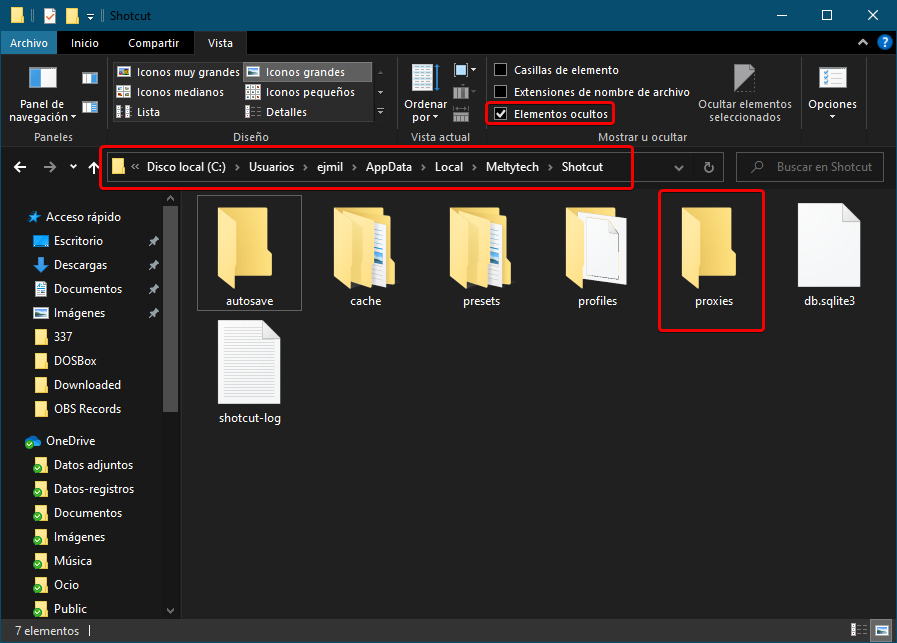
If we do not enable the proxy storage box within each project, each proxy file will be created within the default folder (the hidden folder).
On the other hand, it is also possible to drag a media file to the playlist, without having created a project previously. In that case, even if we have the proxy storage box enabled in the project folder, that case, as there is no project, that proxy file will be created in the default folder (the hidden folder)
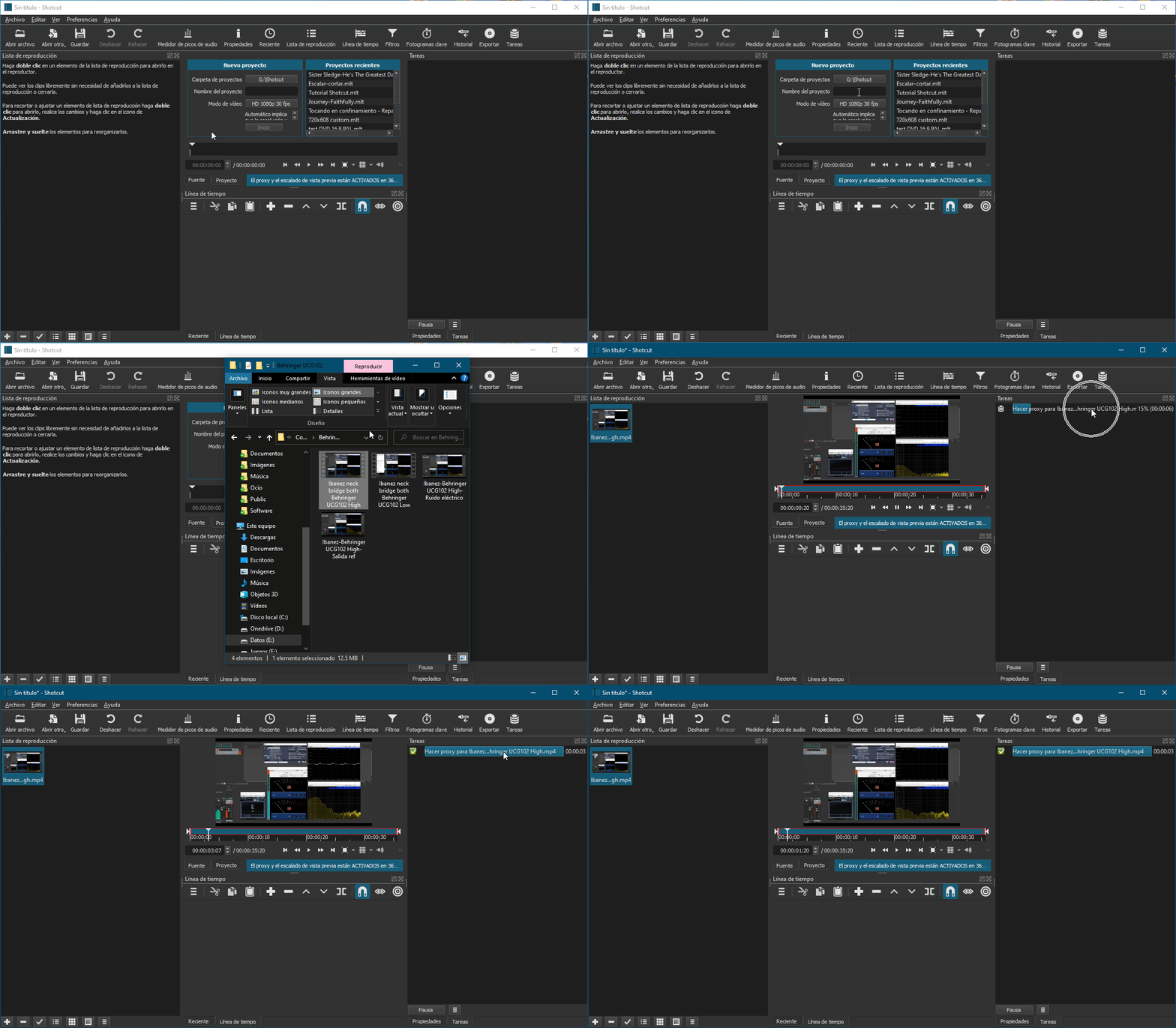
All those proxy files created in that folder will take up space there.
In my case, I sometimes come across this, when I teach some Shotcut function to my family, or even when I answer some question here in the forum. For those cases, I don’t create a project.
Therefore, I configured my proxy folder (which has no project) in an accessible location, which was not hidden and which also did not take up space in my SSD for this unimportant purpose (imagine the number of proxy files that can accumulate in that default location, especially if you are learning or testing with many files)
So, these proxy files, have no project, they are orphans. And that’s why I named the folder.
From time to time I can delete that folder without fear because in it there are only files that were automatically created by Shotcut but are not associated with any project in my case.
For Ubuntu Studio, I configure Shotcut in the same way.
The default location was: /home/user/.local/share/Melytech/Shotcut/

I replaced this with a location in my personal folder.
That’s all I need to know to easily locate and remove them knowing that they will not affect any project.
It’s my workflow, which is not perfect, but it works well for me.