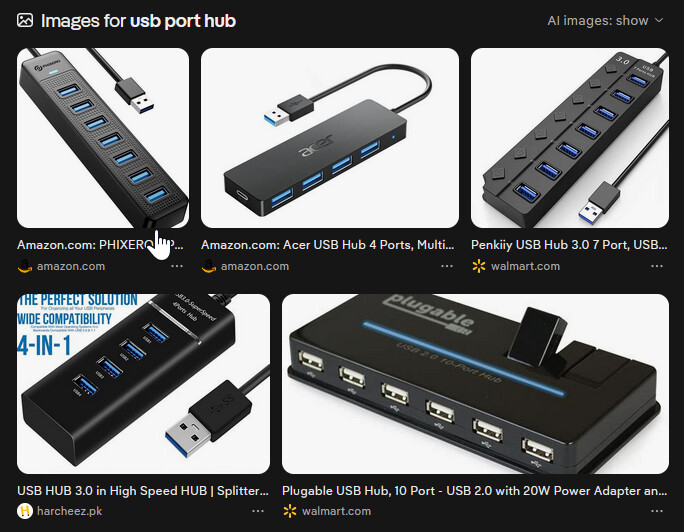
For the USB stick issue, I highly suggest getting a USB Port Hub. Note: When exporting it may take longer because the speed of a USB is far slower than a SSD drive.
As for your other questions, I suggest that you make a separate post for each question. This way, other readers will see that question, and the result may help someone else in the future.
No, this is the same thing you’ve been doing before.
Please read this part very carefully: when you add videos into Shotcut it only receives a “shortcut” to that file, as soon as you remove the USB stick from the computer, Shotcut can not see that file anymore.
You need to right click on the usb drive (or the folder with the videos inside), choose COPY, then somewhere on your Desktop right click again and hit PASTE. This will make a copy of your videos on your desktop. Do this again for your second USB stick. Then after it all finishes the copy, remove all USB drives, open the old project in Shotcut and in the dialog that says there are missing files choose the folders on your desktop that you made the video copy in.
You should not have any more missing file issues after this step.
Sounds good and is working. Thank you. However: Two files are still missing. I don´t exactly know how to deal with the long one that you addressed before as I don´t know which folder to choose. Then there is one missing file from one of the USB-sticks. It may be that I haven´t copied it yet on the laptop because I did not want to copy all files due to little memory. I will probably find a solution there. I am really grateful that you help me saving time and energy.
What if you create the Shotcut files on the flash drive itself? This might make it easier in one of two ways:
If you are using each clip in only one project, then move the source files into a subdirectory of the Shotcut project directory. Then, when you select those clips, it should use relative paths, meaning it won’t break even if the drive name changes.
If you are using clips in multiple projects, then you have a few options:
You can copy files into subdirectories of each project (probably a bad idea)
You can set up hard links so that the same file on disk shows up in multiple places (i.e. under multiple project directories).
Either way, I think you’ll resolve some of this if you keep the Shotcut projects on the USB drive. I would do something like create a sources subdirectory of the Shotcut project directory and copy/move/hardlink files into that directory. So if my project directory is E:\Shotcut\ProjA, I might move sources into E:\Shotcut\ProjA\sources. Then select those files when adding clips to your project.
The long file name was in a temporary windows folder so I think you need to search for it on the internet again. Here’s what google says about that path:
AppData\Local\Microsoft\Windows\INetCache is a hidden Windows system folder that stores temporary internet files, cached website data (images, scripts, cookies), and Outlook attachments. It acts as a local cache for Internet Explorer and various Windows applications to improve loading speeds
From the screenshots I think she needs to use files from both flash drives in the same project, so moving the project file onto the drive won’t help much.
This is crazy advanced stuff and it also makes very little sense in this scenario.
Ah, I see. Then yeah, it’s not really helpful to keep the project on the flash drives.
Well, if the files were all on one drive, it actually would make sense (to prevent duplication and save space). At least on Linux, hard links are pretty…routine (the default mode of ln is a hard link, rather than a soft/symbolic link). And it’s exactly useful for this kind of case where you might want to access a file from multiple paths without having to duplicate it.
But again, if we’re talking about multiple flash drives, then all of this isn’t useful anyway
Never drag things from your web browser into Shotcut. Download them first and use the downloaded file. If the image or video is embedded without a download button, right-click and try to choose a save as option. This often does not work for Web video, which is often streams and not files and sometimes protected.
I have had help in this issue from a good friend. So the problem has been solved. It was necessary to put all the files on one hard drive. So you were right, thank you. However, it was necessary to have somebody help me in person as there were some other minor problems. Once again, thanx a lot for your efforts …