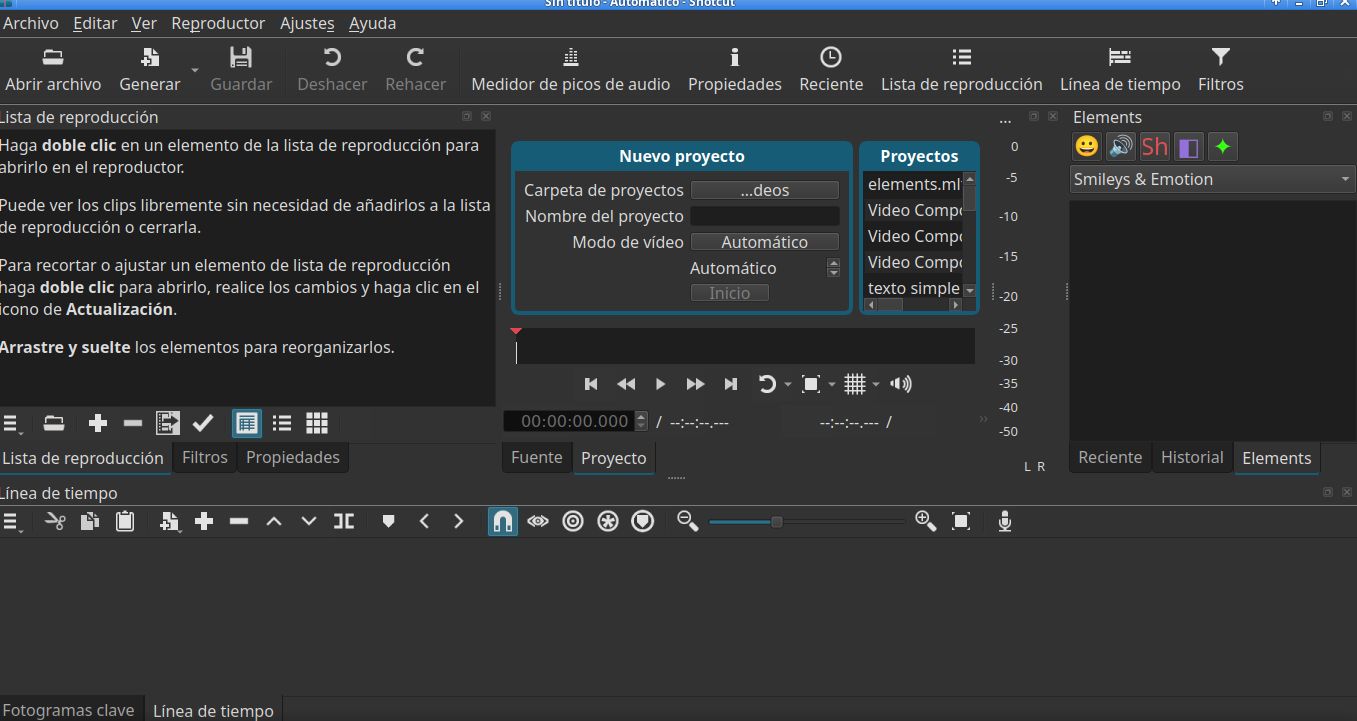
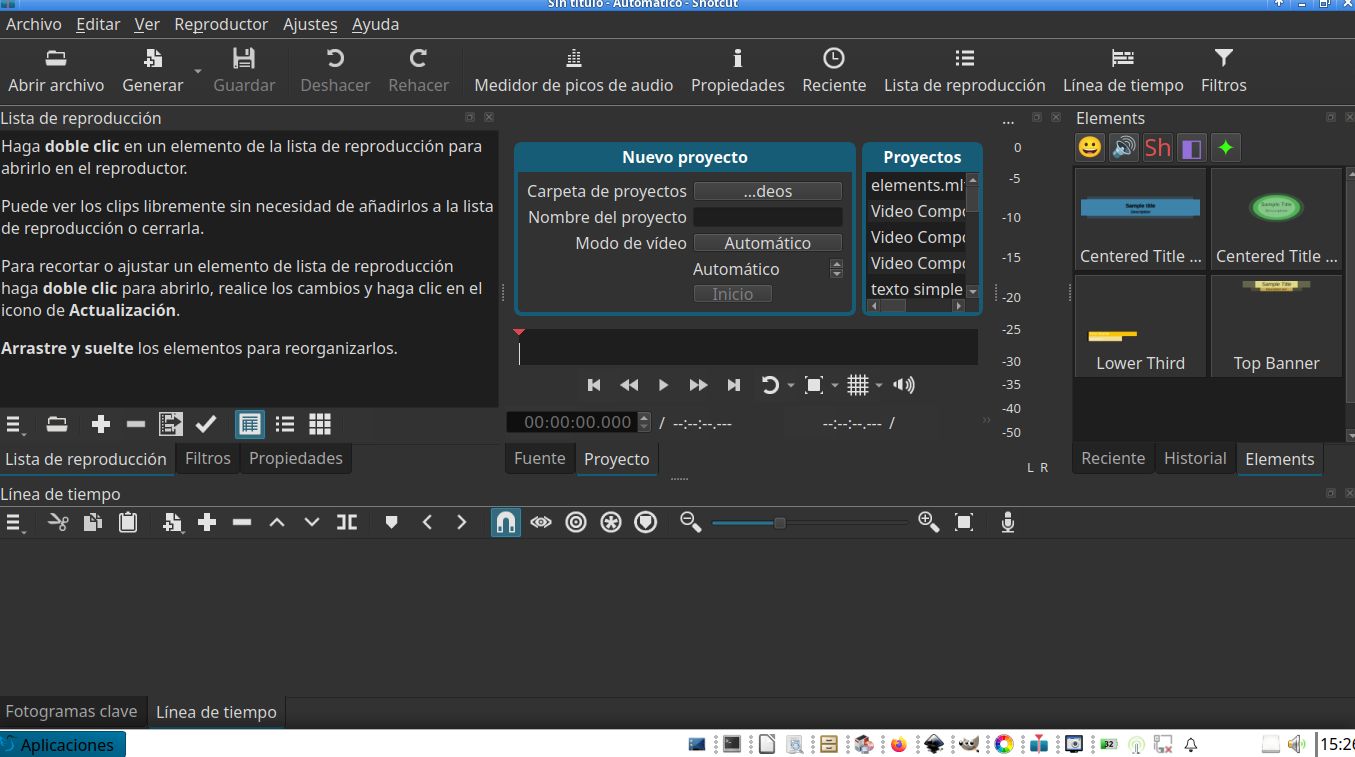
Dan,
Thank you for your help,
I did as you suggested. Now, SC version 26.10.3, shows Elements properly.
However, I am adding the route I followed to get SC to show the whole content of that window. At least in the case of the Debian version I work with. Here it goes:
I already had instaled the glax appimage. This app run without problem, either if I issued from the appimage file as such or if I run it from a shell. Even if I got an error message in the last case:
germ@Darwin1859:~/Applications$
germ@Darwin1859:~/Applications$ ./glaxnimate*
qt.qpa.services: Failed to register with host portal QDBusError(“org.freedesktop.DBus.Error.ServiceUnknown”, “The name org.freedesktop.portal.Desktop was not provided by any .service files”)
QFile::remove: Empty or null file name
As of SC, it didn’t start issuing it from the appimage file. Moreover, I got the following message after running it from a shell:
germ@Darwin1859:~/Applications$ ./shotcut*
dlopen(): error loading libfuse.so.2
AppImages require FUSE to run.
You might still be able to extract the contents of this AppImage
if you run it with the --appimage-extract option.
See FUSE · AppImage/AppImageKit Wiki · GitHub
for more information…
The installed fuse in the testing version I have are:
fuse 3.18.3-1
fuse3 3.18.3-1
libfuse3-4 3.18.3-1
However…
germ@Darwin1859:~/Applications/squashfs-root$ ./AppRun
bin/shotcut: /home/germ/Applications/squashfs-root/usr/bin/lib/libpcre2-8.so.0: no version information available (required by /usr/lib/x86_64-linux-gnu/libglib-2.0.so.0)
No appenders associated with category qt.qpa.services
[Warning] <> Failed to register with host portal QDBusError(“org.freedesktop.DBus.Error.ServiceUnknown”, “The name org.freedesktop.portal.Desktop was not provided by any .service files”)
/home/germ/Applications/squashfs-root/usr/bin/bin/shotcut: /home/germ/Applications/squashfs-root/usr/bin/lib/libpcre2-8.so.0: no version information available (required by /usr/lib/x86_64-linux-gnu/libglib-2.0.so.0)
libDeckLinkAPI.so: cannot open shared object file: No such file or directory
formats:
- a64
- ac3
- ac4
- adts
- adx
- aea
- aiff
- alp
- amr
- amv
…
module loading continues and, at the end… every piece of elements were loaded.
I don’t know what the bug is but, at least, I can load the Elements. Notwithstanding this, I’ll check every piece of the loaded SC v. 26.10.3
I had to run the executable using the following path:
germ@Darwin1859:~/Applications/squashfs-root$ ls -la
total 60
drwxr-xr-x 3 germ germ 4096 nov 3 19:47 .
drwxrwxr-x 4 germ germ 4096 nov 3 19:56 ..
-rwxr-xr-x 1 germ germ 31552 nov 3 19:47 AppRun ++++
lrwxrwxrwx 1 germ germ 23 nov 3 19:47 .DirIcon → org.shotcut.Shotcut.png
-rw-r–r-- 1 germ germ 1187 nov 3 19:47 org.shotcut.Shotcut.png
-rw-r–r-- 1 germ germ 1417 nov 3 19:47 org.shotcut.Shotcut.svg
-rw-r–r-- 1 germ germ 3060 nov 3 19:47 shotcut.desktop
-rw-r–r-- 1 germ germ 1187 nov 3 19:47 shotcut.png
drwxr-xr-x 5 germ germ 4096 nov 3 19:45 usr
The actual exec file is the one with four + maths symbols.
Most important. SC runs either issuing the above command by double clicking or just running the shell
I’m uploading the SC window